If you are running a social networking site, or a community that allows people to post their own content, you will surely come across text/images/videos that contain profanity or are so offensive in nature that you don’t want them to appear on the site. One of the ways that you can eliminate it is to moderate every single post or comment submitted by your visitors, though this can be labour-intensive and requires a lot of time and effort, especially if your site is popular.
An alternative solution is to use a third-party tool to automate this moderation service, and that is where WebPurify comes into play. WebPurify provides a profanity filtering service with an optimized text filtering tool, as well as image and video moderation. Let’s get to know a little bit more about these services, used in some well-known websites like PBS’s homepage.
Profanity Filtering Service
The Profanity Filtering Service (PFS) is a content filter with optimizations, therefore making it more accurate and efficient. It can be easily integrated into any Internet-enabled platform in order to monitor and moderate content submitted by users. It features a profanity list and a profanity detecting algorithm, both of which are updated automatically, while also providing the ability for webmasters to create customized word filters. This service is available in a variety of languages: English, Spanish, Arabic, Italian, French, German, Portuguese, Russian, Thai, Hindi, Japanese and Turkish with Chinese, Korean and Punjabi.
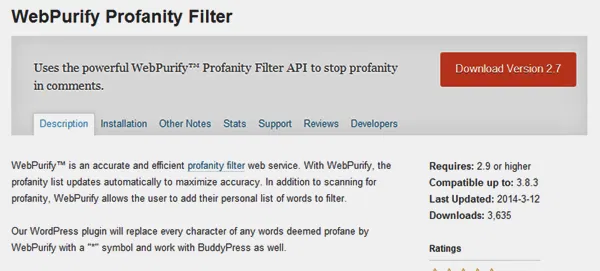
There is a limit of 30,000 characters per submission, but there is no limitation on the amount of submissions. The PFS is very quick, with response times averaging 89 milliseconds (not including the travel time between servers). Given the fact that WebPurify is a company dedicated to content moderation, the default profanity list is not publicly available. So far, over two and a half billion (and counting) submissions have been checked for profanities.
Image Moderation
Another interesting service provided by WebPurify is Image Moderation, which allows for the integration of live moderators onto a page. Moderating over 500,000 images per day, the service provides an easy-to-use API so that images can be moderated according to WebPurify’s standard criteria or by custom criteria defined by webmasters.

By default, images are flagged if they contain “adult content,” such as nudity (integral or partial), portrayal of hate or hate crimes, violence, offensive gestures or language, and so on. Images are usually moderated in less than 5 minutes, and the moderation is made by a specialized team active twenty-four/seven all year round.
Video Moderation
WebPurify provides a service for Video Moderation as well which basically works in a very similar way to the Image Moderation service.
Conclusion
Of course, such specific and dedicated services could not be provided freely. Each service has to be paid separately, and there are several plans on each service so that you can choose the ones that are the best fit for your site and your wallet. For example, PFS plans range from $50 to $500 per year.
The services offered by WebPurify are really useful for anyone willing to have a profanity-free page, saving the time and frustrations of moderating every single user submission.