The mainstream search engine game, for the most part, has ended. Good Google alternatives are really hard to find. You’ve got Bing, Microsoft’s attempt at being Google (which just isn’t as good). Along with that, you’ve got the Yahoo! search engine. These alternatives are terrible.
Why? They’re trying to capture lightning in a bottle like Google did. They’re trying to be them, and they’re not really offering up that much difference to the competition. Engines like Bing just look like a prettier Google search. However, when used, you’ll often find that it just doesn’t cut it.
We need a real alternative. An alternative that doesn’t rely on being exactly like Google, but with a different name so you feel special. One that respects your privacy as a user, and on top of all that – its got infinite utility, perhaps even more than the almighty Google search. We need DuckDuckGo.
DuckDuckGo Respects Your Privacy
Unlike the mainstream search engines, DuckDuckGo actually respects your privacy. They don’t track your searches. In fact, that’s exactly their mission. To create a great search engine based on results. Not by keeping track of user searches. Don’t believe me? Read the DuckDuckGo privacy policy.
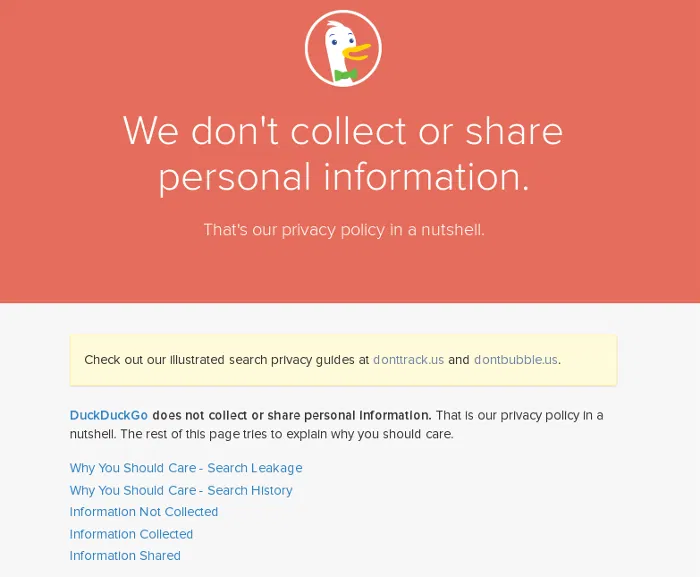
Search engines like Google track and bubble you. What does this mean? It means they create a filter based on what you like, so they can serve you advertisements. It also contributes to the search results you see. They keep track of what you like and hide what you don’t like.
For example: If you’re a huge fan of one thing, but hate another thing you’ll only see the thing you like. Google search wouldn’t dare show you something to you that your profile says you dislike. The results are specifically designed and targeted for you.
!Bang Syntax
Besides respecting your privacy, DuckDuckGo has some serious utility. The most notable utility is their !Bang syntax. This syntax allows you to execute commands to DDG directly, and have it do things. Want to search for a YouTube video? Try the “!yt” command. Doing so will scour YouTube directly. This makes searching anything feel great, and infinitely useful.
There are tons of !Bang commands to choose from. If you want to learn more, there’s a really great write up that has a list of every single command possible. Check it out here.
Note: It’s possible to make your own !Bang commands.

Other Useful Things
You’ve heard about DDG’s privacy policies, and you’ve heard about the !Bang syntax. What more could they have to offer? Quite a bit, actually. DuckDuckGo is a lot like Google. There’s tons of neat little tricks you can use to make every day life easier.
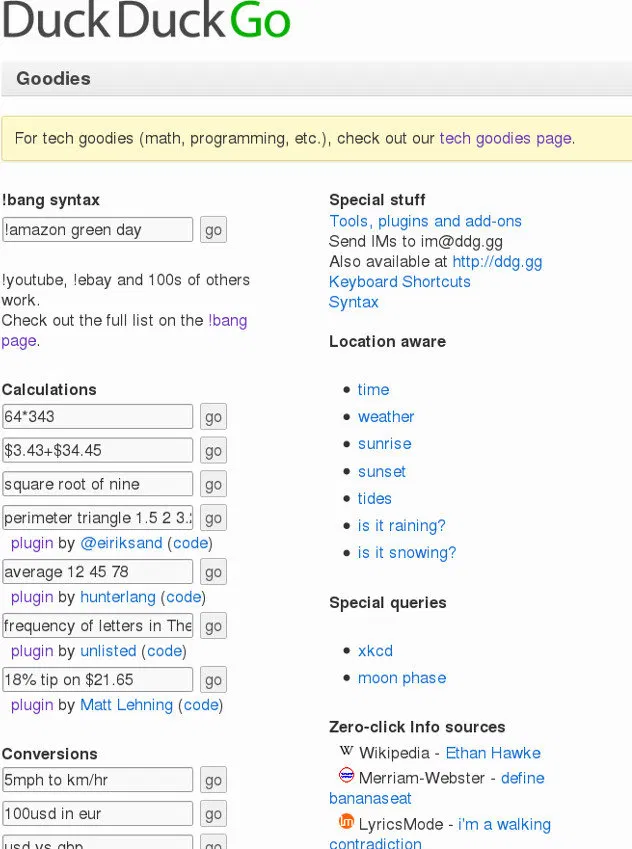
For example: You can use the “calculate” command to do some quick math, you can roll a die, you can even flip a coin. The possibilities are endless. It’s even possible to write your own DuckDuckGo tools with their developer website, DuckDuckHack!

Conclusion
This is the search engine that everyone deserves. It respects your privacy, it’s open source, and overall just a handy tool. In a post Snowden world, people who value privacy really should be looking for serious Google alternatives, and DDG is probably the best one available.
If you’ve been in the market for a new search engine, look no further. Give DuckDuckGo a serious chance. It’s totally worth it. I should know, I’ve been using it myself for about 4 years. For me, no other search engine comes close.
Do you like DuckDuckGo? Tell us why in the comments!