Encryption is a cozy word. It sounds like you’ve just hired armed guards to stand in front of your doors with instructions to attack anyone who gets within twenty meters of you. What if I told you that the security that you rely on to keep your applications and data safe is nothing more than a lock that will be outdated tomorrow? How about the fact that most service providers don’t even bother to give you transparent information about the way they handle security? There are so many reasons to tread carefully, it’s hard to condense it within any measure of words. That doesn’t mean I won’t try.
Encryption Is Unreliable
The toughest encryption today will be outrun by the weakest encryption of tomorrow. This is an inevitable reality. Of course, you don’t have to worry a whole lot about the level of encryption your service provider gives you as long as it hasn’t been solved. The word “solved” in this context means that a form of encryption has been repeatedly cracked. If your service provider encrypts your data using outdated algorithms, both you and the provider will suffer for that.
Once Government Cracks Something, Hackers Aren’t Far Behind
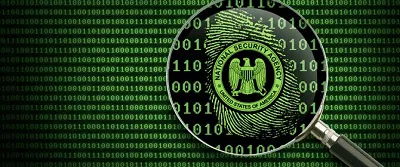
You probably know about SSL and rely on it on a daily basis to access Facebook and your email. Perhaps it’s also no surprise to you that the NSA has cracked RSA and SSL. This tells you something about the future. At the very least, SSL and RSA encryption will be simply outdated as hackers grab a piece of the NSA’s pie and learn how to crack their way into servers for illicit purposes. Just like companies base their designs sometimes on government work, hackers also use government surveillance as a signal booster for what they should do next.
Your Phone Is No Better Off
Who’s developing your apps? It sure isn’t Google, Microsoft, or Apple. They’re just hosting the apps on their stores. Most of the people developing apps are just people. They have either a complete lack of or an adequate amount of resources, but nowhere near the near-infinite resources that the companies I just mentioned have. This means that they can only get a certain amount of talent into the fray. Unfortunately for you, this means that the apps you download from individual developers or very small startups that have no experience in the industry are riddled with privacy issues.
Some Guidelines
If you want to stay safe, just follow these rules:
- Keep an eye out for broken encryption. Search the type of encryption your service provider uses and use the term “broken.”
- Don’t email something you wouldn’t like to have out in the open. Use either face-to-face conversations or video conferencing (with end-to-end encryption, of course) to speak privately.
- Avoid using the same password for more than one service. This only makes a hacker’s job of destroying your identity on the web easier. Use SSO services if you’d like to better manage your passwords.
- Take a long hard look at the permissions requests your apps send before you install them. This gives you an idea of how extensive the damage can be from an app that is incompetently developed.
- Pay attention when a government cracks something. This is a sign that you should start avoiding that type of encryption altogether. It’s not necessarily an attempt to circumvent your government as much as it is an attempt to prevent hackers from getting ahead of you in the “cat and mouse” game.
Hopefully, you’ve gotten a little bit out of this and can understand your security situation better. If you want to contribute to this dialogue, please leave a comment below!