There are many, many different web browsers intended for different usage styles, and as our article on Firefox variants shows, there is a market for them. Though we chose Light as the best all-round option in the comparison given how it refines the familiar Firefox base, it appears that one of the more infamous projects is still very active.
This project is, of course, K-Meleon. Stories abounded in late 2012 about how development had halted, though nothing could be further from the truth. Thus, it seemed only fair to take a long, hard look at the browser that wants to do everything by default.
In brief, K-Meleon is another browser with links to Firefox, but with its own distinct approach. Is it worth the effort, or is it just another name in a list spanning dozens?
Appearance

K-Meleon’s appearance differs radically from anything you would immediately connect to Firefox. The UI distances itself from Strata and Australis (the two default Firefox UIs of the past few years), taking its own path instead. Initial impressions, understandably, are that the UI is “busier.” There are few areas of empty space, having instead been replaced with buttons.

In truth, the same could be done with Firefox. K-Meleon simply puts a lot of buttons on display at once. It’s an interesting contrast to more modern software design, and everyone might not like this older-fashioned layout. Should that be the case, the UI can be heavily modified; everything can be dragged to a new position, should you wish it.
By default, K-Meleon comes with a handful of differently-sized themes, as well as the “Klassik” option, which bears some resemblance to older versions of Internet Explorer due to its icons.

Features
K-Meleon shares quite a few features with Firefox but brings a few that the more popular browser doesn’t have by default. One example, which we previously covered, is the ability to change your browser’s user agent in order to load websites differently or force compatibility. We explained how to do this in the main browser, though K-Meleon includes this feature as standard.
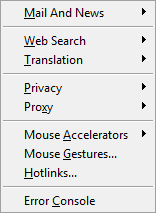
K-Meleon includes a session manager as well as many other defaults: one obvious example is the variety of “Mouse Accelerators.” If you’ve ever noticed your mouse feels “better” in some software, it may well be due to a specific type of accelerator that K-Meleon could let you replicate. It’s almost needlessly in-depth, yet it’s the kind of thing that perfectly reflects the developer’s end goal of giving a user control over every facet of the software.
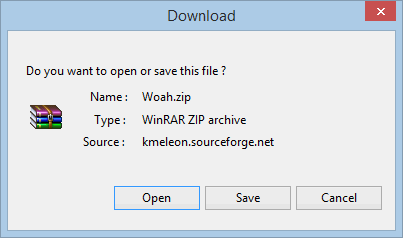
Another feature – which can be added to Firefox via the Open Download extension – is a button to open files instead of saving them. You will have no doubt realized that, of the major browsers presently available, none include this feature by default apart from Internet Explorer. Why they do not include this button is unclear, since it can be highly convenient for installing software.
Compatibility
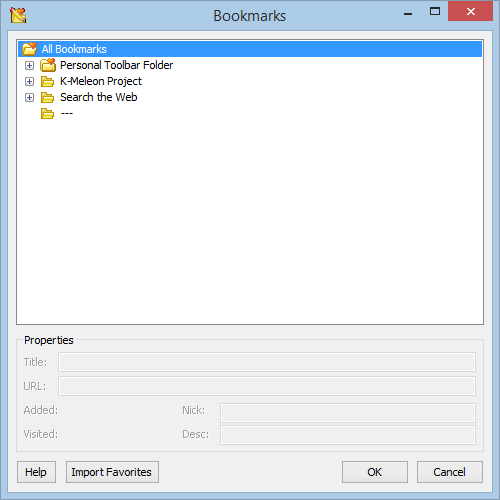
Though K-Meleon’s origins are shared with Firefox, this does not ensure compatibility between the two. All previously examined browsers would have been able to use Firefox add-ons freely given the extent of their similarity – K-Meleon differs here, just as it does in so many other ways.
As previously mentioned, K-Meleon comes with a number of different themes by default. It will not work with themes designed for Firefox, nor will its themes work in Firefox. The two differ so radically that they will not be able to share add-on compatibility easily; even the mainstay extensions of Firefox, such as AdBlock Plus and Stylish, will not play nicely with K-Meleon. It is possible to find themes for K-Meleon, though it is much more laborious given the small number of options available. It is, after all, a much more niche browser.
Overall
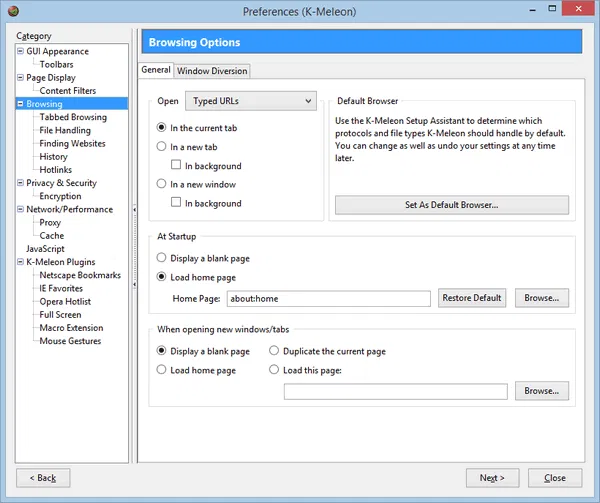
K-Meleon is an interesting prospect given how much it does out-of-the-box, but we’re not sure that you should be moving to it full-time. While it has an enormous number of features by default, it’s not as user-friendly as Firefox, and it’s not as enticing as it first sounds due to the lack of extension compatibility. Third-party customisation is limited; this has always been the real meat of Firefox modifications, and K-Meleon definitely suffers in its position.
If you’re looking to change your web browser and you’d like something similar to Firefox, we still endorse Light as an option, just as we did recently. K-Meleon does a lot, but it doesn’t do enough for the average web user to pose a threat. It’s a fun prospect to play with, but ultimately, that’s all it is.