Peer discovery is an essential part of the BitTorrent protocol. It’s how its downloads happen so quickly: You connect to multiple people, and each of them upload a little piece of the file to you. This phenomenon has created a very popular way to download and share information on the internet, both legitimate and illegitimate. Regardless of the effects it has had on intellectual property, I’m here to describe one thing: How the whole BitTorrent DHT peer discovery process really works. You may know a little bit (or a lot) about this mechanism, but surely enough you’re curious to know what the term DHT means and how the peers listed under it found you in the first place.
What Does DHT Mean?
DHT is short for “distributed hash table,” and it represents a medium by which you find peers, also known as “bootstrapping.” I’ll explain that in a bit. Just keep in mind the fact that you can find peers through the DHT.

While many people say it’s decentralized, it’s actually very difficult to do this, given the unicast nature of the Internet. When you connect to the web, you don’t announce your presence to the billions of computers already connected. This would just waste enormous amounts of bandwidth. Instead, your local internet service provider’s router, as well as the destinations you connect to, are the only ones aware you’re even online. That’s what “unicast” means, in layman’s terms. Multicast is what happens when your computer gets into a local network. Its presence is made known to every other computer in the same subnet, and they’re now aware of your presence. Since this doesn’t happen in the external Internet, there’s really no way to actually compose a completely decentralized structure, given the limitations of the BitTorrent protocol itself.
As a result, there tends to be two main DHTs that you connect to when you start downloading a torrent file: router.bittorrent.com and router.utorrent.com. In case you’re curious, you connect to them on port 6881. It’s not absolutely necessary to memorize this information. Sometimes peer data is embedded in the torrent file to make the process of finding peers easier.
Bootstrapping
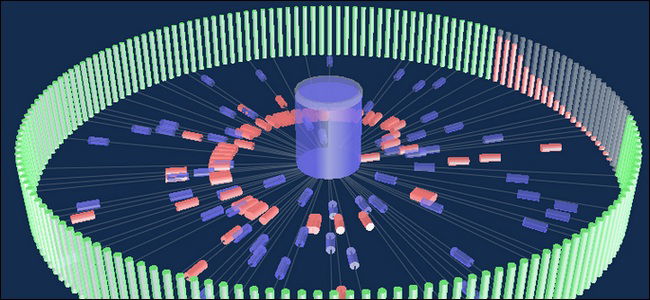
To start gathering peers, one must first bootstrap into the torrent network. Bootstrapping is just a fancy way of describing the process of connecting to the DHT and finding peers. Once connected, the DHT server will send out a handful of peer IP addresses that you’ll also connect to. They’ll give you the addresses of peers connected to them, and so on, and so forth, until your peer list shows all the peers downloading (or seeding) the file you’re trying to get. It’s like following a tree from the roots to the branches.
Theoretically speaking, you only really need one single peer address to get all the other peers, since it will share the rest of the addresses with you. This saves trackers and the DHT a ton of bandwidth which would otherwise be wasted in sending lists of peers to every new peer connected and notifying each person when one of them disconnects. The hassle is minimized by making peers relay information to each other.
After you’ve found all your peers, your download begins!
If DHTs Are Out There, Why Do Most People Still Use Trackers?
DHT can be fun, but most people still use trackers to download their data. This is because of the inherent nature of the DHT. Let’s say I have a site where I upload a bunch of my open-source creations as torrents. To fully control what happens to those torrents, and protect the privacy of the individuals downloading them, it’s more lucrative for me to host my own tracker. Sites that post illicit downloading material use trackers as their medium of preference to maintain an underground aspect and control what gets published on them and what gets removed.
That said, not all torrent downloads are illegal. There’s a massive repository of open-source projects and public domain works by individuals who just want to share what they have without wasting the bandwidth of their web hosts.
Confused?
If you’re still puzzled by the information shared here, leave a comment below and we can discuss!
Image credit: DHT en.svg