Whenever you enter your username and password to log into a website, Google Chrome will usually prompt you to remember the password, which you can either Accept or Decline. If you accept, Chrome will save the password internally in its memory, and the next time you open that site, it will auto-fill the username and password fields for you.

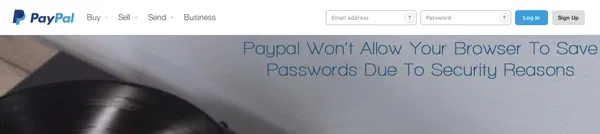
This password-saving feature is available in all modern browsers, but some websites, maybe for security reasons, disable this option for their login forms. For example, Paypal won’t allow any browser to remember your password, for security reasons. Hence, you’re forced to enter the password every time you open PayPal. Some bank websites do the same. This can be a real problem, especially for those who frequently log in to these sites.
Remember-Password-Chrome-Main

However, with a simple click or two of your mouse, you can work around this limitation and force your browser to remember the password on these uncooperative sites.

How Do Websites Disable Password Saving?

Websites can easily disable the auto-fill option for login forms in browsers by setting autocomplete=offfor the password field. For instance, in Paypal’s login screen’s source code shown below, the browser will never prompt the user to save the password field because form auto-completion is turned off.

Remember-Password-Chrome-Autocomplete-Off

How To Enable Password-Saving

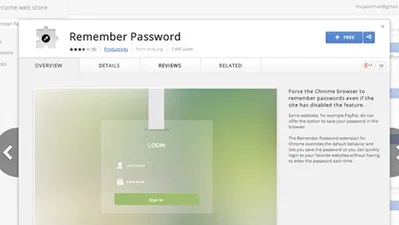
Fortunately, there’s a quick fix for this in Chrome: an extension. This particular extension is named “Remember Password,” and does what it’s name suggests: it allows you to save your passwords on Paypal-like sites.
Remember-Password-Chrome-Featured

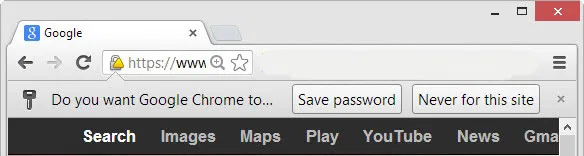
What it does is set autocomplete to on for each website, hence letting you save passwords. Once you install Remember Password, log in with your username and password on a Paypal-like site, and the browser will now prompt you to remember the password. It’s that easy.
Remember-Password-Chrome-Extension-Added

Remember-Password-Chrome-Save-Password

Did this work for you? Be sure to tell us in the comments below.

Get a Better Extension Manager In Chrome With SimpleExtManager

The extension manager in Chrome has always given users the bare minimum to work with when dealing with extensions, themes and apps. The SimpleExtManager for Chrome gives users the functionality they deserve.

Don’t Want to Pay for Feedly? Feedspot Has You Covered

Feedly is now the go-to service for reading RSS feed. However if you are not willing to place for the premium service, Feedspot can be an alternative.

How to Enable Two-Step Verification for Evernote

Add an extra layer of protection to your Evernote account by enabling two-step verification. A code will be sent to your mobile phone whenever you log in.

This Firefox Add-on Can Resurrect Dead Web Pages

Don’t browser away from that dead or broken web page! Use this Firefox add-on instead, used to resurrect dead web pages.

Stop Gmail from Showing You Targeted Ads

Google has been scanning your emails so as to serve you targeted ads. Here is how you can opt out of the system and stop Gmail from showing you targeted ads.

Why Am I Not Getting My Full Internet Speed on Fiber?

Despite the fact that fiber is amazingly fast, it’s not necessarily delivering the Internet speed it promises. Check out the reasons why is this so.

How to Save Links Into a Google Spreadsheet in Chrome

When you need to do research that’s heavy on citations, you can use Citable to quickly save websites’ link and notes to a Google Spreadsheet document.

Looking For a Secure Chat App? Try BitTorrent’s New P2P Messenger Bleep

Looking for an app to chat securely and privately with your friends? Try BitTorrent new P2P messenger Bleep that offers end-to-end encryption.

How to Return a WordPress Multisite Setup to a Single Site Setup

It is easy to create WordPress multisite, but not the reverse. Here is how to return a child site of a multisite setup to a WordPress single site.

Why YouTube Added Support for 60 Frames Per Second

YouTube has added for videos to stream at 60 frames per second as opposed to its usual 30. Is this something we should be excited about?

How To Download Multiple Files By Selecting Links In Chrome

uSelect for Chrome lets you select multiple links and provides you the option to either open the links or download them.

How to Get Cheaper Price Notifications When Shopping Within Firefox

If you’re looking for an easier way to know which online stores offer a product for a lower price, Ciuvo Price Comparison can help you do just that.