Whether you are employed or looking for a job, your resume is an important part of your professional life since it contains all the professional, academic and social aspects related to your career path.
In the past, you would compile all of that information in a word processor such as Microsoft Word and print it and deliver it to the people handling the applications for a given job. But, nowadays, it is important to have an “online presence,” which may be translated in a personal website or, if coding is not your thing, having your resume available online. Fortunately there are already many services out there that take the hassle out of creating and showcasing a CV on the web. Let me introduce five of them which I believe to be representative of what is available at the moment.
True minimalism: Resumonk
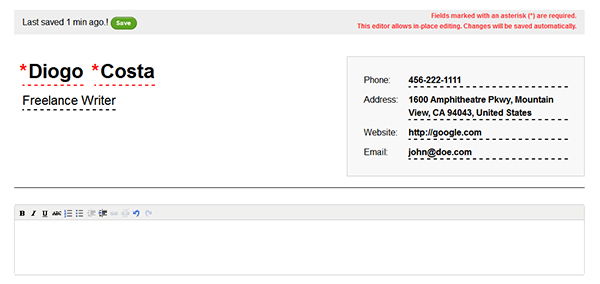
If you like to keep things simple and focus on what is essential, then Resumonk is the perfect service for you. After signing up for an account, you have four templates to choose from – even though they are different from each other, all of them offer a true minimalistic design. After choosing the desired template, the CV build-up starts right away. You are presented with the whole structure of your resume, with all the fields available for edition.
There is a Premium plan available which, for $23, provides you with no branding on the resume. It also gives you premium templates, the possibility of downloading your resume in a DOC format (the free plan allows only for PDF), custom URL and some other advantages. There is also the possibility of retrieving data from LinkedIn.
Simple, but with a classic design: Resume.io
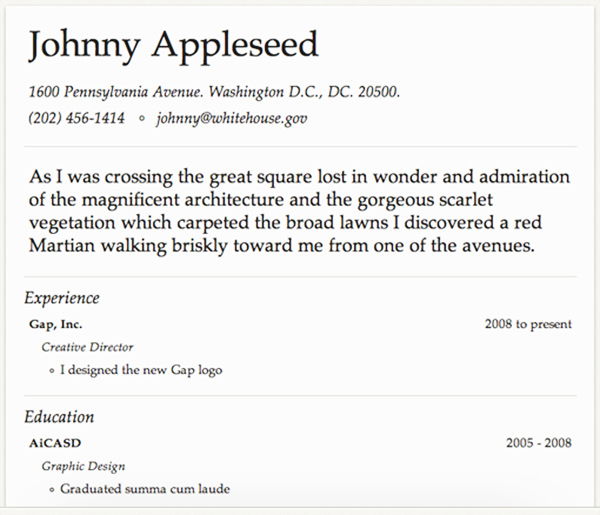
Just like with Resumonk, Resume.io delivers a simple and minimalistic design but much more classic. This effect is obtained not only with the fonts used, but with the way the different fields are placed within the resume. Resume.io shows your personal and contact information in the header and includes an introductory paragraph, along with Experience, Education and Skills sections. There are no options for you to add different fields.
One feature that Resume.io does better than Resumonk is the tracking feature. This feature allows you to see, for each of the resumes you created here, when each visitor read your resume and where it came from. Also, you can create special trackers to share with, let’s say, a contractor interested in hiring your services. You can then see the number of visits that the contractor made to your CV. Resume.io also allows the import of LinkedIn information.
infographic CV: Kinzaa
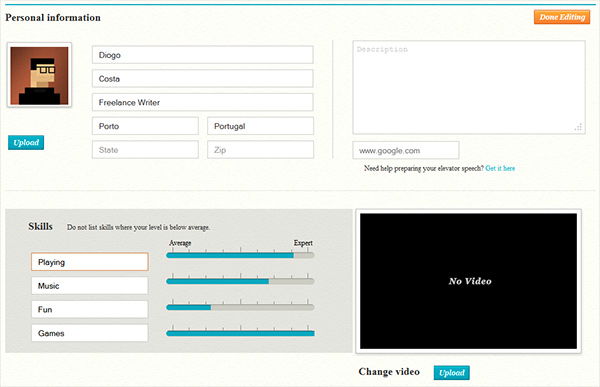
If you are willing to showcase yourself in a less conventional way, you should definitely try Kinzaa. What makes it different is the header – it lets you add your picture to the top left corner of your resume. To do so, you just have to edit your profile inside Kinzaa. This profile edition is the basic “headquarters” for any operation related to your resume.
Kinzaa also allows for the retrieval of information from LinkedIn, and the first part of the profile editing also has fields for an auto-description and your website. In the second, you can upload a video about yourself. The “Skills” area is another interesting feature where you can use a slider to display your skill level.
The “Personality” section allows you to add what you are looking for in a job. For example, you can lay down what you expect your future company to be like in terms of size, decision-making, the amount of traveling, its location, and so on. This can be useful for recruiters to find out what your personality is like.
Giving your CV a modern look: Visualize.me
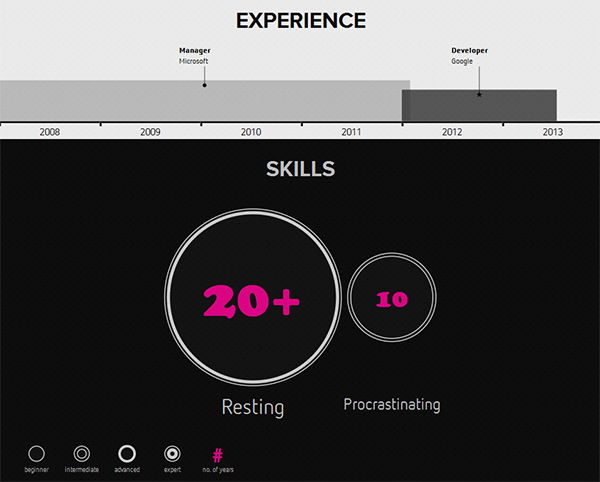
If you want to present your CV in a totally different way, Visualize.me is the place to go. Even though it is still in the beta phase of development, this service stands out from the competition by a really large margin.
Once again, you can fetch information from your LinkedIn account or add it into the system’s interface. There are several sections to edit, and you can select which section to activate or deactivate. Some sections are quite interactive. For example, the “Languages” section is presented in the form of a world map. When you add English to your “languages” profile, the map will highlight all the English-speaking countries. All the sections are presented in a “visual” manner, using graphics, symbols and bars to showcase your qualities. Almost everything, such as colours, graphic types, etc. is editable.
Let numbers do the talking: re.vu
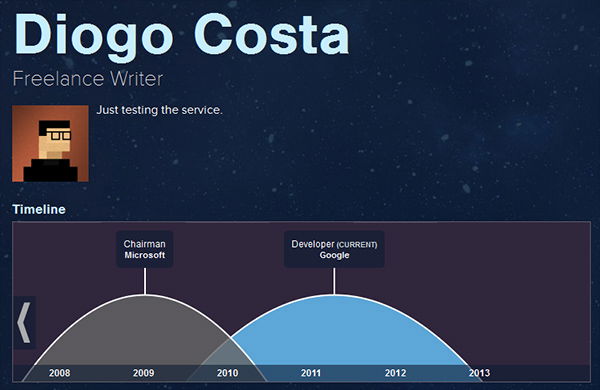
Another approach to a revolutionary CV is to focus on the numbers. This is what re.vu does. Instead of including your skills and capabilities, you can highlight the number of successful projects you have handled, or the number of posts you written, or even the number of coffees you drink each day.
Just like all the previously covered services, re.vu also has the option to import information from your LinkedIn account – actually that is the first screen you are prompted with after registration. At the same time you fill in your basic information, there is the option to attach a “traditional” CV, so as to satisfy the “classic” recruiter who can’t get used to the new style.
re.vu offers several themes to choose from, and you can upload your own background image so that your resume becomes really unique.
These are five of the best CV building sites we have come across. What do you think about these services? Let us know in the comments.