Regardless of whether people have read a George Orwell novel or not, it seems that everyone is talking about the author. This is because of the belief that the era of privacy, and of certain other freedoms many of us have enjoyed for decades, might be over. The measures that governments have been taking to get information from Internet service providers (ISPs) have really unsettled their customers. As far as they are concerned, they feel as if their movements are being followed. The recent NSA scandal in the United States doesn’t really help matters much. The ultimate question now is: have we left the era of privacy behind us?
In Day-To-Day Life, It Isn’t Much Better
When you enter a store, there will be cameras pointed at you no matter where you go. That store has an interest to make sure that its merchandise is intact, and it ensures this by catching anyone who goes against this interest. Surveillance also appears inside of buses, at railway stops, and pretty much everywhere else you find yourself. Whoever has the power to watch you also has the power to incriminate you with or without just cause. This has been a concern for several decades already ever since CCTV cameras have existed. The truth is that with new developments come new ways of keeping people and objects in check. Ancient civilizations used men posted in towers to watch the townsfolk. Surveillance is nothing new.
Smartphones
As has been previously discussed, as new developments come about, there will always be people who will find uses for that technology. Often, those uses infringe on the privacy of others. Take for example the apps that access other apps on your smartphone. Apple has a perfect example of this: A rumor is going around that it is developing a new version of Siri that can tap into your apps to provide you with better service. If we want to be more concrete, we can look at the appearance of fingerprint scanners on smartphones, most recently the Samsung Galaxy S5.
These things can be used in one way or another (perhaps not now, but likely in the future) in a data-mining operation to construct a database of fingerprints and purchase histories. The smartphone is perhaps the most powerful surveillance tool in history, and one of them is probably sitting in your hand as you read this article right now.
Cars
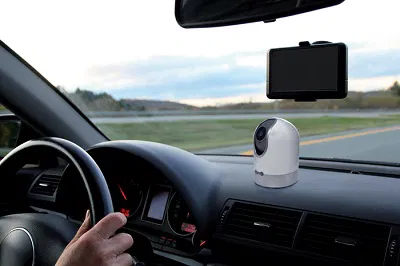
Unless you live in Russia, chances are your car doesn’t have a dash cam. Either way, dash cams are usually pointed in the direction you’re driving, not directly at you. However, there are a couple of pieces of technology that might start appearing in some cars in the near future that point monitoring devices at you. Some of them measure your heart rate from a distance, and others just look at you while you’re driving to make sure you’re not distracted.
In a way, this is a positive development, since it’s nice to have a car that will yell at you when you lose focus on the road. But on the other hand, being conscious that you’re being watched may make you feel a bit creeped out. And, yet again, this can be used as another form of surveillance, albeit a slightly beneficial one. For example, you can easily have an alibi if you find yourself at the scene of the crime by providing video evidence demonstrating that you were in your car the moment a crime occurred.
It’s Over, Folks, But…
Publications all over the world talk about how the era of privacy is over. What they fail to mention is that it was over a long time ago. As new forms of surveillance appeared, they were quickly adopted. Nobody is immune to this. If you want to live in the worldwide community, you just have to accept that this is a reality we can’t run away from. Welcome to the 21st century.
What are your thoughts? Let’s hear them in a comment below!