A lot of you out there could be regularly facing various network issues, and you might not be able to connect to the Internet. And most of the time isolating the specific network issues isn’t the easiest task. Most computers/Macs have built-in tools and utilities that let you figure out the issue. For example, tools like ping, traceroute, nslookup, and netstat are all proven utilities that help identify network problems.

If you’re not a technical guy, and are not really with the terms listed above, you might feel the need to use a simpler tool, one that you can understand. For guys like you, Google has created a Chrome app called Chrome Connectivity Diagnostics. Chrome Connectivity Diagnostics contains various tools that run different networking tests to check your network connection. Once it’s finished, it displays the results in an easy-to-read format.

You can install Chrome Connectivity Diagnostics from the Chrome Web Store. Keep in mind: To download it, you’ll need a Google account. Once the app is downloaded and installed, run it from the Chrome App Launcher to begin running the tests. (The Chrome App Launcher can be found in the Dock if you’re using a Mac, Apps Screen in Windows 8/8.1)
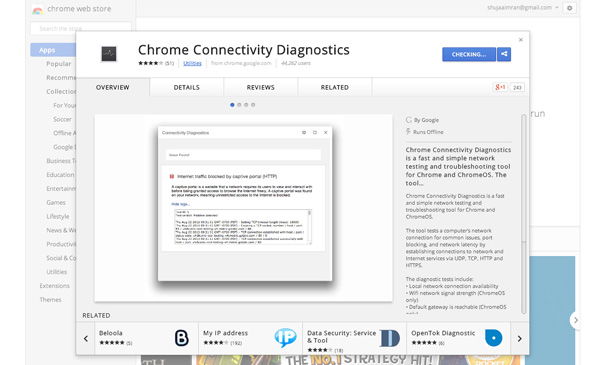
Chrome-Connectivity-Diagnostics-App-Store

Once you start the app, the tests will automatically start running with a progress bar like the one shown below appearing:
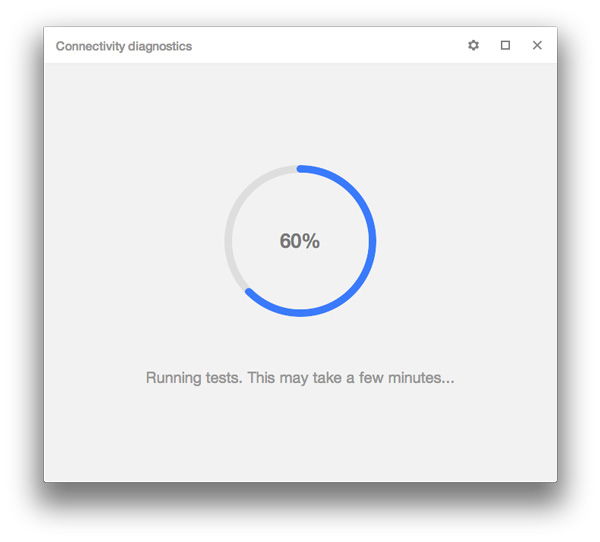
Chrome-Connectivity-Diagnostics-Progress-Bar

When the tests complete, a message should show up:
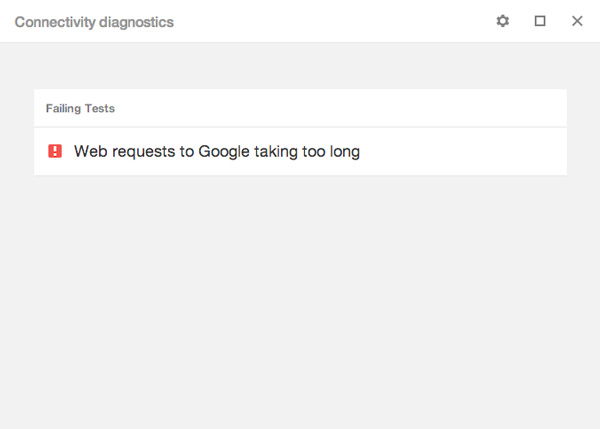
Chrome-Connectivity-Diagnostics-primary-result

For more detailed information, select the Gear icon in the upper-right corner, and click on “Show Passing Tests.”
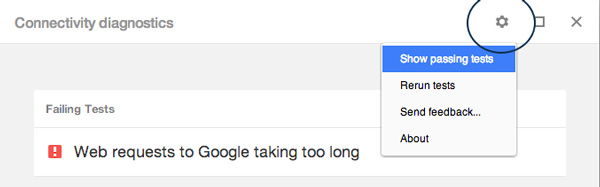
Chrome-Connectivity-Diagnostics-gear-icon

Doing this will show you different test results. Clicking on the individual tests will provide a brief description of the test and a link to the logs.
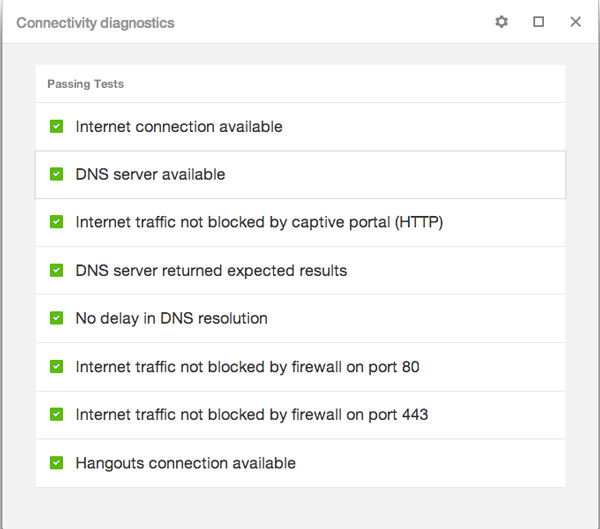
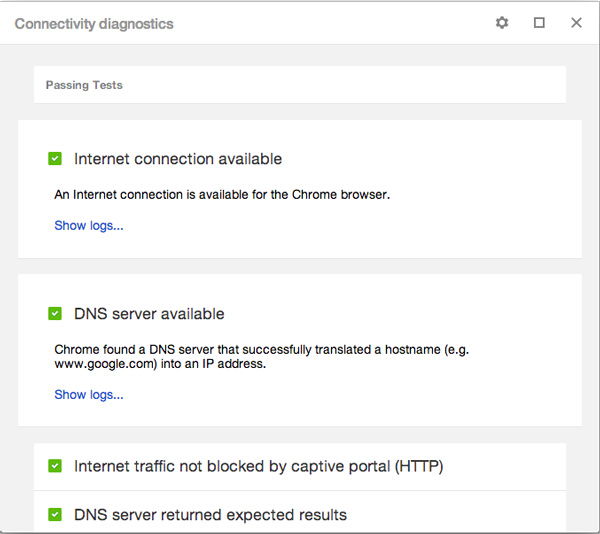
Chrome-Connectivity-Diagnostics-results-list

Chrome-Connectivity-Diagnostics-Details-results

And that’s all. There are two additional options for Chrome OS device users: Wi-Fi signal strength and default gateway is reachable.

Chrome Connectivity Diagnostics is useful if you’re not familiar with that much technical know-how or just want a simple review of your network connection.

Have any other useful tips for checking network connections? Don’t hesitate to tell us about them in the comments below.

Setup Your Own Self-Hosted Survey Application and Create Unlimited Survey Forms

While there are tons of tools and services that you use to create survey forms and conduct surveys, If you wish to have full control over your data, LimeSurvey is a good survey application that you can install on your own server and host your own surveys.

Need a QR Code? Quickly Generate a QR Code With This URL

Need a QR code? Here is one quick way to generate a QR code with a URL.

How to Fix Chrome’s Extension Security Problems

Some of the extensions in Chrome store are using hidden adware to make money off of you. Here are some fixes for you to tackle the extension security problems.

Does Disabling DHCP on Your Router Really Help Your Security?

Are you confused on what DHCP is and if you should disable it to make your network more secure? You won’t be after reading this.

Everything You Need to Know About The “Rosetta” Flash Exploit

You are probably not aware that Flash has an “Rosetta” exploit. Here is what you need to know about Rosetta Flash exploit and what you can do about it.

How to Check Links for Viruses in Google Chrome

If you frequent links but want to be sure that they are safe and virus-free, Dr. Web Link Checker for Google Chrome can help you check links for viruses.

MTE Explains: What Is an RFC?

You’ve probably seen the term RFC thrown around in applications that you’ve been using. What is this mysterious RFC that people been talking about? Let’s find out.

Three Ways To Educate Yourself Right Now About Internet Censorship

The Internet isn’t free, as much as you like it to be. This article examines 3 of the best online resources where you can learn about Internet censorship.

5 Cool IFTTT Recipes to Automate Your Social Life

IFTTT has a bunch of other cool and super useful social media recipes. Check out these 5 cool IFTTT recipes to automate your social life.

4 Big Questions About Elon Musk’s Satellite Internet Plan Answered

A network in space to provide internet access throughout the world sounds good, but is it feasible? Here are the answers to some of the major questions asked.

Just How Secure Is Your Bank Account?

You probably have an online banking account. What if someone decided to hack into your account and steal from it? How secure do you think your bank account is?

How to Manage Saved Passwords in Various Web Browsers

Most modern browsers come with a password manager for us to save our passwords. This article will take you through the steps to manage your saved passwords in various browsers.