Despite the fact that fiber is amazingly fast, it’s not necessarily delivering the speed it promises to at least a few people. Everyone loves having a fast connection, but an even faster one beats everything else! The moment you get a 100 Mbps downstream connection, you want to quickly test the line to see how fast you can download enormous files. It’s in that moment that you might come to the realization that your 100 Mbps line isn’t giving you all that much speed. At that point, it’s time to look through this guide to see what’s wrong!
Are you sure you’re using the right measurement?
Remember that megabyte and megabit are used to describe two different measurements of data. The data transfer speed on your network is usually measured in megabits per second. That’s one-eighth of a megabyte per second.
That means that if you’re running on a 100 Mbit connection, your download speed should be roughly 12.5 (100/8) megabytes per second at maximum.
Testing Your Speed
Before reading onward, you should test your internet speed. You can do this through various speed testing utilities online, such as Speedtest.net.
1: You’re using a router.
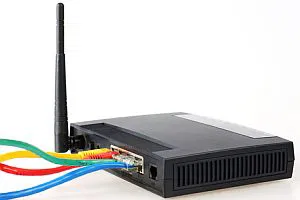
Most consumer-level routers are absolutely lousy at transferring data at rates higher than roughly 10 to 14 megabits per second. That’s because their internal hardware is very slow and can’t process all of the signals coming in at one time. The problem is further exacerbated when more devices are connected to the router, or when you’re downloading from many sources at the same time (like you would with a torrent).
To test whether the router is causing you problems, try connecting your Ethernet cable directly to a relatively fast computer, if possible. Just be aware that hardware limitations on the computer, including the quality of the network card, could also cause problems! If your computer’s hard drive isn’t fast enough to record all the information coming to it, your network card will make no further queries to it. You end up with an overloaded drive and a bottlenecked connection.
2: You may have internet speeds restricted at an international level.

Various countries restrict the speed of web data crossing their borders (in or out) to avoid bottlenecking the country’s infrastructure. For example, Romania Data Systems (RDS) – one of the biggest Internet service providers (ISPs) in the country – advertised 100 Mbit connections for its customers but restricted international speeds to roughly one-tenth of this in the past. It’s possible that many Internet service providers do this, but I’m not sure exactly how many.
To find out whether you’re affected by this, call your Internet service provider and ask them if you’re being restricted on an international level. They should reply with a clear “yes” or “no”. Don’t forget to be a little assertive.
3: International peering may be at fault.
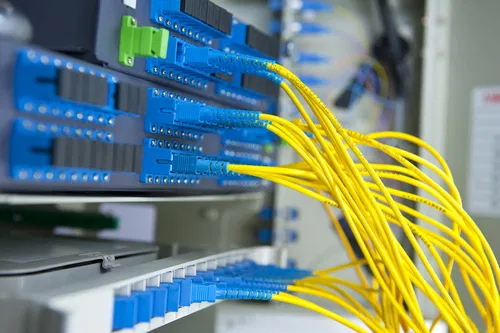
Are you in Germany downloading something from Malaysia? Is a torrent of yours full of foreign seeders? Answering “yes” to either of these questions may provide the key to finding out whether you’re experiencing peering issues. For one ISP to transfer data to another ISP, the data must first pass an Internet exchange point (IX or IXP). Similar rules apply to transfers being made across oceans or large terrestrial distances. When an IX is clogged, it may result in a slow-down for everyone trying to transfer data outside their ISPs’ networks.
If your speed is very high at some hours, but very low at others, you might be experiencing the Internet’s version of rush hour.
4: Your ISP’s hardware can’t handle those speeds.
While fiber optic cable can transfer at some immense rates, ISPs don’t always upgrade their hardware accordingly. They might be using newer routers, or they may have opted to go the cheap route and just retrofit whatever hardware they can while trying to keep a balance on their budgets. This rarely happens, though. But keep in mind that for the first time in a very long while, even the most state-of-the-art ISP hardware can’t keep up with the optimal speed of fiber optic cables!
Conclusion
As you may have gathered from here, it’s very difficult to properly pinpoint exactly what is causing a slow-down in your system. You’ll have to perform lots of trial-and-error verification, but eventually you may find the culprit. If you have any questions about this subject, be sure to leave a comment below so that others can assist you!