HideMyAss (aka HMA) is a VPN service that aims to protect your privacy and allows you to access blocked content worldwide. If certain sites are blocked in your country or at your workplace, HMA should be able to bypass those blocks for you.
Its built-in security features also help to prevent hackers from stealing your personal information and protects your devices from spam, malware and phishing. HMA also helps to conceal your personal information and IP address.
With 765 VPN servers in 251 locations in 150 countries around the world and with over 100k IP addresses, HMA strives to be the world’s best and largest global VPN network.
Universal Access
One of the best things about HMA is the ability to use it from anywhere. There’s software available for Windows, Mac OS 10.5+, Linux, iOS and Android. So, no matter what type of device you’re using, HMA has got you covered.
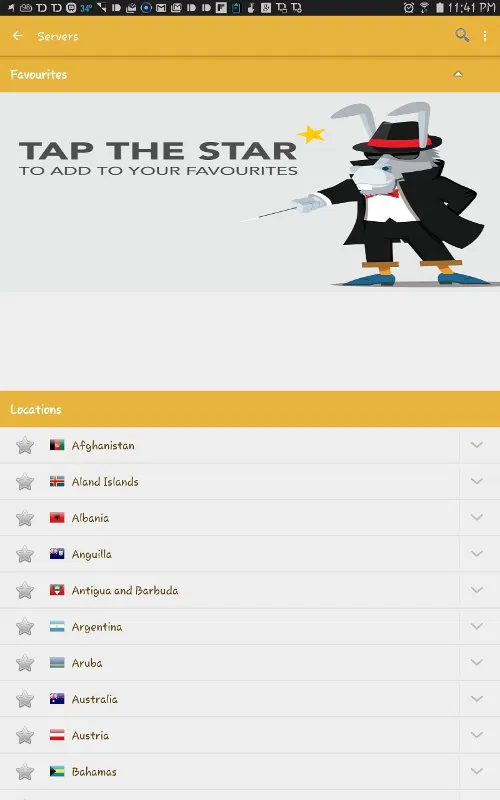
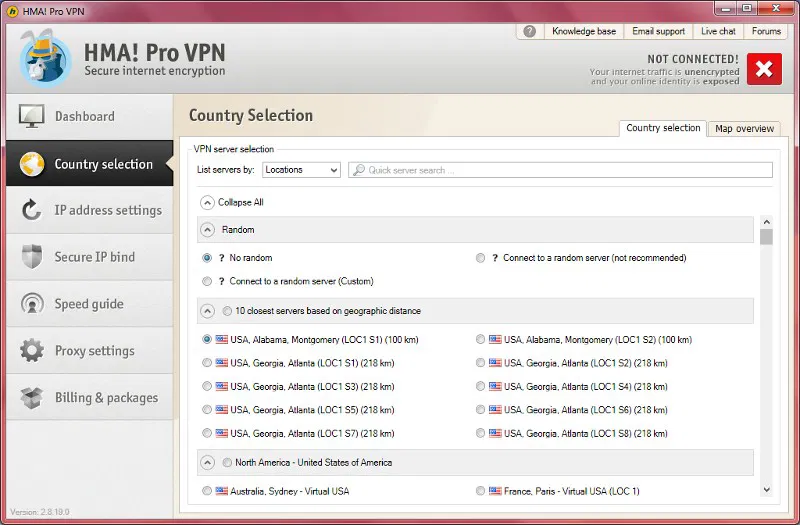
All you need is your username and password and you’ll be able to select one of their many VPN servers to connect to. With the Android version, you can even add servers to your favorites for easy access. Above you can see the VPN server selection screen for Android and below for Windows.
Country Selection
As mentioned above, there are hundreds of VPN servers available from 150 different countries; you definitely shouldn’t have an issue finding the perfect server. These server locations are automatically downloaded upon launching the software.
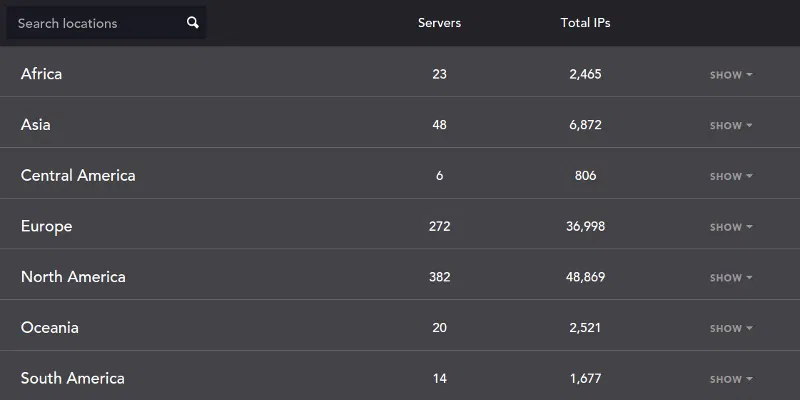
HMA can even help you find the best server if needed – just select a region and it will automatically find the best location for you within that area. Additionally, with the load balancing feature, “if there is more than one server in a particular location, load balancing will advise you which server has the least users connected, ensuring you connect to the least loaded server.”
On the desktop versions, HMA will show you the closest servers to you based on geographic distance. Since the servers closest to you will be faster than those further away, this ensures you have the fastest connection.
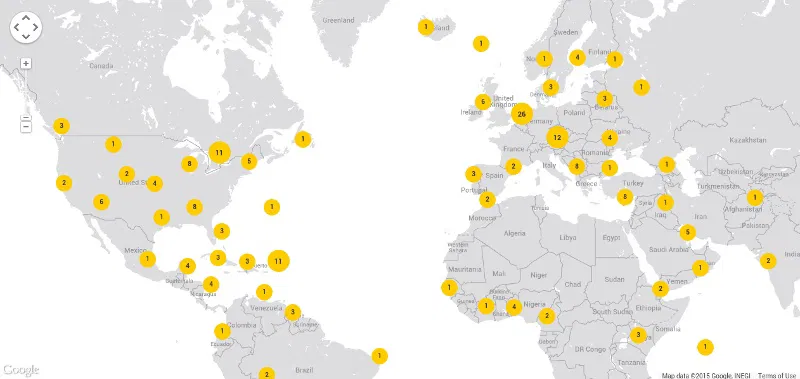
If you are looking to be even more anonymous, you can take advantage of HMA’s random server selection. If you’re a visual person, you can use the server map to see your physical location and how far each server is from you.
As you can see, HMA has plenty of options when it comes to server selections and locations. You won’t be disappointed.
IP Security
Even though HMA’s mobile apps are limited, the Windows and Mac versions have plenty of privacy and security enhancing features to go around. When it comes to keeping your IP safe, you can schedule IP changes so that HMA randomly changes your IP address at set intervals. There is also an IP history feature that keeps a local log of your previously used IP addresses.
Final Thoughts
During my brief use of the HMA’s Android app, I can say that it was pretty reliable – no disconnections. You might have to disable any security apps you’re using like Avast, McAfee, AVG, Norton, etc., because they often block VPN services. Since HMA does have built-in security features, you should be fine using just that.
Although my connection was noticeably slower once connected to HMA, it was far from unusable. You may have different results based on the speed of the connection you’re using. I found the Windows version to be much faster and more feature-rich. I had no issue getting Web pages to load or even watching videos.
Unfortunately, HMA is on the expensive side. If you choose to pay month-to-month, it’s currently $11.52 per month. Your best bet is to go with the 6-month or 12-month option since you’ll save quite a bit. There isn’t a free trial that you can try, so you have to just dive right in. Although I was pretty satisfied with both software versions I tried out, there are other affordable options.
HideMyAss VPN