While Mozilla Firefox is an extremely customizable web browser, the speed at which new versions release can sometimes outpace the update speed for extensions.
This is hardly surprising; many extensions are developed by hobbyists whose sole job is not to work on the future of Mozilla’s browser.
You may find that an interesting extension does not work with the latest version of Firefox. However, compatibility can be forced: there is no guarantee it will work perfectly, but it can be tried as a last resort.
Forcing Version Compatibility
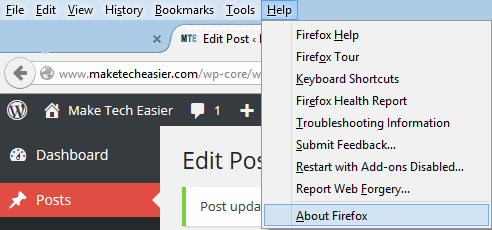
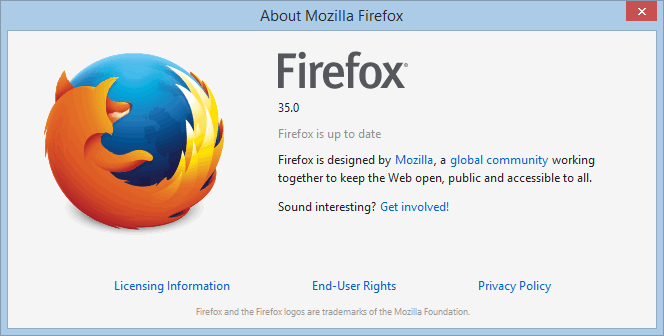
Begin by checking the version of Firefox you are using. The quickest way to do this is to press “Alt”, then select “Help” and “About Firefox”. This should open a window with the version number clearly visible.
Find the desired extension on Mozilla’s add-ons website.
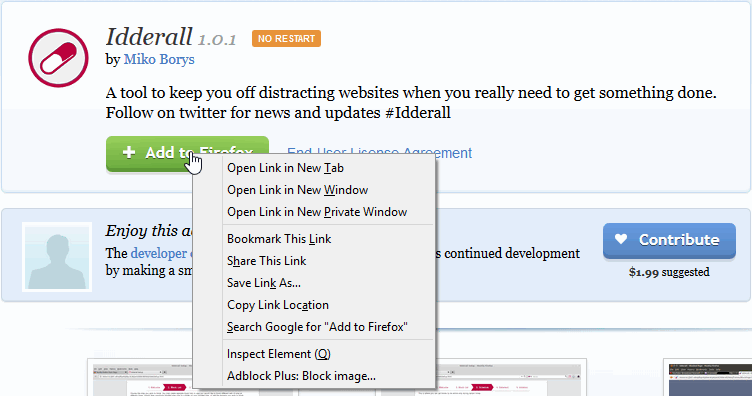
Right click the “Download Now” button on the addons website, then click “Save Link As.” The window should give the file extension as an .xpi. If so, confirm the download.
Open the .xpi file using WinRAR or a similar file extraction program. Given that it is essentially a container for other files (and the .xpi format is used for all Firefox extensions), these programs should still be able to open it despite being unfamiliar.
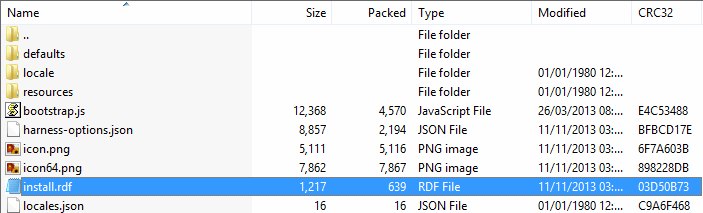
Inside the .xpi there will be a file called “install.rdf.” Open this in Notepad, TextEdit, or an equivalent program. You may wish to use Word Wrap at this point – the line of text is likely to be very long.
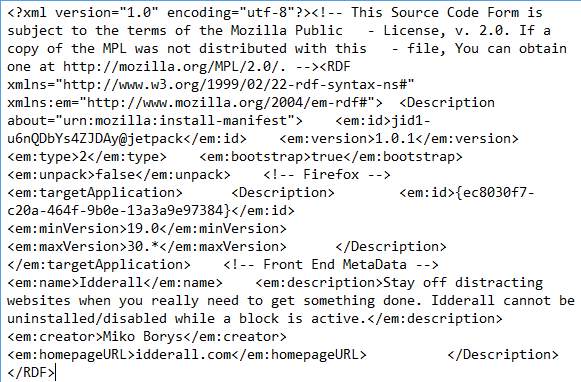
Search within the .rdf file for the words “maxVersion.” This can be made faster using “Ctrl + F”. The number following this should be lower than your current version of Firefox, hence the issue with installing it normally.
Either change the value to your current version of Firefox or another higher number, and save the .rdf file. Naturally, changing it to a higher number will result in longer compatibility, but not necessarily functionality.
Double check the .rdf; as it’s in an archive, it may not have saved the change. If this is the case, extract the .rdf, edit it, and then replace it in the archive again. The “Date Edited” information can help determine if your tweaked version is in the archive.
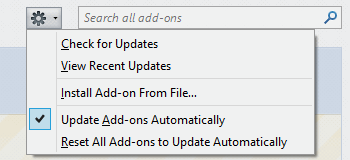
Open the “Addons” menu within Firefox; this can be done quickly by pressing “Ctrl + Shift + A”. On the top right of the page, there should be a search bar and a button. Click the button, then select “Install Addon from File.”
Navigate to the .xpi file you modified, and double click it. Restart the browser and the addon should be installed. For addons that do not normally require you to restart the browser, you can skip this step.
Reflection
While the process is a little more time consuming than simply downloading an extension, it can breathe new life into a project abandoned by its developer or allow you to regain functionality that may have been lost.

No guarantee can be made that the extension will work flawlessly. Generally themes are less likely to break due to changes than other extensions, as the Firefox UI is not as prone to change as back-end code that interacts with the extension.
Note also that due to Creative Commons licensing, you should avoid distributing your modified version of an existing extension: they should be solely for personal use unless otherwise stated.