Everyone talks about hacking as if it’s something we can all prevent with a few simple steps. The reality is that once in awhile there will be holes in the woodwork and hackers will slip through your security. As of late, many people have been hacked and are the victims of password leaks and Trojan horse infections. Despite the growing number of victims, no one is telling you (unless you own a business) what kind of process you should follow once you’ve been compromised. That’s what we’re here to talk about, and I hope it serves its purpose for you!
It’s Time For Damage Control (Now!)
If one or two of your accounts were hacked, you’re still in the pink as long as the email you registered them with is still accessible. You’ll have to act fast since hackers will try to cross you over and change your registration email address right away. This is actually the first thing you should do when you’re attacked. Try accessing any of your accounts and see what you can recoup from there. Once you get an idea of the damage done, you can proceed to investigate any causes.
First Things First: Run A Scan

If someone is targeting you, you have to figure out what angle they were using to hook you. The best way to dodge a punch is to see where it’s coming from so that you don’t get hit. In this case, you were hit. Now, it’s time to make sure you don’t get hit in that manner again. Run a thorough virus scan (preferably using a real piece of software that’s been reviewed extensively and scores well) to see if there are any Trojan horses that could have logged your keystrokes. They’ll often have the signature label “KeyLogger” or something similar when they show up as infections detected on your scan. Get rid of those as soon as possible.
It’s helpful to see the path where the file was found. It may give you clues as to how the virus infected you in the first place. You need to be wary of what you find on the web; but even if you are, you get hit once in awhile with a nasty infection like I did last June. The best thing to do is to try to find out what you downloaded that was infected and avoid that download source altogether. It’s not trustworthy if it doesn’t even bother to scan the files it hosts.
Now, Let’s Consider Other Possibilities
Do you use a major service online in tandem with millions of other people? Of course you do! Everyone does. Look for every account you have on the web. Start with the major ones, and search for “password leak” followed by the name of the service you’re using. For example, if you want to find out whether Yahoo suffered a password leak, you’d search “Yahoo password leak” and try to find dates that look recent.
Let me give you a real-life example of what I’m talking about. In July 2012, Yahoo was compromised. Millions of its passwords were leaked across the web. Not long after, someone was trying to enter my Facebook, PayPal, and GMail accounts. I made a quick search and found this:
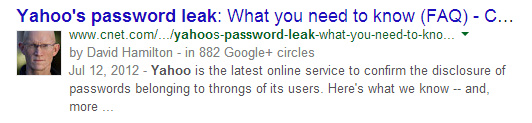
Luckily for me, only my Yahoo account was compromised since I use different passwords for each service. Others weren’t so lucky. If you find that a service you use has suffered a compromise on its database, change all of your passwords immediately.
Don’t Eliminate The Possibility Of Sabotage
Some services you have an account with can tell you what IP tried to access your accounts. If you can get your hands on one of those lists, you can track down the perpetrator. Type the IP address into a website like WolframAlpha or IP Location and you’ll find where it’s coming from and which Internet service provider (ISP) they’re using. If it’s not your ISP (or you’re certain you’ve never used that IP) and the IP comes from your vicinity, you’re probably dealing with someone who got your password the old-school way: you told him/her your password at one point or he/she stole it from you somehow using “pen and paper” methods.
If you feel that the offense merits serious consideration and don’t feel like you can coax the person to give you access to your accounts again, you must report this incident with your local police. They’ll be able to handle this, and in some jurisdictions, the offense falls under laws governing identity theft in the criminal/penal code.
Do you feel like you can add to this? Do you have any questions about the material? Please leave a comment below so we can continue this discussion!