Facebook chat heads are a way for you to know who has messaged you. They are small icons that appear in your official Facebook Messenger app whenever someone sends you a message. Up until now, the feature was only limited to the app. But it seems a developer over at Chrome Store has found out a way to enable the same feature in Google Chrome as well. So from now on, you will be able to see the small pics of your friends who message you in your Chrome browser. Here’s how you can do that:

Enabling Facebook Chat Heads in Chrome

We are going to be using a Chrome extension called faces.im that allows us to use Facebook chat heads in Chrome. Since it only runs under Chrome, you cannot use it on any browser other than Google Chrome.

You should be logged in to your Facebook account before you follow the following procedure.

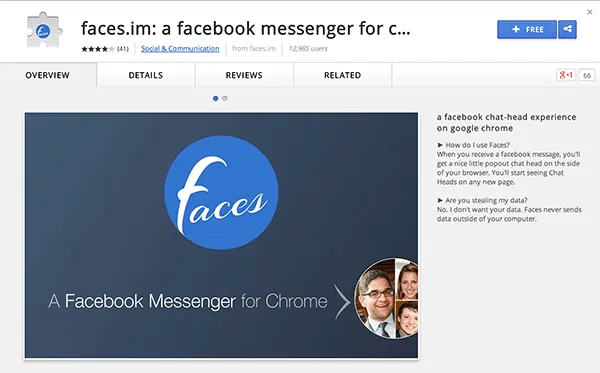
1. Head over to the faces.im page on the Chrome Web Store. Make sure you are using Chrome to visit the website.

2. Once you are there, click on the button that says “FREE”. It will initiate the download process for you.
chatheads-main

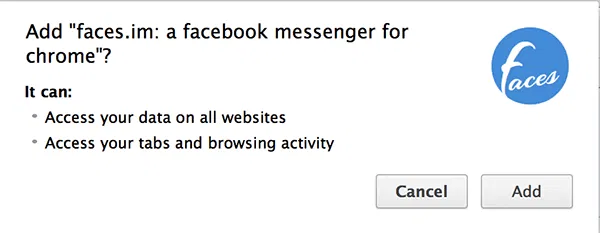
3. You should now see a pop-up menu asking for your confirmation. Click the button that says “Add.” It will add the extension to your browser.
chatheads-add

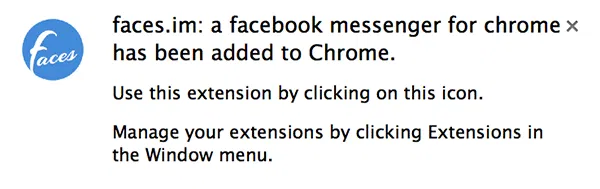
4. Once the extension has been installed, you will see a confirmation message that looks like the image below. It says that the extension was successfully installed.
chatheads-installed

5. Now click on the extension icon in your browser. It is located in the top-right corner. When you do so, you will be taken to your Facebook chat section where you can see all of the chats you have had so far.

chatheads-heads

From now on, when someone sends you a message on Facebook, you will be able to see it as a chat head in your Chrome, similar to what you had in the Facebook Messenger app on your smartphone.

Conclusion

Facebook Chat Heads are one of the greatest ways to keep in touch with the people important to you, ignoring everything else that is of no use for you.

What is Bitcoin And How You Can Utilize It Online

Do you know that the Internet actually has its own currency. Since 2009, we can pay and get paid using Internet’s own currency – Bitcoin.

How Is Simple Different From Traditional Banking?

Simple is an online service that seeks to change the way people manage their money, but just how is it different from traditional banking?

4 Popular Bitcoin Alternatives and How They Compare to Bitcoin

The cryptocurrencies is here to stay. Bitcoin may be receiving the most attention at the moment, but it is definitely not the only one around. There are tons of Bitcoin alternatives. Here we will take a look at the 4 popular Bitcoin alternatives and see how they compare to Bitcoin.

How Does ICANN’s Relationship with the US Affect You?

You’ve probably heard on the news something about ICANN and its “cozy relationship with the United States.” So how does that affect both you and me?

What You Need to Know About Future Web Standards (That are Making the Internet Better)

The Internet started 40 years ago and many things have changed since then. Let’s take a look at the future web standards and how they improve the Internet.

How Image Compression Works: The Basics

Do you know that you can easily compress your high-res images to smaller size without affecting its image quality? Here’s how image compression works.

How to Organize History By Tags in Google Chrome

The History tool in Google Chrome can be in a mess sometimes. Better History provides a more structured way of searching and viewing recently visited sites.

How to Check Links for Viruses in Google Chrome

If you frequent links but want to be sure that they are safe and virus-free, Dr. Web Link Checker for Google Chrome can help you check links for viruses.

MTE Explains: What Is an RFC?

You’ve probably seen the term RFC thrown around in applications that you’ve been using. What is this mysterious RFC that people been talking about? Let’s find out.

How Visa May Be Making Online Payments Safer

Instead of giving your credit card, Visa came out with a token concept to enhance web security. Is it useful? Let’s check it out.

Top Places to Get Free Licensed Fonts for Personal and Commercial Use

Looking to expand your fonts library? Here are some of the top places where you can download free licensed fonts for personal and commercial use.

5 Chrome Apps to Maximize Your Productivity

There are many productivity apps that can help us become more efficient. The following apps make use of Google services and are particularly handy as Chrome apps. Check them out.