Refresh your Twitter, pull down your facebook news feed, visit your favorite sites, and find yourself overwhelmed by the neverending stream of information.
This overdose of information has made it hard for us to keep track of everything. What to do then? The answer is “speed reading“. Over the last few weeks, several online services and mobile applications have popped up that allow users to read twice, even thrice the amount of content in half the time.
Using these tools, you’ll be able to read your emails, articles on the Web, eBooks etc. in a lot less amount of time. We took some of these speed reading tools out for a spin Listed below, you will find the ones that we think are worth your time.
Velocity
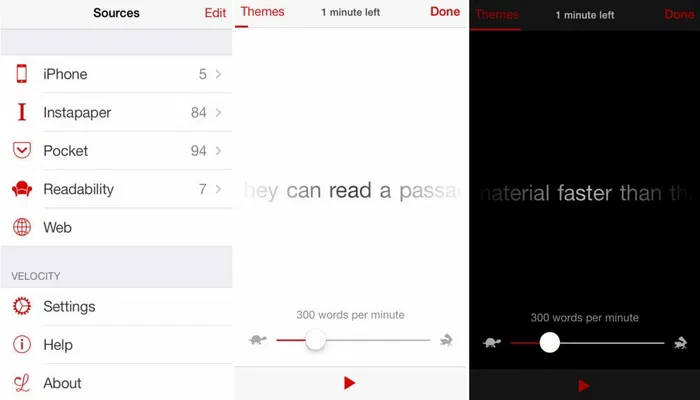
Velocity is an iPhone app that integrates with reading apps like Pocket, Instapaper etc. and displays the text word by word. You can use it to get content from other sources as well, even the data from the clipboard works fine. You can control the speed with which Velocity is throwing words at you. You can also change the background theme.
Syllable
Don’t find Velocity pleasing? Try Syllable. Much like Velocity, Syllable is also an iPhone-only app which displays content from other applications and can help you read long articles in a flash. Syllable facilitates an option called “chunking” which allows users to read only certain words.
Another alternative for iPhone users is Outread.
It is rather surprising that none of these iPhone apps is available on iPad, a device most people buy to read things.
Speed Reading Trainer
For Android users, you can use the Speed Reading Trainer app on your phone to test your reading capability, and the app will help you get better at it. As of now, the application doesn’t integrate with any other reading application; however, that will be added shortly. The application promises to double up your reading speed within two weeks.
Reading Trainer app is a nice alternative.
Spreed: Speed read the web
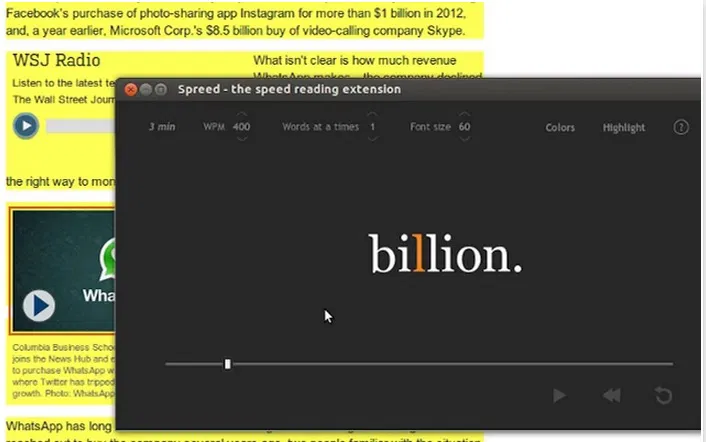
If you prefer to read on your computer, you can try the Chrome extension of the speed reading app, Spreed. The service guides you to read faster and double and even triple your present reading speed. Once installed, you will see a tag at the bottom of every article you will come across on the Web, notifying you how much time it will take to read the entire thing.
Sprint Reader
Available as a Chrome extension, Sprint Reader takes speed reading to another level. The service claims that it can, using a technology – “Rapid Serial Visual Presentation”, help gear up your reading speed to 1800 words per minute. It utilizes multiple color schemes and highlights the letters to help you differentiate between words, which will eventually help you to read faster.
Best Reader Lite
Available as an add-on for Firefox, Best Reader Lite dims down the areas surrounding any web article to help you concentrate on just the useful content.
Spreeder
If you don’t want to install any third party add-on on your browser, you can simply use the web service Spreeder. Go to the site and paste the text you want to read in the big box, and Spreeder will take it from there. As a user points out, not only is this service good for speeding up your reading speed, but the people who are visually challenged and can’t focus on a lot of words at once can use it to enlarge the text and read things word for word.
Spritz
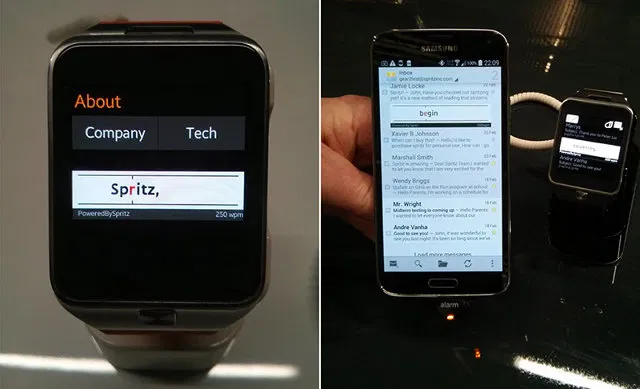
If you sport a Samsung Galaxy S5 or the Galaxy Gear 2 smartwatch device, you should be able to speed up the reading speed in your email client. The app comes preinstalled in these two Samsung devices and can be used through an email client.
The developers behind Spritz believe that moving our eyes from one word to the other is the most time-consuming part of reading. And that’s exactly what Spritz is trying to fix. It also supports Spanish, French, Russian, Korean and German.
Crux Light and Blinkist
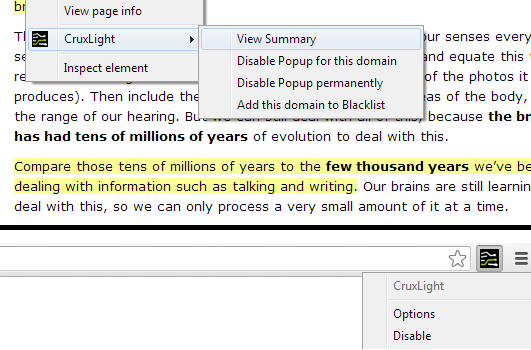
Getting back to where we started, speed reading will only allow you to read content faster. Another approach to solve the abundance of content that we have available on the web is just getting the gist of the content instead of reading the entire thing. Crux Light, which is available as an extension on Chrome, Firefox and Safari uses its special algorithm to break down a long article and present just a summary of it. Blinkist does a similar job.
Do you have any other tips on how we can speed read some content? Please share with us via comments.