Sending and receiving emails is the most time-consuming task everyone does in his or her daily life. While the email providers strive to make as many features available to their users as possible, to ensure they get their tasks done on time, there are some features that you can add using third-party plugins. These plugins help you get the most out of your email system. Here are some Gmail plugins for you.
1. Todoist
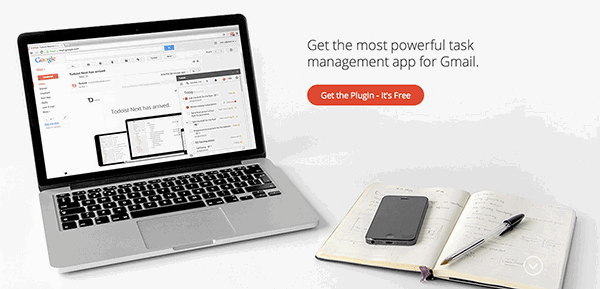
Some people use their email for creating to-do lists. They just send a to-do item to their own email address so they will know what they need to do. The Todoist plugin for Gmail aims to solve this issue. It brings the to-do list functionality to Gmail, allowing its users to create actionable plans right off their emails.
From creating tasks to even setting deadlines, the plugin supports everything. It even offers reminders to help remind you about your tasks. The plugin works on over 13 different platforms, and is the best one you can get for managing your tasks in Gmail.
2. FollowUp

Ever wanted to get rid of that cluttered email inbox of yours? Well, you now can. The FollowUp plugin lets you have a zero inbox by keeping only the most important emails in your inbox. You can also use it to create reminders as well as schedule emails. By just sending an email to the pre-defined email addresses, you can easily schedule an email or a group email with a few clicks.
Followup.cc comes with a 30-day free trial, after which you will have to pay to continue using it.
3. Batched Inbox
There is no specific time when you can get an email. Anyone can send you an email at any time. To get to these emails as quickly as possible, what most people do is keep their inbox open in one of their browser tabs, only to see if they have received a new email. This may be useful if your job requires it, but for most, it is just a waste of time and productivity. The Batched Inbox plugin is here to help you with this issue. What this plugin does is store all the emails that you receive in a folder other than inbox, and then moves these emails to your inbox at your specified time.
For instance, if you set the plugin to deliver emails to your inbox at 9 PM, all the emails that you get before that time will stay in a label and NOT in your inbox. When the time arrives, the emails get moved to your inbox so you can read them.
4. Scrubly
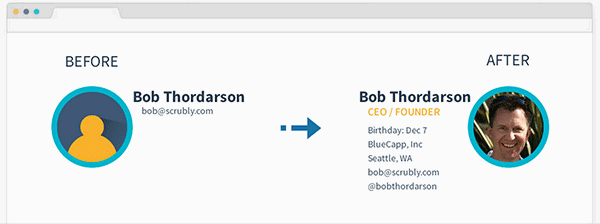
Duplicate contacts have always been an issue with emails, especially if you send and receive hundreds of emails daily. Scrubly tries to help you remove such duplicate contacts from your email so that you only have the unique entries in your contacts list. Besides, it helps you format your address book and syncs your contacts with your social networks so they are all up to date.
The free trial lets you taste the water, but if you are really serious, there are some premium plans for you to choose from.
5. Mailflo
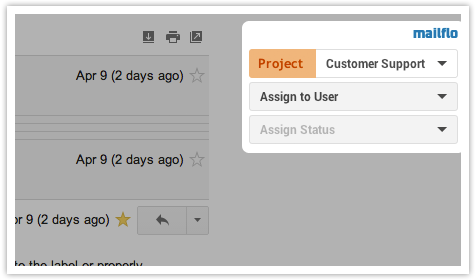
If you have always wanted to merge your business life with your emails, there is now an easy way to do that. With Mailflo plugin for Gmail, you can now do both emailing and customer support right from your email dashboard. You can assign tasks to your team members, see what customers they are handling, check the status of the tasks that you have assigned them, and so on.
You might want to use a template if you send the same email to a number of your clients. Mailflo helps you create and save templates that you can then use for your emails. You can share these templates with your team members to make emailing much faster than ever.
Conclusion
Not every product in this world is perfect, not even Gmail. But you can always add a bit of perfection to your favorite products. The above plugins should help you get the most out of your Gmail account so that you are always at the top when it comes to managing emails.