If you are focused on protecting your privacy, one thing that you should know is whether or not your email provider is leaking your IP address to recipients. When you send out an email message, there is header information sent along with it. Unfortunately, this header information can often reveal unwanted information to recipients such as your IP address, which recipients can then use to find out your general location.

gHacks notes that “if you use Gmail, you may notice that the IP address is not included if you use the web service, but that it is included if you use a third party program.” Therefore, it’s important to know this so that you can change your habits accordingly.

There is an online service called Email Leak Test, which you can use to check and see if your email provider is leaking your IP address to recipients. It’s very easy to use:

1. Click on “Start” on the homepage.

2. Send an email to the unique address listed on the next page – the subject and body are not required.
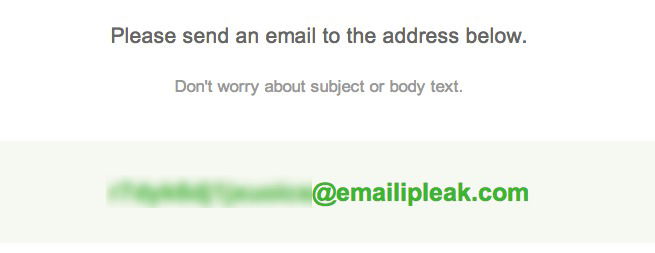
You'll be given a unique email address that you'll need to send a message to.

3. Wait a few minutes for Email Leak Test to receive your message, after which the page will automatically update with your results.
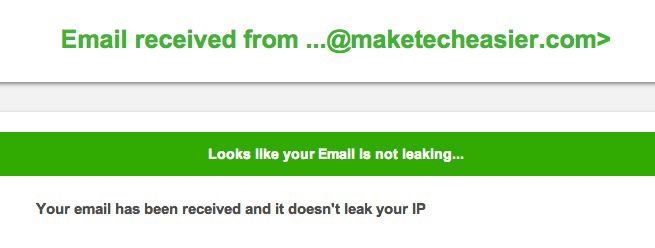
Hopefully, the results will show that your email is not leaking.

If your email is leaking your IP address, then you may want to consider using a VPN, changing email providers or using one of these email encryption tools.

How to Password Protect a Spreadsheet in Google Drive

Google Drive offers a lot of features for users, but some of the basics have always been missing, such as password protection. Here is how you can password protect a spreadsheet in Google Drive.

How to Create QR Codes From The Context Menu In Your Browser

QR codes are becoming increasingly popular these days. In this article, we will show you how you can quickly create QR codes directly from your browser’s context menu.

How to Enable Two-Factor Authentication in Buffer

Buffer has added a new 2-Step Login security feature to their web app. This tutorial will show you how to enable two-factor authentication in Buffer.

4 Great Ways to Take And Edit Screenshots in Google Chrome

Taking screenshots can be time-consuming. Here are 4 screenshots tools for Google Chrome that allow you to snap and annotate screenshots all in the browser.

How to Import your Instapaper Articles into Pocket

If you are planning to import Instapaper articles to Pocket, the procedure to is extremely easy and shouldn’t take more than a few minutes. Here’s how.

Stop Gmail from Showing You Targeted Ads

Google has been scanning your emails so as to serve you targeted ads. Here is how you can opt out of the system and stop Gmail from showing you targeted ads.

Rid Your Site of Any Profanity Content with WebPurify

To get rid of profanity and offensive content on your site, you can either moderate every single post manually, or automate it with an external tool. WebPurity is one useful tool built for this purpose.

Mastering Keyword Searches for Better Productivity in Firefox

Mozilla don’t call their address bar the “Awesome Bar” for nothing. Master the keyword searches in Firefox and turn the Awesome Bar into a productive tool.

Get Facebook Chat Heads in Google Chrome

Facebook chat heads is only available for Facebook Messenger app, but now you can use it in Google Chrome with the faces.im extension.

How to Manually Install Extensions in Google Chrome

If you want to install any extension in Google Chrome, that is not in the Chrome store, here is a way to manually install extensions in Google Chrome.

How to Change WordPress Permalink Structure

Do you want to change your website URL structure? Here is how to properly change your WordPress permalink structure and URL redirect.

Test Your Website in Various Mobile Devices Without Physically Owning the Devices

Google Chrome comes with a nifty tool that allows you to test how your website render in various mobile device. Here is how you can use the device mode in Chrome.