Over the past few weeks, a story has emerged that paints Google’s Chrome web browser in a less than favorable light. It came to be known that extensions freely available in the Chrome Web Store could, in fact, not be entirely what they appeared to be.
The questionable add-ons weren’t really malicious – they weren’t going to compromise your system or steal your data. However, they were using hidden adware to make money off of you. This was first reported by blogger and developer Amit Agarwal, who wrote an extension for Feedly. He was contacted and offered a handsome sum of money to sell it and did so. Several weeks later, he noticed the extension had been updated with changes he wasn’t keen on.
The ads aren’t the traditional visible ones that we’ve all grown used to, but instead, invisible ones that work in the background to replace links on websites with affiliate links that earn the extension owners the revenue.
This news is all very bad, but Google and a third-party have taken action to clean up this mess. Here is what you can do.
Chrome Update
Google has been removing these extensions from the store, but it has also updated its browser so that folks who have been bit by the extensions will now receive a message warning of the compromise and offering to take action.
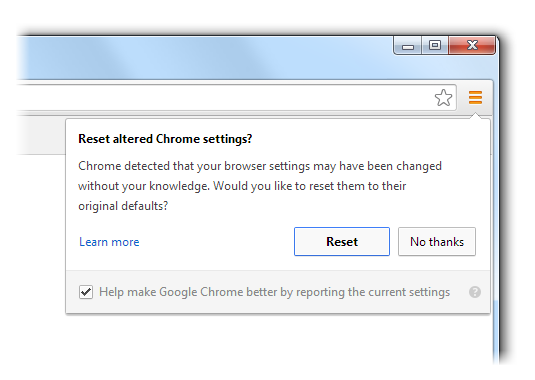
This isn’t a perfect solution because it deactivates every single extension, not just the bad ones. If you choose to do it then you’ll need to head to “Tools -> Extensions” to re-enable the ones you wish to use.
Google points out that “some hijackers are especially pernicious and have left behind processes that are meant to undermine user control of settings, so you may find that you’re hijacked again after a short period of time”. If so, head to the Chrome help forum for additional help and instructions.
The Third-Party Route
A new extension has been released for Chrome, but this one is the very opposite of those we have just been discussing. Extension Defender aims to help clean up the mess caused by the adware and hijackers.
Once installed, click the icon on the menu bar and a new tab will open. This gives you one simple option – Scan Now.
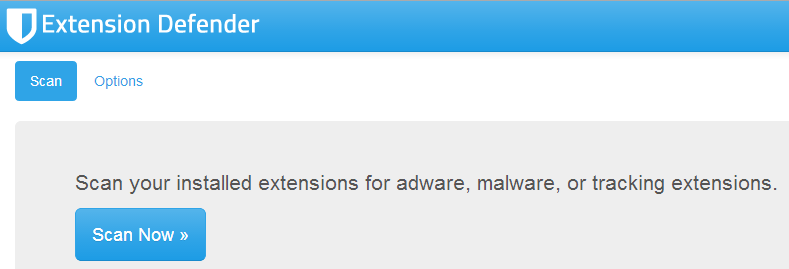
The scan is incredibly fast, but most people don’t have too many extensions that need to be checked. Once it’s done you’ll get a list of the offensive add-ons and an option to quickly and permanently remove each one.
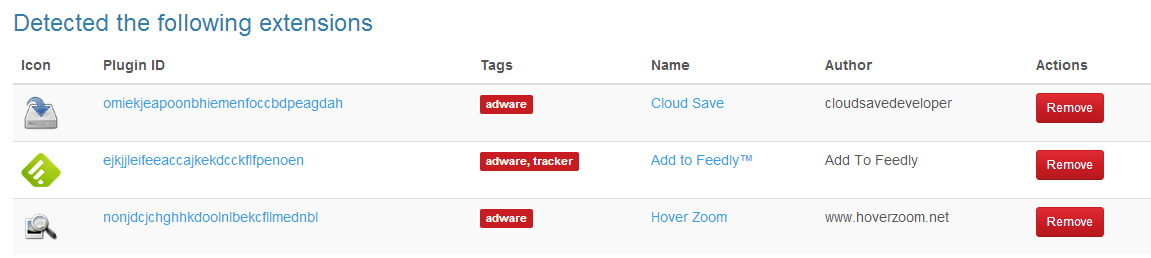
Online
You can do a check of your browser using an online service, which will scan everything for you as well. One good source is SurfPatrol, which works quickly and is cross-browser compatible.
Conclusion
As previously stated, Google is attempting to weed these problem extensions out of its store and is making progress. However the company’s new built-in solution isn’t ideal, so it is recommended that you follow the other solutions. Extension Defender is pledging frequent updates and doing an online scan certainly can’t hurt.