Many popular websites are only available for specific countries. The reasons for blocking vary and could even be two-way. For one, it could be the site’s prerogative not to share content with people from specific countries, whether for legal reasons or because the content is not applicable for another country.
It could also be a form of censorship. At least 25 countries block certain websites so that their citizens could not access them. The reasons range from political, to cultural and social causes, to simple censorship.
Regardless of the reasons why they’re blocked, it may be possible to access blocked websites anyway. Here are some methods you could try:
1. Use anti-censorship tools.
The good news is that there are groups of programmers and developers who make it their life’s work to combat censorship in any form. They have come up with a lot of tools that could help you bypass these blocks.
Free online proxy sites.
If you do a quick Google search of online proxy websites, you will probably get dozens of websites that allow you to access blocked websites for free. The best thing about these services is that you only use the browser to visit the blocked sites; you do not have to download and install anything on your computer.
Some of the most widely used free online proxy sites:
- Hidemyass
- zend2
- Anonymouse
After you find a proxy site, all you have to do is enter the URL of the blocked site. You should be able to access the site with no problems.
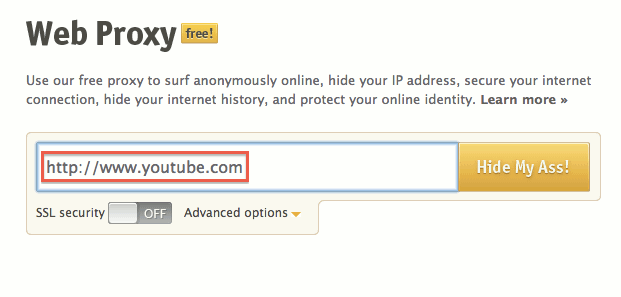
It works because the site thinks that you are from another country, such as the United States or the United Kingdom, as the online proxy service is presenting a UK or US-based IP.
Free proxy software
A proxy software works very much like online proxy sites, but you would need to download and/or install it onto your machine to use it. You may want to be very thorough with the virus and malware scanning before doing so.
The good news with proxy software is that it often has higher traffic limits and can allow you to do more things than an online proxy site.
Examples of proxy software:
- FreeProxy
- GappProxy
- X-Proxy
Virtual private networks
With a virtual private network (VPN) you will be accessing a network that works just like the Internet. You will be using your own Internet access to connect to the VPN, and the VPN in turn will allow you to access blocked websites.
To better understand how a VPN works, think of it as a computer that can access the blocked sites you have. You then use your own computer to access that computer remotely. Once you’re in, there are no more blocked sites.
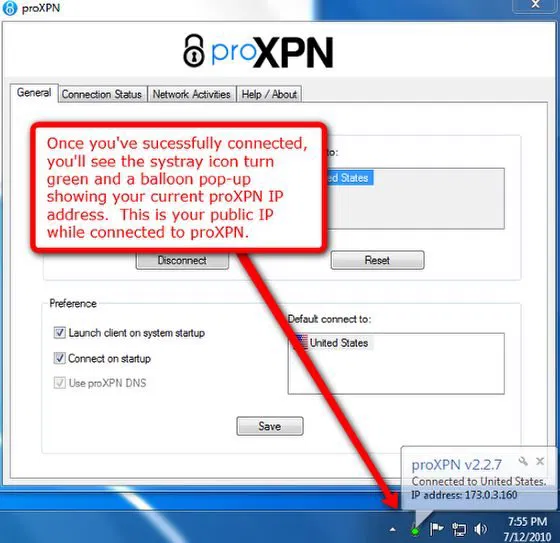
There are free VPNs on the Internet that you can access either through your browser or by downloading and installing software. Some of the most popular include ProXPN, OpenVPN and HotSpotShield.
2. Access blocked websites indirectly.
If you need content on these sites, and could not successfully connect to a VPN or find proxy programs on the Internet, there are several ways to view these sites indirectly. Here are some suggestions:
Google Translate
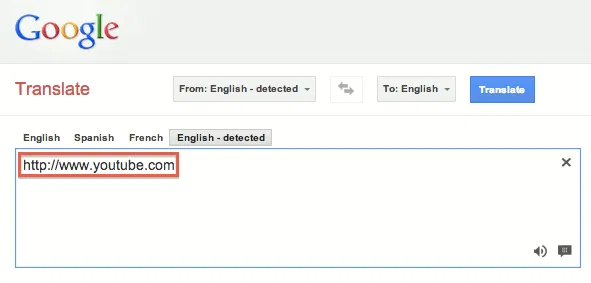
Type in the URL of the blocked site you have into the translate box and you can view the blocked site in the translated portion of the page.
Google Cache
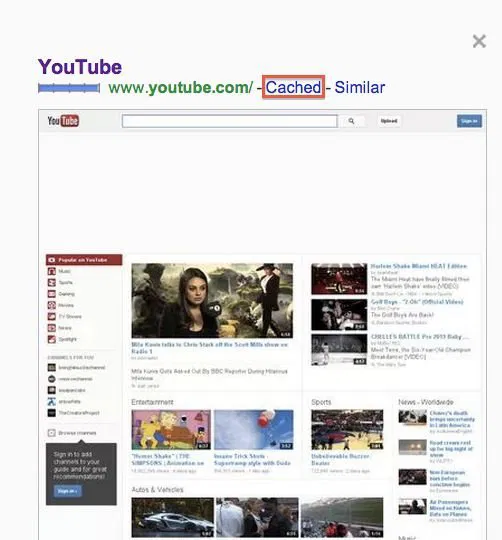
When indexing Web pages, Google keeps a copy of it in its cache, so all you have to do is search for the blocked website and click on the link that says “Cached” in the search results.
RSS
If the blocked website has an RSS feed, you can still view the blocked pages using an RSS reader. All you have to do is add the RSS feed to the reader.
If your favorite blocked website does not have an RSS feed, you can simply create an RSS feed for it using a service similar to Page2RSS. You just have to enter the URL into the box to generate an RSS feed for it, then add it to your reader.
The next time you need to access a website from another country and find out you’re blocked from accessing it, try any of these methods and see which one works best and most conveniently for you. Don’t forget to come back here and share your experiences to let us know how it worked for you.
Image credit: ProXPN, Bilingual Access Forbiden Sign On Rope by BigStockPhoto