One of the latest goodies to come into action on Facebook is stickers in comments. Recently, Facebook announced the usage of stickers in comments on the statuses posted on Facebook timelines. While this definitely gives users the ability to express themselves using various kinds of stickers, it has made reading text comments a bit difficult. And there is that spammy thing. What if a user posts a dozen stickers as a comment on a status? To sort out this issue and to get rid of such stickers in comments, you now have an extension for both Google Chrome and Mozilla Firefox.

Here’s how you can go about disabling stickers in comments on your Facebook account.

Getting Rid of Stickers in Google Chrome

The extension is available for the Google Chrome web browser and once you get it installed, it immediately starts working.

1. Open a new tab in your Google Chrome and click the Unsticker Me link. It should take you to the extension page on the Chrome store.

2. Once you get to the store, you should see a button saying “FREE” in the top-right corner. Click on it. It will begin downloading the extension.
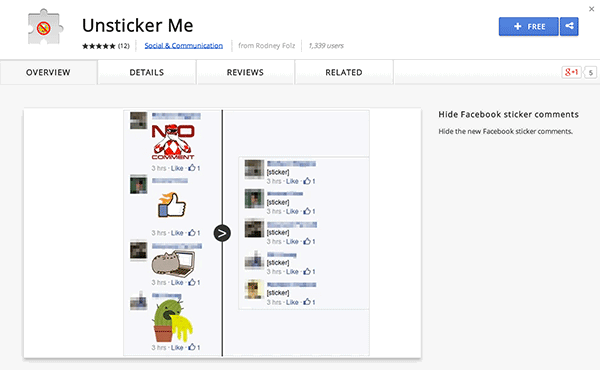
facebookstickers-free

3. When the extension is downloaded, a prompt should appear asking if you really wish to add the extension to your browser. Click on “Add,” and it will be added to your browser.
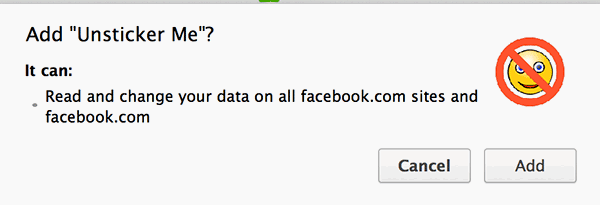
facebookstickers-add

4. Exit Google Chrome and then re-open it. Head over to Facebook and click on a status that has stickers in it. You will notice that it displays the text “[sticker]” instead of the actual sticker that Facebook wants you to see.
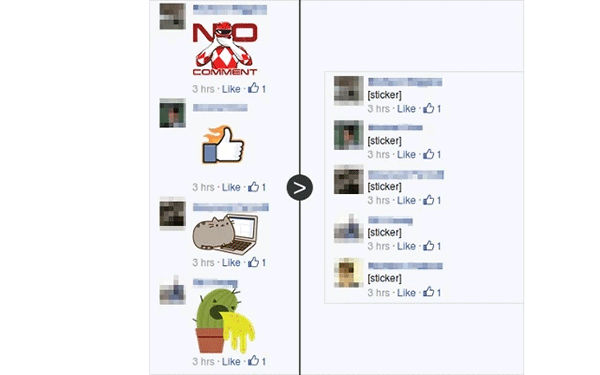
facebookstickers-sticker

5. It worked.

Finally, you got rid of the stickers in your Facebook account.

Getting Rid of Stickers in Mozilla Firefox

If you are using Firefox (or its variants):

1. Open a new tab in your Firefox and click on the Unsticker Me addon link. It will take you to the extension download page.

2. On the page that loads, click on the button that says “Add to Firefox”. It will begin downloading the extension.
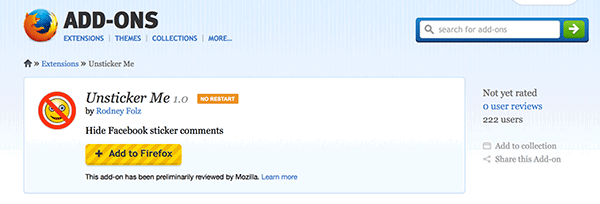
facebookstickers-addtofirefox

3. When the extension is downloaded, Firefox will bring forth a prompt asking if you wish to install the extension. Click on “Install Now,” and it will install the extension in your browser.
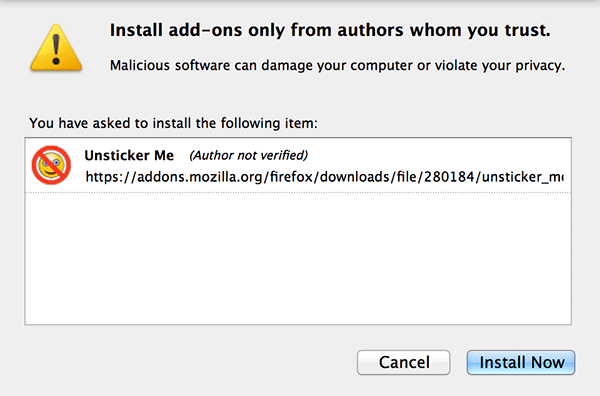
facebookstickers-installnow

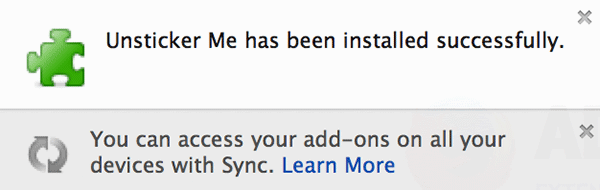
4. After the extension is installed, you should see a success message that looks like what you see below. It says that the extension was successfully installed.
facebookstickers-success

5. Close Firefox and then re-open it. Head over to your Facebook account and see the magic for yourself.

Did you see that all the stickers are gone? Great! That is what this extension is supposed to do for you.

Conclusion

While some of you love the new sticker feature in Facebook comments, some of you might hate it so much that you wish to hide/disable it forever. The extension helps you to disable the sticker feature. To restore it, simply uninstall the extension and the stickers will return.

How to Add Links to Your WordPress Widget Titles

Do you use numerous widgets on your WordPress blog? Have you ever wished that you could add WordPress Widget Titles? If so, you’re in luck thanks to a WordPress plugin called Widget Title Links.

How to Create QR Codes From The Context Menu In Your Browser

QR codes are becoming increasingly popular these days. In this article, we will show you how you can quickly create QR codes directly from your browser’s context menu.

How to Fix Foreign Characters Not Showing Up issue In WordPress

If you enter foreign character in WordPress, but only see question marks (???) showing up, here is the fix for this issue without losing any data.

5 Great Sites That Help You Build Creative CVs

Your resume is an important part of your professional life and it doesn’t have to be boring. Here are 5 of the best sites to build a nice and creative CV.

What You Need to Know About Future Web Standards (That are Making the Internet Better)

The Internet started 40 years ago and many things have changed since then. Let’s take a look at the future web standards and how they improve the Internet.

Pushbullet: Push Links and Files From Chrome or Firefox to Your Android Device

Sending content from desktop to Android is not as easy as it seems. An extension called Pushbullet for Google Chrome and Firefox makes this task easier.

Stop Gmail from Showing You Targeted Ads

Google has been scanning your emails so as to serve you targeted ads. Here is how you can opt out of the system and stop Gmail from showing you targeted ads.

How to Add Confirmation Message Before Publishing a Post in WordPress

When you click the Publish button in WordPress, it turns the article live without prompting. To overcome this, you can get it to show a confirmation message before publishing.

How Visa May Be Making Online Payments Safer

Instead of giving your credit card, Visa came out with a token concept to enhance web security. Is it useful? Let’s check it out.

How to Get Rid of the Stickers in Comments on Facebook

Facebook added the sticker feature in its comments section. For those who dislike it, you can disable stickers in Facebook comments in Chrome and Firefox.

How to Enable Timed Website Blocking In Firefox

There are many distractions in the Web. PomodoroFox for Firefox lets you blocks unproductive websites that you specify and be more productive.

How to Get Cheaper Price Notifications When Shopping Within Firefox

If you’re looking for an easier way to know which online stores offer a product for a lower price, Ciuvo Price Comparison can help you do just that.