PayPal is, undoubtedly, the biggest and most used online payment processing platform. It is owned by eBay since 2002 and has around 140 million registered users. This service has truly pioneered and marked a revolution in the world of online payments, but with all the growth in terms of users, the quality of the service eventually declined. Additionally, a service with such dimension becomes the main target for hack and scam attempts.
Luckily, PayPal is not the only service in town. There are several alternatives, some of which are on-par with or even better than PayPal.
One of these services is Skrill, formerly known as Moneybookers. It has been in operation since 2002 and is now widely available in all continents. Last year the company acquired paysafecard, a widely-used online payment method.
Registration and Availability
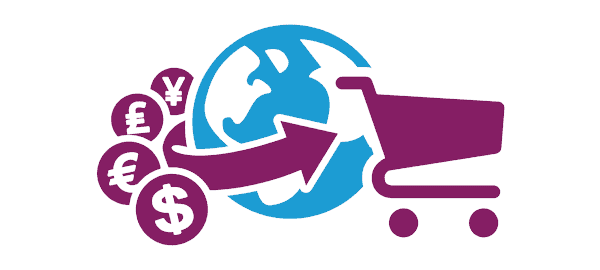
Skrill is used by 36 million customers and 156,000 merchants. It is available in about 200 countries (almost all countries in the world, except Afghanistan, North Korea, Nigeria, Cuba, Myanmar, Sudan and Iran), which is more than the PayPal network’s availability. Skrill supports 40 currencies while also offering local payments for businesses with more than 100 at the moment. Given the small amount of merchants using its services, Skrill is more focused on the transactions between users. Some of the most popular merchants accepting Skrill are eBay, oDesk, Skype, bet365, instaforex and WilliamHill.
The registration is entirely free. The website was recently redesigned as part of the transition from Moneybookers to Skrill, and the new interface is very user-friendly with several tutorials explaining all the steps being provided. Skrill also provides something called the VIP Club, offering special benefits to users subscribing to it.
Deposit, Withdrawal and Limits
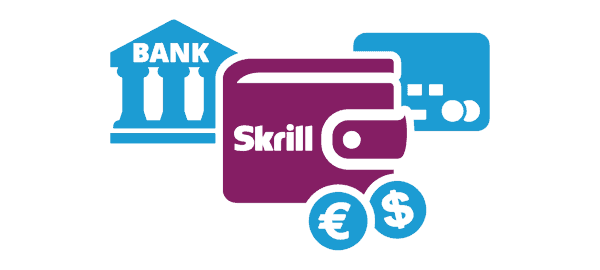
For both deposits and withdrawals the usual methods are available – such as bank-related mechanisms (bank transfer and similar) and all the major payment schemes including Visa, MasterCard, American Express, Discover and JCB.
Right after you open your account it will be considered “unverified,” meaning you will need to provide additional information. In that state your account will be more limited: 2500€ for overall transactions and 1000€ for a single one. In terms of credit card usage, deposits are limited to 1000€ and withdrawals to 150€ (those values vary according to each currency).
Fees
Regardless of the currency you use, Skrill always charges you one percent of the money you send until a determined cap – for example, in US dollars, the cap is $10. Receiving money, on the other hand, is absolutely free of charge (in PayPal it works the other way around).
In terms of depositing and withdrawing money from your Skrill account, it varies according to the method and the currency. Depositing through your bank is free but withdrawing is not. Fees related to the use of credit cards are dependent on the country and the currency. Check the Skrill fees page for more details.
Skrill 1-Tap
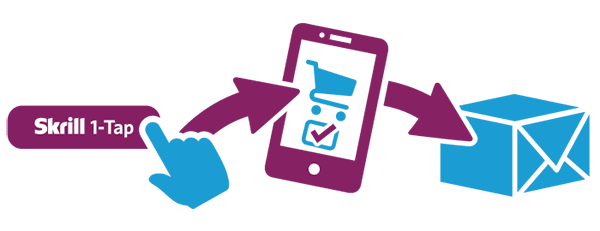
This innovative service aims to make online payments easier. It is optimized for smartphones, tablets and desktops and allows merchants to be paid in a simple way: When purchasing for the first time, users input their payment details and the process goes as usual. However, future purchases use those details in order to provide the simplest purchase possible. This may not sound secure, but Skrill operations are heavily protected with several encryption and security protocols.
Conclusion
PayPal still dominates the market of online payments, being the most widely used method both in terms of user transfer and merchant payment methods. On the other hand, as mentioned above, this dimension also presents some risks for users as it makes PayPal the first target of attacks and other types of scams.
Skrill is not as big as PayPal, but in terms of the reliability of the service, it is not far behind its competitor. The move from Moneybookers to Skrill and the recent inclusion of paysafecard were huge steps for this brand, giving it a steady place in the market. It is by far the best PayPal alternative, and it deserves the attention of everyone looking for a way out of PayPal.