To most people, a bank account is a symbol of security. They picture armed guards and vaults behind a myriad of different security checkpoints. The reality is that the digital age has since gotten rid of most of these solid protection measures and instead replaced it all (for the most part) with powerful computers that store a simple number. That number is your account balance. What if someone one day decided to try to reach into your bank account and steal from it? How safe do you think you are from such an intrusion?
The Dawn of Web Banking
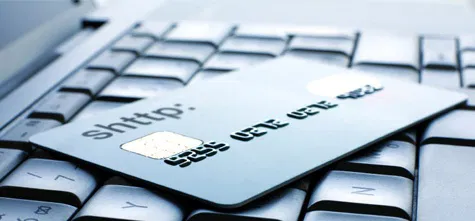
Before we get started on this little journey, we need to talk about web banking (also known as home banking or online banking). My bank issued an online account to me the moment I created it in 2008. Through this account, I can access my bank records, make payments, and even open new accounts for savings. Through a simple flick of my keyboard, I can do many things without ever having to walk to the bank or insert my debit card into an ATM machine.
Chances are you’ve also been issued an online account that gives you a significant amount of power over your finances from your own home. The problem with this is that if someone gains access to that account without your permission, they too will gain the same capabilities you currently enjoy. Until the 21st century, this was unheard of. Most people would go to their local branch to go about their business, where their bank accounts are safely stored in digital records accessible only by an employee in a secure environment. Online personal banking has changed the game entirely.
The Problem
Many banks are behind in authentication technology. They’ll generally give you a username and password, and that’s about it. We’ve been using that form of authentication for years, and hackers always seem to be able to get around them when they put their minds to it. This means that your bank account is only as secure as any other account you possess on any forum on the internet. That’s not very secure now, is it?
What Banks Are Doing To Solve This
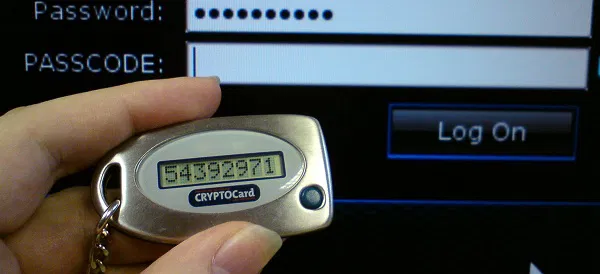
To get around the whole “hackers can waltz into your account and completely empty your savings” issue, some banks have decided to get one step ahead and introduce a new form of authentication. My bank issued a small security token device upon opening my account. This device generates a new password every time I authenticate through it by typing a PIN number. It works very similarly to how Google’s “Authenticator” app works on phones.
The above method of authentication is known as one-time password authentication. It’s a form of two factor authentication. Your bank, in this scenario, dumps the password-based approach and introduces a more dynamic method that makes it very difficult for hackers to gain entrance. For someone to enter my bank portal, he would have to steal my token device and know the PIN number I authenticate with. That’s a lot more effort than simply grabbing the a password that remains the same every time you use it.
Other banks send you an SMS code when you log in with your password. You type your password (factor 1), then type in the confirmed SMS code (factor 2).
In addition to this, my bank asks me to reconfirm my identity by sending an SMS code to my associated phone number every time I log in from a different computer than the one I usually use. This approach helps thwart remote attacks in case someone actually goes through the effort of stealing my token device.
What Should You Do?
If you rely on a bank that is lacking in security (i.e. it’s only giving you a username and password to log in), you should avoid using its online banking feature at all costs. Write a letter to your bank explaining your concerns. If they don’t change their security policy and you really need to use online banking, you should close your account and open a new one at another bank that offers a more secure online platform. Do not put your personal finances in the hands of people who don’t care about security!
If you have more questions about online banking, be sure to mention them in a comment!