Regardless which email client you are using, when you need to compose an email, you always need to switch to your email client and click the “Compose” button. Lifehacker shared a quick and neat way to compose a new email directly from your browser.

In your browser, all you have to do is to go to the address bar, type mailto: (don’t forget the colon behind the “mailto”) and press “Enter”.
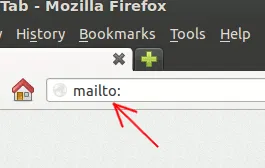
mailto-browser-address-bar

Your default email client will automatically launch with a Compose window.

Here are more things you can do with it:

1. Type mailto:[email protected] and the”To” field will be auto-populated with the recipient’s email address.

2. To send to multiple recipients, use the syntax mailto:[email protected],[email protected],[email protected]

3. Type mailto:[email protected]?subject=Enter Subject Here to insert the subject into the Compose window.

The above trick will work with all mailto syntax, but I doubt you will want to type a long text in the address bar.

Note: The shortcut key to access the address bar for most browsers is “Ctrl + L”. This means you can just press “Ctrl + L” and type “mailto:” to quickly open a compose window.

Taking it further

To take it further, you can even create a bookmark with “mailto:” in the URL/location field. When you click the bookmark, the Compose window will automatically open.
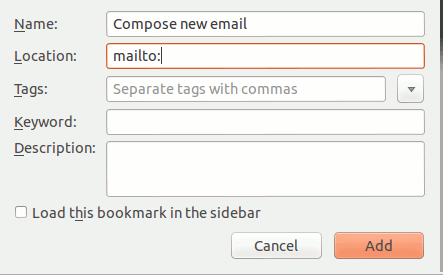
mailto-browser-bookmark

Note: In Android, the trick works in Firefox mobile browser. It doesn’t work in mobile Chrome. In iOS, it works in the mobile Safari as well.

Compose a New Email in Any Client with a Few Keystrokes

Image credit: Browser Mail Concept Illustration Design by BigStockPhoto

How to Add Links to Your WordPress Widget Titles

Do you use numerous widgets on your WordPress blog? Have you ever wished that you could add WordPress Widget Titles? If so, you’re in luck thanks to a WordPress plugin called Widget Title Links.

How To Read ODT Documents Inside Your Browser

Various web services can open Microsoft Office files with ease, but what about files created with LibreOffice? The good thing is, you can also read ODT document in your browser as well.

How to Better Embed YouTube Videos Into Gmail

If you want to embed Youtube in email rather than just pasting a link, this guide will show you how to attractively embed a YouTube video into Gmail.

How to Share Clipboard Items Between Chrome Browsers

For those of us who use multiple computers for one reason or another, being able to copy from one of them to another is extremely beneficial. Clipboard Sync for Google Chrome provides a good solution for users to copy and paste information between the browser from PC to PC.

15 Clocks For Telling Time Within Google Chrome

Your computer came with a clock that is functional enough, but there are so many more ways you could have your computer tell you the time. The Chrome Web Store is filled with various clock apps and extensions. Here are 15 options that might just add an extra bit of excitement to how you check what time it is.

Don’t Want to Pay for Feedly? Feedspot Has You Covered

Feedly is now the go-to service for reading RSS feed. However if you are not willing to place for the premium service, Feedspot can be an alternative.

3 Ways to Allow Guest Users on Google Chrome

If you’re using Chrome and don’t feel like letting people poking into your privacy, here are some ways to set up guest users account in Google Chrome.

4 Ways to Embed and Email Web Pages to Your Friends

If you want to email web pages to friends, you can either send them the URL or use any of these 4 ways to embed the web page directly in the email.

The Easiest Way to Automatically Open Websites in Incognito Mode [Chrome]

Are there websites that you only want to view in Incognito Mode? The Incognito-Filter Chrome extension will let you do that in a snap.

Pushbullet: Push Links and Files From Chrome or Firefox to Your Android Device

Sending content from desktop to Android is not as easy as it seems. An extension called Pushbullet for Google Chrome and Firefox makes this task easier.

Big List of Tools and Services to Help You Read Everything Faster

With the overwhelming information in the Internet, it has become necessary for us to read faster. Here are some tools to improve your reading speed.

Should You Back Up Physically or On The Cloud?

Between backing up your files physically in external hard disk and the cloud, which one is better? Let’s find out in this article.