While it started as an experiment forty years ago, the Internet has become a very important part of our lives. Think about it, think about how much influence it has on areas like education, business, commerce, science and technology. To cope with the traffic demand and other aspects like speed and security, many new Web standards and protocols have been added and upgraded over time. In fact, many of such protocols and technologies are being framed and deployed as we speak. Last week, the inventor of the Web, Tim Berners-Lee, spoke about the changes the Web has seen in recent times. Let’s take a look at what new things we are seeing on the Internet right now and the new web standards we’ll be presented with in the near future.
HTTP2 and SPDY
Every time you visit a website, you are required to type “http://“. Have you ever thought why those two slashes are there? Well, surprisingly, as told by its creator Lee himself, it was just a mistake! HTTP2 might remove that redundancy, but that is not what it is all about. A few years ago, Google launched SPDY, a project on variations of HTTP. And soon Microsoft ventured into a similar project of its own. However, the organization that gets to make the call picked Google’s projection over Microsoft’s. HTTP2 coupled with SPDY brings significant improvements to the web-page rendering speed.
While the majority of the browsers have provided support for SPDY in their latest versions, sadly that is not enough for enabling this feature to work. To load a web-page faster, the website needs to resonate the same tech. Popular sites such as Google, Facebook and Twitter have already enabled this capability, but a vast majority of the sites have yet to make the switch. Later this year we’ll see the implementation and deployment of HTTP2.
WebRTC
The web browser is getting smarter every day. Not only is it becoming more secure and stable but behind the curtains it is quietly implementing some homegrown tools to replace proprietary tools that are install separately and are required. One such homegrown feature is Web Real Time Communication (WebRTC). This allows users to make video conversations without having to use a VoIP service such as Skype. Everything required is built in to the browser. Chrome and Firefox already support WebRTC. You can head over to the WebRTC Demo page to try out this feature.
SRCSET
People use thousands of devices to access the Web. One person could use the iPad Mini, while the other may fancy Nokia Asha to get to the labyrinth of the Interweb. Some of these devices sport high resolution screens, whereas many of them don’t. The challenge here is to provide the appropriate image resolution to users. So how do we do that?
The answer is Source Set (SRCSET). It is an extension of the HTML5 standard, which allows Web designers to set up various versions of the same image file. So in accordance with the kind of device you are using, the website will find the right image resolution for you. Although it is yet to go mainstream, as of now, this is the one of the prominent ways to overcome this issue.
Responsive Web Design
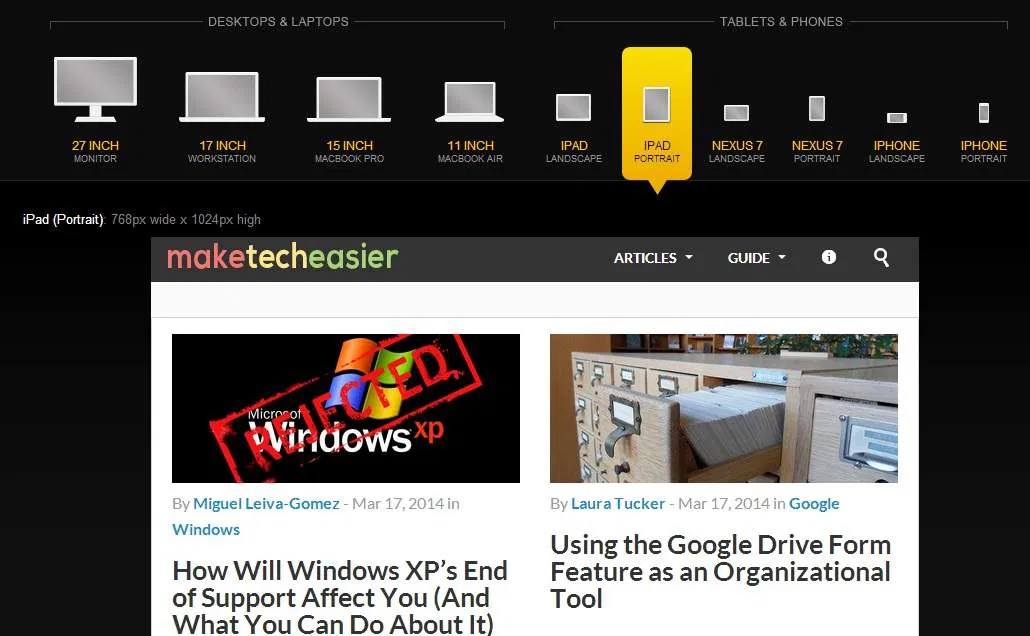
Much like SRCSET, Responsive Web Design is something that many Web designers have started deploying on their websites. There could be any number of devices consumers may use for accessing the website. Hence making the web-pages pan out well regardless of the screen size it is being viewed on is important. Ethan Marcotte had described it quite succinctly. Today, many websites, including Make Tech Easier, have deployed techniques like fluid grids, flexible images, and media queries to make the website adjust on any size of screen.
HTML5 and CSS3
HTML5 already has a fair amount of traction. The web-programming language is responsible for the creation and appearance of a web page. The new version allows publishers to embed video and audio content on a web page without requiring any third-party tools like Silverlight and Flash. In addition, it can hold the location-based information too. It also provides support to offline access of web apps. This feature has already gotten the approval but is awaiting W3C’s recommendation.
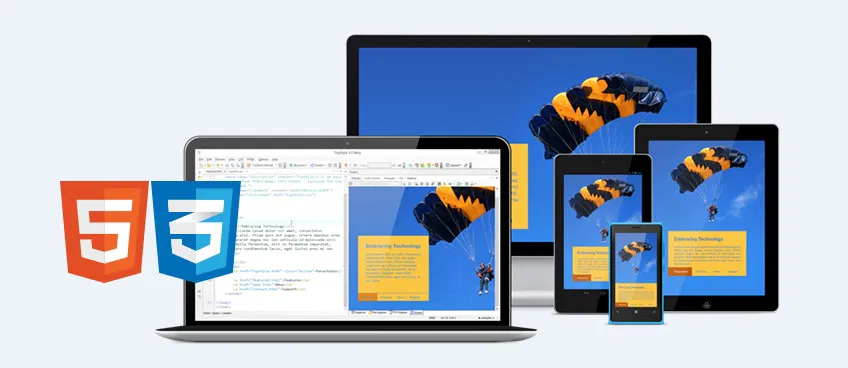
After over a decade, the third version of CSS finally rolled out. The biggest difference between CSS3 and its previous versions is the separation of modules. In the previous versions, everything was to be written in the same document, whereas CSS3 introduced separate modules, with each having specific capability.
IPv6

When the Internet was being framed, creators assigned it with 4.3 billion addresses – basically that many termination points through which devices were to connect onto the Web. But soon, as more mobile devices and computers started popping up, the 4.3 billion addresses that seemed like they will never be fully utilized were found insufficient to meet the current needs. The new version IPv6, which has already been adopted by several popular websites such as Google and Facebook, offers 340 “trillion trillion trillion” addresses. It’s safe to assume that even if all the planets of our solar system hopped on Internet connection from Earth, we will still have enough of it left.
Native Clients
As all our computational needs are moving towards the cloud, our web browsers are being laced with more power. Thanks to Google and Microsoft, we have several native and portable web apps that can be run on the browser itself. Google Drive and Office Online are two great examples. Until a few months ago, these native apps couldn’t have been made to run on Android and other mobile devices, but recent amendments from Google show support for non-Intel processor devices.
Where are we headed?
Many of the aforementioned web-standards haven’t gone mainstream yet. It is a continuous process, and the adoption takes a fair amount of time. Every day new things are being added to it, and the older not-so-optimized codes are weeded out. Many research organizations are working on building new protocols and enhancing the existing ones. The Web as we know it is changing. To keep up with it, our web browsers are picking up new technologies as well. One very assuring thing to come out of this is the Internet is getting better.