WordPress recently released the beta version of WordPress 4.0. As this is a major release, there are some new and improved features which are mainly targeted to improve back-end user experience. In the previous upgrade (version 3.9), WordPress introduced many new features and redesigned the user interface. In this new update, WordPress has boosted several of those features to make them more accessible and eye candy.
So without further ado, let us see what’s new in this WordPress 4.0 Beta 1 Release and its features. That said, this is a beta release and should only be used for testing purposes, and never install this beta release on your own site. Moreover, as this is a beta release; there is no guarantee that all the features discussed here will be there in the final release.
Choose Between Languages
Using WordPress in multiple languages is a long-awaited feature for most of the non-English speaking users and that has been covered in this major upgrade. If you are installing WordPress for the first time, you can choose your language before everything. Once you choose the language, WordPress will download the appropriate language files and the rest of the installation and the dashboard will be in that selected language.
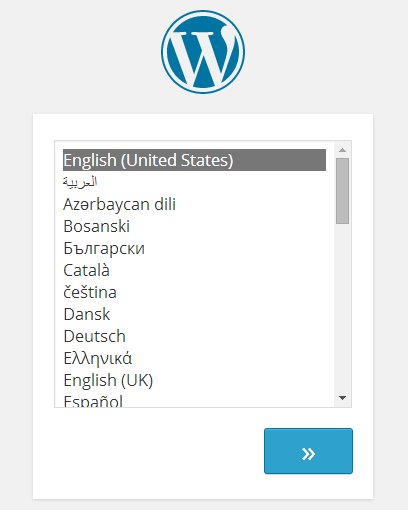
This particular feature is very helpful for plugin and theme authors because previously plugin and theme authors had to manually supply the language files to satisfy different users in different regions.
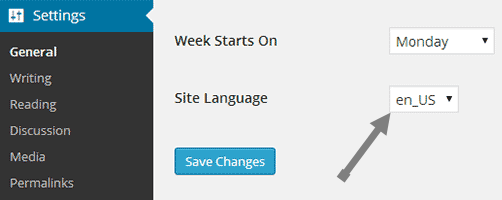
That said, you will always be able to change the language settings by navigating to “WordPress settings” and then to “General” category.
Post Editor Improvements
WordPress 4.0 comes with a couple of post editor improvements which are quite useful for any writer. First, the menu bar in the post editor will stick to the top of the screen as you write. This feature is really helpful because most of use hate to scroll back up just to access some settings on the menu bar. The second is the removal of scroll bar in the post editor section. The text box will automatically expand as you write in it.
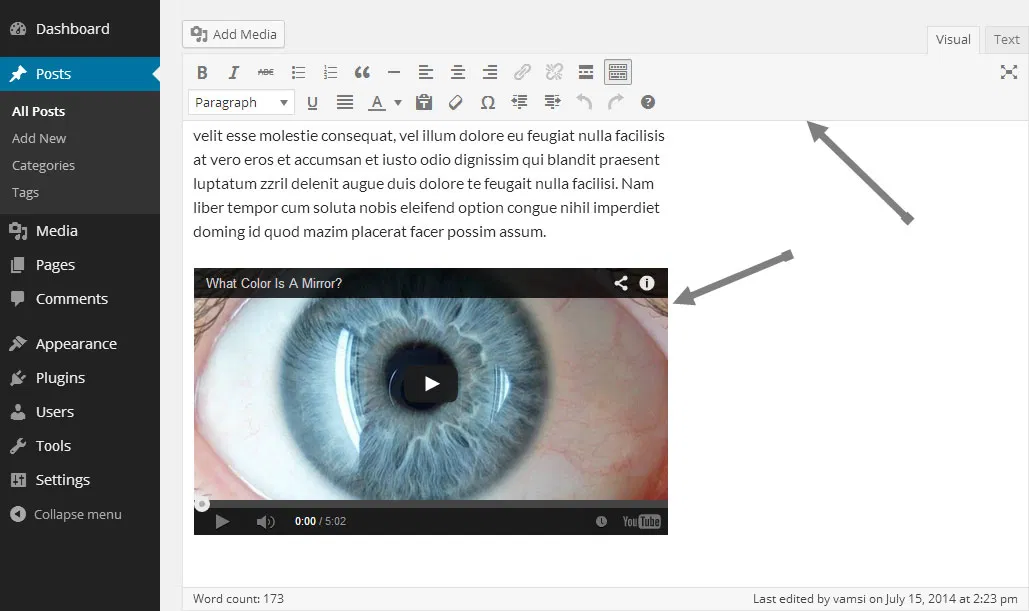
Apart from these new features, WordPress also improved how Embeds appear in the post editor. i.e, from now on, whenever you embed a YouTube video, you can actually see a preview of that video rather than some colored space. From 4.0, WordPress supports many other sites like CollageHumor, TED, Mixcloud, etc.
Media Improvements
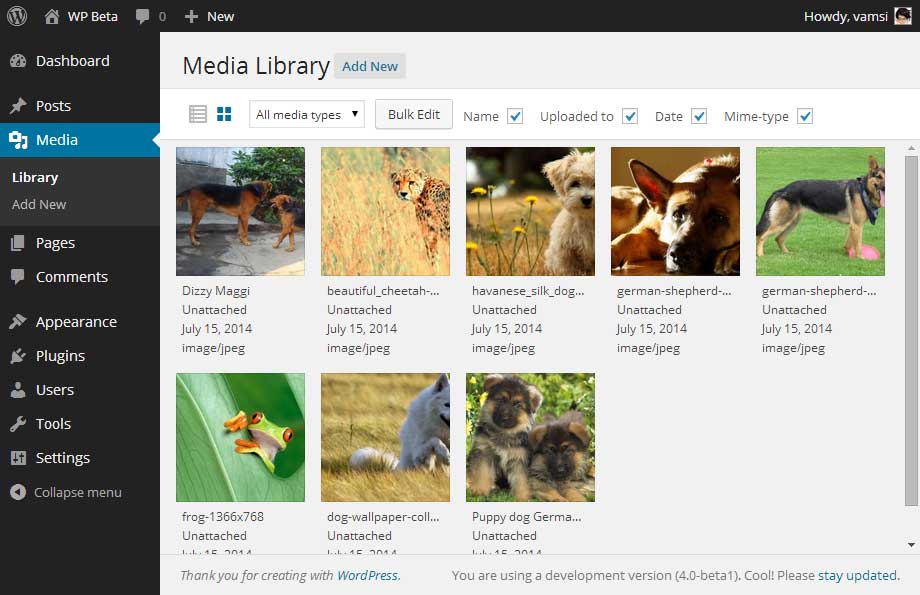
WordPress 4.0 has Media Grid at its core which allows you to see and organise images and media library in grid view. With this improvement, editing and managing media in WordPress is now a bit easier. When you click on a media file, a pop-up box will appear where you easily edit your media file.
Other Stuff
Along with all the above notable features and improvements, WordPress 4.0 comes with many other small but subtle improvements like improved plugin install experience, added widgets panel in customizer, how cursor and keyboard interacts with TinyMCE, improvements in formatting, etc. As per developer notes, WordPress introduced several API changes which allows theme authors to add custom panels in the customizer.
To conclude, WordPress 4.0 has some really exciting features and most of the WordPress users are looking forward to all those improvements. So, if you haven’t tried WordPress 4.0 Beta 1 yet then do try it by downloading it from here (direct link) or you can you even test it by installing WordPress beta tester plugin.
So, what features do you like most in this major upgrade?? Do share your thoughts via the comments form below.