Google just never seems to stop putting their hands in our business. Just about everything you want to do can be accomplished with one Google product or another. They do more than you might even realize, as sometimes the features are hidden, such is the case with the Form feature in Google Drive.
The Form feature is clearly designed for surveys and quizzes, but a little experimentation can come up with some additional uses as well. When I looked through it, I saw a decent organizational tool.
Creating a New Form
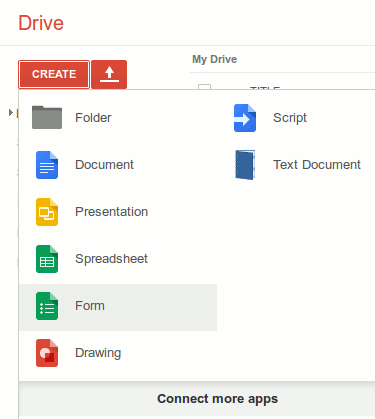
Perhaps the best part of anything related to Google Drive is that you don’t have to download anything. It’s all right there online. And if you want to use it on a mobile device there are apps for that. To access Forms, sign in to Google Drive, and pull down on the download symbol in red next to the word “Create.”
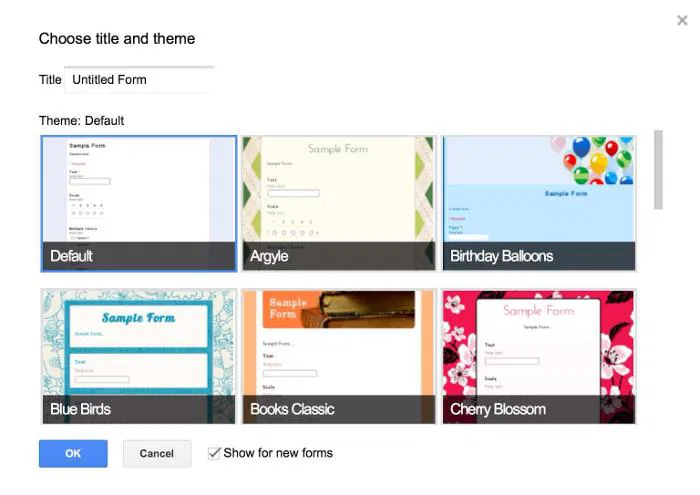
As a nice aside, you can add an attractive background to your form. You can go with the Default of a light blue background, or you can choose a number of different ones. I chose to go with the red and pink flowered background as I’m creating a form to help me organize what I need to buy for my daughter’s graduation party in a few months.
Adding Content
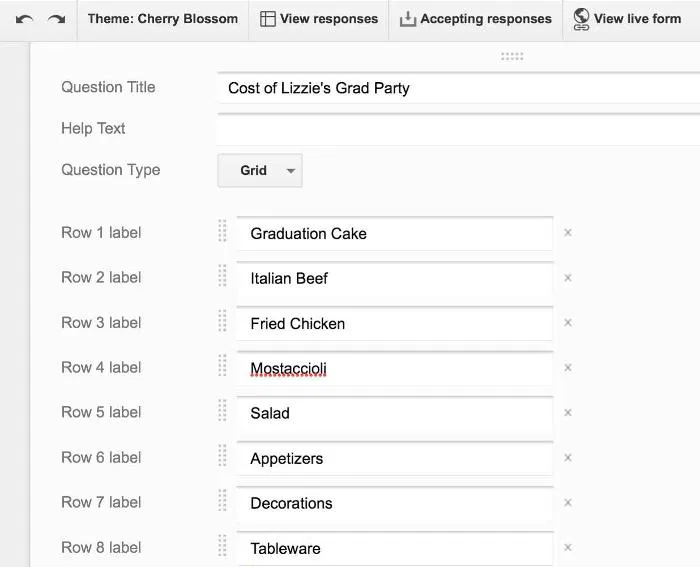
This is what throws people off and makes them think Forms is only for creating surveys and quizzes. After filling in your heading and description, you’re presented with a field that asks you for a Question Title and for the Question Type. Don’t let this fool you. It doesn’t have to be a question.
I just input the items I need to buy for my daughter’s party. I can then put the choices of stores/shops to buy the item in the Question Type under Text. You can in put anything in this spot from paragraph text to a grid to multiple choice to a scale. You can see why it’s particularly good for surveys and quizzes. I put the stores of where I want to buy the first item in as multiple choice to get them to come up in a list fashion. I can go back and fill in the others as I get closer to making that decision.
To personalize this a little to my daughter, I added a picture of her. It’s a picture I’m considering having on her cake and invitations. While Forms provided an option for adding photos you have stored locally, it wouldn’t let me add photos I have stored on my iPad. I had to manually add the photo to my Google Drive first to then be able to add it into my Form.
Completion
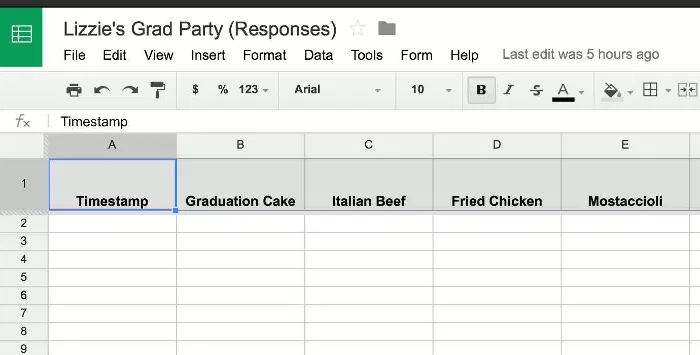
What makes these Google Forms unique is you can see what the finished product will look like to people viewing it online by clicking on “View Live Form.” Obviously this has more uses if you’re doing a survey than if you’re simply using it as an organizational tool. However, you can share it with anyone whose opinion you are looking for despite it not being a survey. I can share mine with my husband and daughter and get their opinions, making it double as organizational and survey. You can also open it to see the responses as it opens like a spreadsheet by clicking “View Responses.”
Conclusion
Again, the best part of anything Google is that it connects with all its other apps and you can access it anywhere. I can access the Forms function on my Mac Mini at home or on my iPad. I can even access it on my iPhone when I’m shopping as I narrow down my choices. Most people will see it as a tool for creating a survey or quiz, but it doesn’t really have to be so.
Do you have an additional use for Google Forms not covered here or elsewhere on Make Tech Easier? Let us know in the comments below.
Image Credit: Moumou82