WordPress is a powerful CMS that allows you to quickly and easily publish content on the Web. However, as we focus all our attention to publishing great content, we tend to make some mistakes (with WordPress) that can be damaging and fatal. Here are the top five mistakes that every WordPress user should avoid making to have a successful and healthy blog.
1. Using Nulled Plugins and Themes
It is really hard to resist when you see those premium plugins and themes available for free. The catch is that those freely available nulled premium plugins and themes are not actually free; they take your website as the payment. To put it simply, these nulled plugins and themes often contain malicious code which can do all sorts of things like redirecting users to other website(s), injecting links, creating backdoors, spamming other users, etc. In the worst case scenario, this malicious code in the nulled plugins or themes can effectively take down your website or blog.
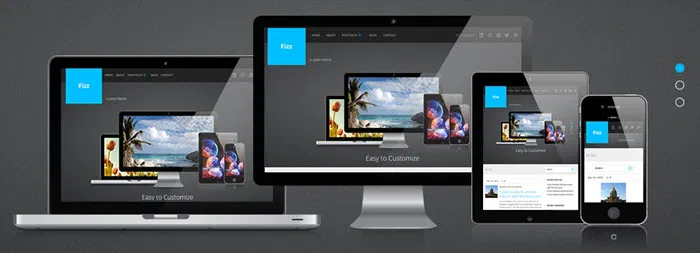
The moral is, never use nulled plugins and themes. If you want to install a plugin or theme (be it free or premium), only download and install that plugin or theme from a reputable source like the developer’s website or WordPress repository. If you have already installed a couple of plugins or themes and want to test them for any malicious code, you can use Theme Authenticity Checker to check the plugins and themes.
2. Ignoring to Backup Regularly
We often overlook the importance of backup until our site goes down. It is very easy to mess things up in WordPress. A single entry can cause the whole database to be corrupted, or installing the whole plugin could bring down the whole site. That is why, no matter how big your site is, you should always remember to back up your files and database regularly. Many Web hosts may promise you that they will take care of the backups. Most of the time they don’t unless you pay them a big sum of money every month.
To backup your WordPress website, you can use free plugins like BackWPUp, BackUpWordPress, etc. If you can afford a few bucks every month, you can use premium WordPress backup services like VaultPress, BackUpBuddy, etc. These premium services automate the process of backing up and restoring your website in the time of need.
3. Ignoring Updates
With the growth of your website or blog, it is easy to forget to update your WordPress, theme and plugin. There are reasons why there are updates, and one of them is to fix security vulnerability. Unless you want to open your website entrance to hackers, you will want to update your site as soon as the update is available.
By default, WordPress alerts you on the dashboard whenever there is a new update, so take a chance on it and update the said plugin or theme as soon as possible. If you want email notifications whenever there is an update, you can use free plugins like WP Updates Notifier to receive email notifications.
4. Not Using a Caching Plugin
Page speed is one of the important parts of today’s SEO. For a database driven CMS like WordPress, a caching plugin is a must as it will reduce your server overhead and improve your site’s loading time. In addition, a caching plugin can also save your site from sudden traffic spikes by reducing the overall usage of server resources.
To super charge your site speed, you can install free WordPress caching plugins like W3 Total Cache or WP Super Cache. If possible, always try to use a CDN’s (Content Delivery Network) like MaxCDN or Cloudflare (free) along with the caching plugin, as this increases your site speed even more.
5. Having Too Many Categories and Tags
WordPress makes it really easy to categorize and tag the created posts using categories and the tags feature. Most users don’t understand the difference between a category and a tag and use them interchangeably. Over time, this will mess up the database and make your site difficult to maintain.
If you have just started your site, the best practice is to first create a few categories, and then create posts for those categories. You shouldn’t have more than 10 categories for your blog as that will dilute your site’s focus.
Conclusion
As you can see, it is easy to make mistakes with your WordPress blog, but learning and recovering from mistakes is what will make you better. What mistakes have you made with your WordPress blog? Do share your thoughts and experiences using the comment form below.