The Internet is a maze. It is full of hackers, wannabes, and thieves. As a user, we have to do everything we need to do to take care of our privacy and security. Sure, many of us use some sort of antivirus and firewall solutions, but these precautions are not enough when you are wandering through the Internet. The good thing is making your Internet life more secure is relatively easy. Here are the top three things that you should follow to make your Internet life more secure and sound.
1. Enable Two Factor Authentication
Most of our online accounts like email accounts and social accounts contain a lot of personal and confidential information. While these accounts are protected by the passwords, we all know that passwords can be easily cracked and are no longer secure. Two factor authentication is what you need. What it essentially does is provides an additional layer of security by asking for more than a password, e.g. a time-based code sent to your mobile device or generated by your mobile device.
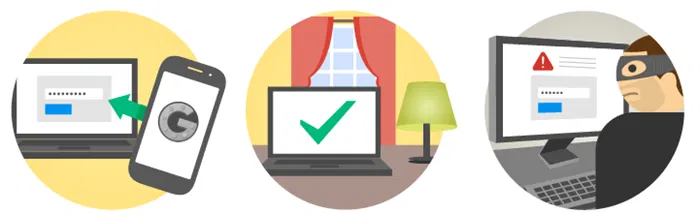
Without that extra code, you just cannot log in to your online account even if you have the actual password. Fortunately, most of the online services like Google, Facebook, LastPass, Amazon, etc., have already introduced this feature. Moreover, setting up the two factor authentication on any online service doesn’t require more than ten minutes. So always enable two factor authentication wherever possible. Many of you may think of this feature as noting but annoyance, but it is worth enabling to protect your privacy.
2. Use VPNs
Surfing the Internet through a public and unsecure WiFi is the most common thing these days. Who doesn’t love a free Internet connection? The problem is these un-secure Internet connections are prone to privacy issues because it is easy to grab sensitive data over a network. To bolster your security, you can always use a VPN. What a VPN (Virtual Private Network) essentially does is that it will encrypt all the incoming and outgoing connections over a public network (Internet). Because all the connections are encrypted, it is hard for anyone to snoop on your Internet activity.

There are lots of free and paid VPN services out there on the Internet. Just subscribe to one of those service’s and use them whenever and wherever possible (like coffee shops, cafes, etc.) to make your Internet activity more secure and sound.
3. Use a Password Manager
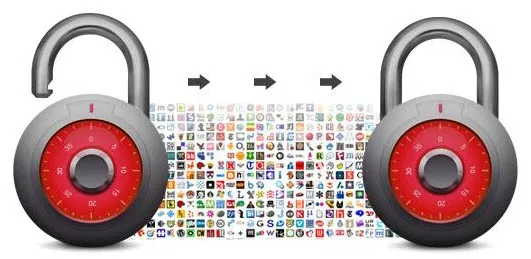
Most of us have more than ten different online accounts, and it is only natural that we tend to use easy-to-remember passwords to avoid forgetting them from time to time. But sometimes, these easy-to-remember passwords are also easy to guess and this leads to hacking and stealing stuff. There comes the role of password managers as they can help you generate some easy to remember yet hard to guess passwords while locking them behind a master password. When using password managers, all you have to do is remember a single password. Moreover, most of the password managers like KeePass, LastPass, etc., support multiple platforms so that you will have all your passwords at your fingertips.
Conclusion
Just like anything, Internet privacy and security is as strong as its weakest link and in this case the weakest link is just “us.” So always be aware of your online presence and do whatever you can to secure your privacy and security.
Image crdit: Security concept: Key and Cyber Security on computer keyboard ba by BigStockPhoto