Iran, Yemen, China, North Korea, Turkey, and many other countries on the globe have at one point or another started employing the practice of censoring the Internet domestically. This either partially or greatly restricted the international freedom of speech of its citizens. While a large portion of the world enjoys the ability to log into Twitter and say anything they want about their government and country, this isn’t the case in countries like Turkey, which enacted an active block of Twitter on March 20th, 2014. How do countries carry out Internet censorship? What methods have the most effect on a population?
Why Governments Censor
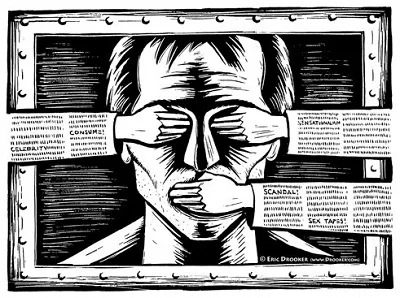
There are a few reasons why a government would want its population to be unable to communicate through the Internet freely:
- It is afraid of its population organizing a revolt. The Internet is an effective medium for organizing events, flash mobs, and even riots. Governments will block a social network, for example, with the intention of preventing people from messaging each other and publicly announcing their organized protests.
- Perhaps the government is afraid of ruining its outward image and wants to hide the ugly reality of its internal struggles. Countries like North Korea are very concerned about the image they display to other nations around the world. It may be a little too late to protect its reputation, but it’s been actively forbidding external Internet access for this exact reason.
- Incumbent politicians like to stay in power, no matter the country. Some take this to heart to such an extent that they block access to the Internet to rig elections safely without allowing minority groups to organize counter movements at a national level.
This may cover everything, but if you think I missed something, please feel free to discuss that in the comments section.
So, there are enough compelling reasons to censor the Internet to tempt a leader who has enjoyed the seat of power for many years. How does this happen, though?
ISP Filters
One of the less controversial ways of blocking Internet access to users within a country is to ask Internet service providers (ISPs) nicely to do this themselves. Many developed countries around the world have attempted to use this method only to succumb to the will of the populace. However, more oppressive regimes can strong-arm their ISPs into the same process. This is even easier when the entire Internet infrastructure is state-owned.
The problem (fortunately) with this method is that it’s easy to circumvent. Any citizen can just use onion routing or a proxy to access the sites he wants. The government counts on citizens not being aware of these choices. However, it’s inevitable that one day ISP filters will be completely ineffective as people become more educated about how to get around them.
ASN Blocking
When proxies cause problems, autonomous system number (ASN) blocking provides a very controversial way to block access to particular websites. To make this easier to understand, each ISP has an ASN allocated for particular IP ranges it controls. If a government wants to block a website, it can “trick” its own infrastructure by allocating a smaller ASN (creating a path of least resistance) with an IP range containing the IP of the website it wants to block. This will direct routers to go to its own version of a particular website rather than the website itself. It wouldn’t matter whether you type the IP address or the URL for YouTube. You won’t be able to access it either way because the government has fooled your router into thinking that the IP address is hosted in that particular country.
TLD Name Server Seizing
If you’re in possession of a top-level domain (TLD) server, you have a lot of flexibility. A top-level domain is what you see at the end of a domain name (“.net,” for example). As the country in control of a TLD, you can deny any domain name requests to it. This method is also easy to circumvent. If you know the IP address that the domain is pointed to, you can just type it up in your address bar and enter the site. This, and the fact that the TLD server needs to be in your country, makes TLD blocks very unfeasible and inefficient.
Let’s Discuss!
Got a question or an idea about what we just covered? Post a comment below and continue this discussion!