Mozilla’s Firefox is often recognized as one of the “big three” web browsers alongside Microsoft’s Internet Explorer and Google’s Chrome, though Mozilla has always tried to differentiate themselves with the open-source nature of their browser. As is so often the case with open software, this freedom has inspired developers to modify the base browser, creating something they feel to be better.
There are quite a few twists on the familiar Firefox platform, and some have become more easily identified than others, with Pale Moon being a good example. Even Mozilla has proven themselves adept at creating variations on the Firefox browser, with the ESL release amongst others. The question is, which variant should you use?
In our testing, all browsers were 64-bit versions running on a 64-bit operating system. Thus, the precise figures may differ due to system architecture.
Nightly
Mozilla’s own testing version, released to the public on a daily basis as code, is revised and tweaks are made. Nightly‘s version number is significantly higher than the mainstream browser release, and it is generally seen as the cutting-edge browser. However, being on the cutting edge does not make it totally perfect, given that there may be bugs and issues that manifest themselves in newer, untested code. The Nightly builds of Firefox also have another downside in their daily updates. Unlike Chrome, updating is not performed as a background operation, meaning that the browser has to be restarted for each and every update.
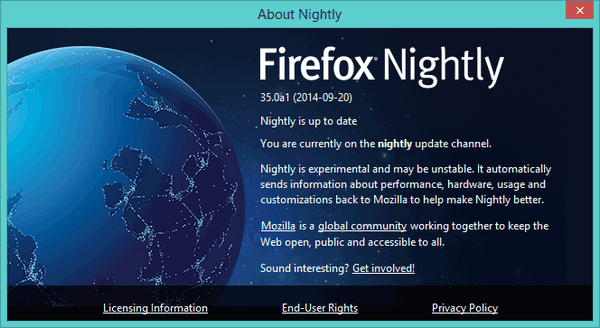
With both downsides already mentioned, it could be tempting to ponder why anyone would use the Nightly browser – in truth, there is an element of excitement to being on the cutting edge, whether due to changes the general public will not see for months or due to the potential for new and enticing features.
Pale Moon
Pale Moon is one of the most well-known variants using the familiar Firefox platform. The aim behind the Pale Moon project is to cut back what the developer sees as bloat. Therefore, Pale Moon does not include such features as Sync, and some technical components are absent. Those who use these features will no doubt feel the loss in Pale Moon, though for the average consumer, it may come as a surprise that such a feature even existed.
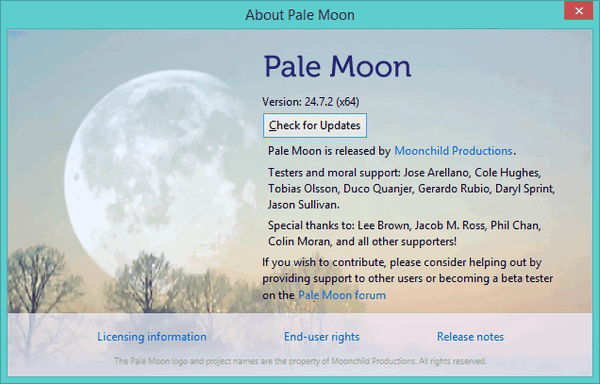
Pale Moon could be described as “traditional,” given that it uses the older Strata theme which appeared in Firefox 4 and in a layout more reminiscent of Firefox 2 and 3 builds. While it won’t be to everyone’s taste, the more conservative approach to browser design can be interpreted as reflective of a desire among some users to abandon the controversial changes Mozilla made.
Light
Another project found on Sourceforge, Light’s main goal is to lighten the Firefox web browser in any way it can. Explanation on the official project page is more technical than many users may want, but it should prove enlightening for those with the knowledge to appreciate the developer’s efforts beyond the software’s functionality.
Light retains the Australis theme of the latest versions of Firefox, as well as the original icon, meaning that the change is mostly subtle between Light and the original Firefox web browser. Nevertheless, it works, and whether placebo or not it does feel ever-so-slightly snappier.
Waterfox
Waterfox believes itself to be the fastest 64-bit browser of all – a lofty claim for a browser that isn’t, after all, produced by a major company. Whether it is or isn’t, the download is 44MB, which is a bit more than even Mozilla’s own version of the browser (generally in the mid-thirties). With regard to appearance, it uses its own icon and the latest UI, codenamed Australis. Curiously, it cannot run at the same time as the normal Firefox browser, prompting a “Waterfox is already running error” while none of the other listed browsers have the same issue.

We found Waterfox to be a very usable browser, and it achieved slightly better scores in benchmarking than Mozilla’s Nightly browser did. However, the difference between the two is so incredibly small (quite literally milliseconds) that in everyday usage the two handle in much the same manner. It can be tempting to become overly concerned with the state of benchmarking, but in reality it has very little difference on overall browser performance. With that in mind, it remains an impressive feat that the team behind the Waterfox project managed to outpace the company responsible for developing the core code they are working from.
Which should I be using?
Light must surely be singled out for how well it works. The browser is exactly what it strives to be: light. By paring back unnecessary features, those responsible for the build have been able to create something faster than Mozilla’s own browser. While Waterfox might also have done the same thing, the fact Light is available for 32-bit and 64-bit computers is even more exciting, for it suggests that the same results are possible regardless of operating system. Rather than giving great results tailored to only one system architecture, Light seems capable of delivering to both. While the difference might be imperceptibly small between all benchmarked browsers, it is still very much Light’s victory.