When making an order on websites like Amazon, you may choose to store your credit card information on the site’s database for the sake of convenience. This way, you don’t have to type the number multiple times. The flaw with this concept is that you now expose your credit card number in the case of a breach. Visa, one of the world’s largest card issuers, has decided to step up the security of its cards a notch by introducing an entirely new system for identifying them that might protect you significantly in the case of a breach.
What’s Visa Doing?
After the credit card breach at Target, it was quite obvious that card issuers had to act. But what were they supposed to do? A card has a 16-digit number that identifies it. You must use it to make a payment, and there’s really no other way around that. This is the situation we’re faced with. Once you give away that number, your bank account is at the mercy of the site you’re ordering from. It’s why a very large number of people on the internet are wary of making payments through their credit card.
To alleviate the situation, Visa has come up with a potentially brilliant idea known as the Visa Token Service.
How Visa’s Token Service Works
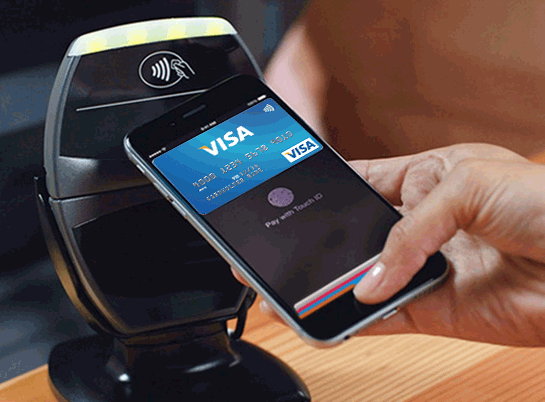
In order to understand why I called Visa’s latest move “potentially brilliant”, you will need to understand how their service works. It’s a bit simple, actually. Instead of using your credit card number, Visa will generate a unique token for your transactions. The website, instead of storing your actual CC number, will store that token and that’s the end of it! The idea is that if the website is breached, the hacker looking through your account data will only find that token.
So, when you’re making an account on Amazon, instead of inputting your credit card number, you can input your Visa-generated token and use it as an envoy for your bank account. Visa’s website tells us that a token can be restricted to a particular mobile device or a particular vendor so as to not make it as free and open as your credit card number. Anyone wishing to use the token nefariously would need physical access to your mobile device if you are restricting the token in that way. Of course, if your device is stolen, you can have the token deactivated, which is much easier than getting a new credit card.
Does Visa’s Token Service Raise The Bar on Online Payment Security?
The Visa Token Service may be a game changer with respect to making your online payments safer. Considering how often companies have their credit card data breached – and how far-reaching these breaches can become – it’s about time someone addressed the issue with a sensible solution. Is the Token Service such a solution?
Well, if you have a token restricted to work at Amazon (as an example), the hacker compromising your account can still use your token to make orders, only those orders will all be on Amazon. You’ll have to disable the token quickly, meaning that you’d have to know that a breach happened in the first place. As it is, you’re still relying on the company letting you know that a breach occurred. My advice would be to make online payments only on websites that have a reputation for accountability, meaning that they will take responsibility and let you know when something happens to their database, giving you enough time to perform your own damage control.
Conclusion
So, in a way, tokens may revolutionize online payment security. However, this doesn’t mean that the water is safe to jump into. You should still make smart decisions on what you do with your new token and ensure that it’s in the hands of firms that care about their customers.
If you feel that there’s more to say here, please leave a comment below with your thoughts!