What if someone else had enough information about you from the web to become you? Every account you have on the Internet is a part of your identity. The more you put into it, the more you risk having all your information fall into the wrong hands. Adobe, Yahoo, and several other large companies have experienced compromises over the last two years which have sparked speculation about whether we’re living in an era of peak identity theft. Even worse, there have also even been cases of accidental theft, which is not as serious a concern, unless you’re the victim. What can you do to prevent theft? We’re here to answer this question.
What Dangers Do You Expose Yourself To?

What you expose yourself to depends entirely on where the theft happens. The biggest damage happens when your identity is stolen from within your computer or through a practice . However, major password leaks on a particular service can hurt you just as badly. How badly it hurts you depends entirely on what you do to prevent the theft. Such an incident has the potential to affect your:
- Finances
- Reputation
- Virtual property
- Virtual credentials
What do thieves steal? Usually, they’ll take things like:
- Your name (no-brainer!)
- Date of birth
- Address
- Passport number
- Credit card information
- Bank account information
- Driver’s license
- Anything else they can use to:
– Open new bank accounts under your name
– Shop
– Download stuff with your identity
– Gamble
– Get a new cellular plan under your name (for other illicit activities to be pinned on you)
– Go on vacations on your dole
– Apply for welfare (welfare fraud is more common than you think)
How Is Identity Theft Executed?
Most people won’t even know when their identity has been stolen. Some won’t even be aware of the incident for months. Usually, when you spot the problem, it’s too late to avoid doing some damage control. Here are a few instances of how identity thieves might do their dirty work:
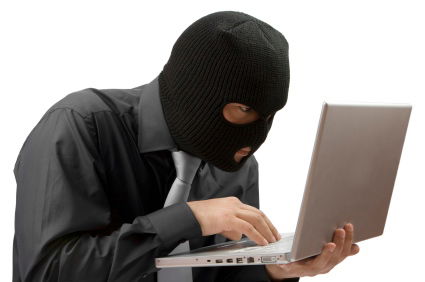
1. They buy an innocuous domain name (like “lehmann-brothers.net” or something that resembles a reputable company), create an email under that domain, and then approach you as a representative of the company. The best thieves will try to find out what companies you receive services from to make themselves appear even more legitimate. They will ask for information from you and claim that it’s necessary to continue to provide services for you. Most often, they’ll try to imitate large companies with enormous customer bases like PayPal or eBay. This practice is known as phishing.
2. They attach spyware to programs that register everything you type, also known as keylogging. When a few thousand people download and use the program on a daily basis, they cash in.
3. They look over your shoulder as you use your tablet, your smartphone, or your laptop.
4. They hack databases of major companies, with the hope that they’ll find several accounts of people who use the same password for multiple services. You’re most vulnerable if you keep one master password for everything.
While many services already have safeguards and algorithms that detect when identity theft is happening to you, the responsibility for finding out whether it’s happening is ultimately yours.
Preventing Identity Theft
There are lots of things you can do to prevent identity theft, each of them significantly easier than dealing with an incident:
1. Keep an eye on the address bar. Some thieves make mock-up pages of legitimate companies to grab information (like your username and password) from you. Facebook has suffered from this significantly. Let’s use it as an example: If you see “facebook.myhost.com” as the domain name in the address bar, beware. But if you see “something.facebook.com,” it’s a part of the original company’s website.
2. Use a single sign on (SSO) cloud application. If you don’t like remembering a bunch of different passwords, SSOs like SmartSignin are out there to help you. These applications give you one-click login access to any website or service that you want to enter. They offer a master password which you have to type in only once to sign in everywhere. Some of them are more secure than others, though. Keep an eye out for any SSOs making outlandish security claims while not offering you more than a simple username/password interface. They often don’t store encryption keys in a way that’s beneficial to you. SmartSignin seems to be the only service out there that actually lets you set your own decryption key and keep it, making the company unable to access your passwords itself.
3. Keep an updated antivirus on your computer. It’s the best way to keep keyloggers away.
4. Use Web of Trust to determine whether a site is trustworthy or not. It’s an awesome way to know if your information is in safe hands.
A Final Word
A healthy amount of skepticism on the web will take you far. There’s no definitive way to prevent all identity theft, but you can minimize your chances by following the advice I laid out for you here. If you would like to discuss this further, the comments section is open for everyone! :)