There are many download managers for browsers out there, and as much as they offer more options than the browser’s default, they can be complicated to use. A lightweight and simple download manager can offer a more specific solution when you prefer scheduling your downloads at certain times of the day.

If you are concerned that your browser won’t be able to handle multiple downloads due to slow Internet connection, or you want to prevent your computer from having performance issues, you can try an add-on called Download Plan to schedule downloads in Firefox.

Download Plan is a free tool to schedule multiple downloads in Firefox. There’s no need to restart when you install it, and you can access it right from the context menu.
download-plan_context

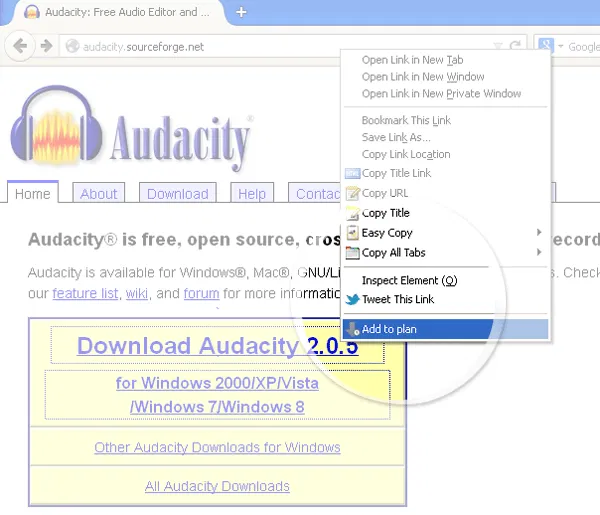
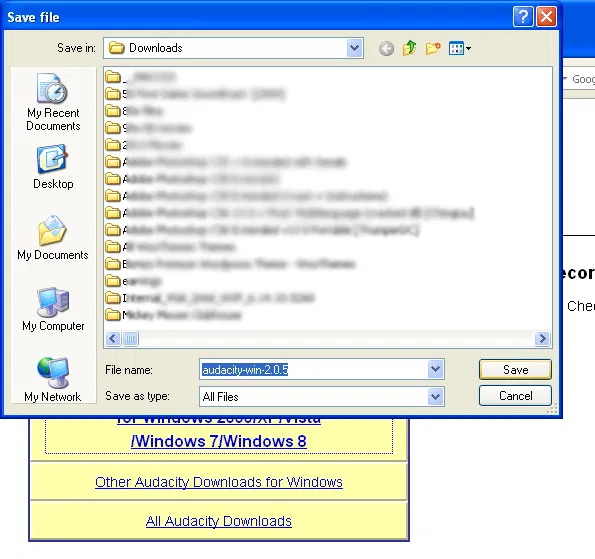
Simply right-click on a file’s download link and select “Add to plan.” Specify the folder you want to save the file to and click “Save.”
download-plan_save

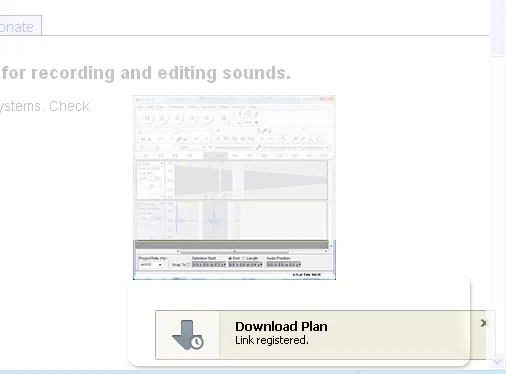
The link then goes to a queue and puts it on hold until you decide to continue with the download. You will see a small pop up on the bottom right corner indicating that the link has been registered.
download-plan_popup

You may do the same steps to several other download links you plan to add to the queue.

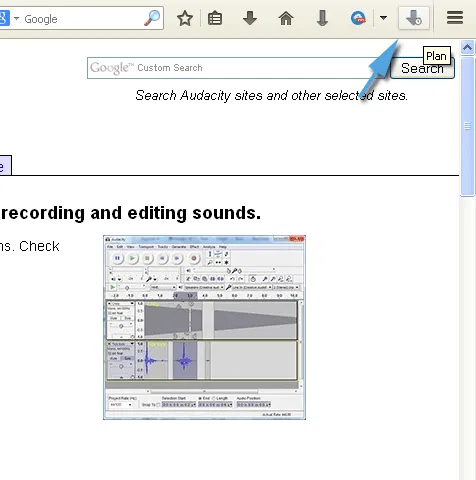
Once you’re done adding links, you may open the download queue from the icon on the top right corner.
download-plan_icon

Here, you will see a list of all download links, and beside them are controls for either starting or stopping the download. The down arrow starts the download and the “x” icon stops them. You can manage the downloads manually by using these controls.
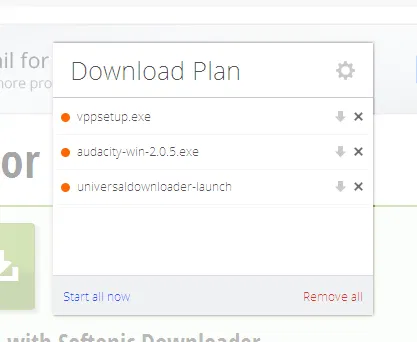
download-plan_dialog

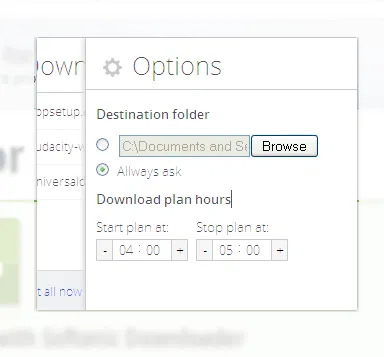
However, if you want to specify a timeframe for the downloads to run, you can click on the cog icon on the top right corner of the window. This will show you the add-on’s options page.
download-plan_options

Here you can adjust the start and end time of downloads. If you want to schedule the downloads to start at a later time, you can set that up here.

An added option is to set a default download location rather than asking every time you add a link to the queue.

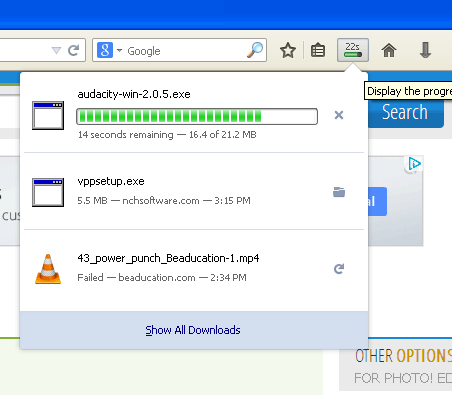
A progress bar will be shown on the top of the browser to indicate the progress of the downloads once they begin. The files will be downloaded in the order that they were added, one at a time.
download-plan_timer

Please note that the download links added to the queue should be the direct links to the file source, otherwise you might save only a link to another webpage where the actual file link is, and it won’t download the file itself. Some software hosting sites like Softonic use a universal download launcher for all their software downloads, and may not work with this add-on.

Another thing to note about this add-on is that it’s lightweight and doesn’t slow down your browser — something that helps when you have downloads happening in the background. While its features are a bit limited due to scheduling rather than managing downloads, it makes it easier to use.

Turn Multi-Page Articles Into a Continuously Scrolling Single Page

Have you ever clicked on an article that was broken up into numerous pages? Those multi-page articles can be really annoying and time-consuming. If you’re tired of clicking “next” over and over again, here’s how to turn those multi-page articles into a single page.

Play Music In Google Drive with DriveTunes [Chrome]

it’s not possible to play music in Google Drive, but installing a Chrome extension allows users to play music straight from the Google Drive directory,

Edit Google Drive Videos Inside Chrome With WeVideo

What if you left your laptop at home and there is an urgent need to edit a video that you saved in Google Drive? Thankfully you can make use of WeVideo to edit the video directly in Google Drive.

Save and Restore Groups of Tabs in Chrome with This Quick Trick

Looking for a way to overcome having too many tabs open? Use this quick trick to save and restore groups of tabs in Chrome without installing an extension.

7 YouTube Channels Where You Can Find Computer Help

If you find video content more gripping, there is a gamut of YouTube channels that are waiting to help you solve your technology woes. Here are 7 of them.

Pushbullet: Push Links and Files From Chrome or Firefox to Your Android Device

Sending content from desktop to Android is not as easy as it seems. An extension called Pushbullet for Google Chrome and Firefox makes this task easier.

Hacked: 11 Signs Your Online Security Is Being Compromised

When you start to see weird behavior on your PC, it could be signs that your online security has been compromised. Here are 11 signs you should take note of

Can People Really Spy on Your Webcam?

There were news that the FBI was able to spy on people’s webcams without them knowing. How is this possible? Let find out how this hack was done.

How Anonymous Are You on the Internet, Really?

If you really want to be anonymous on the web, here are a few things you got to know and also learn a couple of tenets.

How to Get Cheaper Price Notifications When Shopping Within Firefox

If you’re looking for an easier way to know which online stores offer a product for a lower price, Ciuvo Price Comparison can help you do just that.

How to Copy Links as Plain Text in Firefox

Do you just want to copy the text of a link, and not the link? Link Stun can disable links in highlighted text so you can copy them as plain text.

Why Websites Go Down, And What They Do About It

Have you ever wondered what large companies do to ensure that their websites stay up, and why websites sometimes go belly-up for a few hours? It’s time to speak about both of these things!