Internet users come across many different different sources of images, audio and video while surfing the Web. All of them are under a copyright license and, even though we all know what copyright is, only a handful of people can really define it. This happens because copyright has many different licenses, which have specific but unclear terms and effects. Let’s dive in some of them.
Who “Owns” Copyright
Whenever a person creates something, let’s say, a photograph, the author owns the copyright of that image. This means that the author controls who (and how) can use that photograph. Let’s say, the author wants to distribute his picture in a given way, he can do so by choosing one of the different licenses available. Everything that is protected by copyright can be called “intellectual property”.
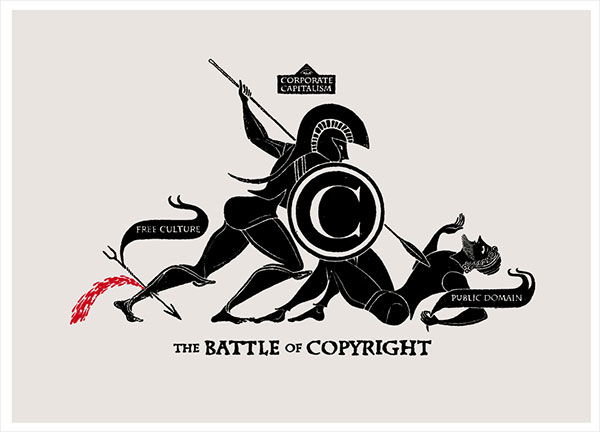
While some people might think so, by selling a piece of your work (a photograph, to use the same example) you still maintain all the copyrights – unless otherwise is stated by a contract. An important rule to keep in mind is that copyright is always yours, unless you choose to give it away.
The copyright law has variations from country to country, but it is generally similar and there are some international agreements such as the Berne Convention for the Protection of Literary and Artistic Works. This convention, other than establishing baseline rules about copyright, states that countries have to recognize copyright from other countries while also extending the rights given to their citizens to foreign work. 167 countries have subscribed it so far.
“Fair Use” and “Public Domain”
Both these terms represent exceptions to rights owned by the person holding copyrights. Fair use, used in some countries like UK and USA, is related to specific situations where using copyrighted material is a “legal right”. Examples of fair use are search engines, teaching, criticism and so on.
Public Domain refers to works which copyrights are expired, have been forfeited or are non-applicable. Copyright does not last forever (with a few exceptions) – in fact, it usually ends around 50 to 70 years after the author’s death. Also, copyrights are not mandatory, as the author can forfeit them. Works under public domain are free to use, copy and modify (even commercially) at will. Examples of works under public domain are Beethoven’s musical pieces, Shakespeare’s writings or all the formulas developed by Sir Isaac Newton.
Creative Commons
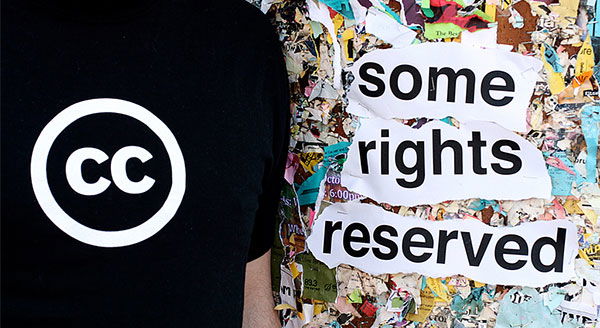
Created in 2001 by Lawrence Lessig, Creative Commons (CC) is a non-profit organization which created several licenses which are simple enough to understand, specifically targeting online creative work. It has 6 licenses available, which determine facts like if the work is available for commercial use, if it can be modified, among others. They all work under the premiss of “some rights reserved”.
In a nutshell, those six licenses have the following effects:
- CC Attribution: it is the basic CC license and allows for all copying, modification and distribution, even commercial, as long as the author is credited.
- CC Attribution-ShareAlike: equal to CC Attribution, but forces the derivative work to be licensed in the same way.
- CC Attribution-NoDerivs: allows copying and redistribution, provided that the attribution is given, but does not allow modification.
- CC Attribution-NonCommercial: given that the author is credited, everything is allowed except for commercial purposes.
- CC Attribution-NonCommercial-ShareAlike: same as the previous license, though forcing the derivative work to be under the same license.
- CC Attribution-NonCommercial-NoDerivs: the work can be freely copied, as long it is not modified and used for commercial purposes.
Software Licenses
Code is often seen as something futile and not valuable but, if it is developed after a certain point in a form of something usable, it does get value, so it should be distributed with proper licensing in order to secure the developer’s rights. In some places, like the US, software is not only protected by copyright licensing, but also by patenting. A patent is different from copyright, as the first is granted and the second is an automatic right.
Software licenses refer to the use of the programming code and usually cover three points: how the work and hypothetical modifications can be distributed, if the derivative work has to be distributed as open source and what copyright or other notices have to be implemented upon distribution.
Some of the most popular licenses are:
- MIT: one of the most open licenses, since it basically puts the work under public domain. There are no restrictions or limitations, except demanding that the full copyright notice, which declares no warranty or liability, is included.
- BSD: similar to the MIT License, except for the fact that there is a clause stating that the endorsement of any derivative work cannot be made to the name of the original copyright owner.
- Apache: also similar to the licenses above, but with a few changes. It forces that all original copyright, trademark notices and attributions to be conserved, while also demanding the addition of a change notice for every work modification. All this should ship with the works in a text file and inside the source code or documentation.
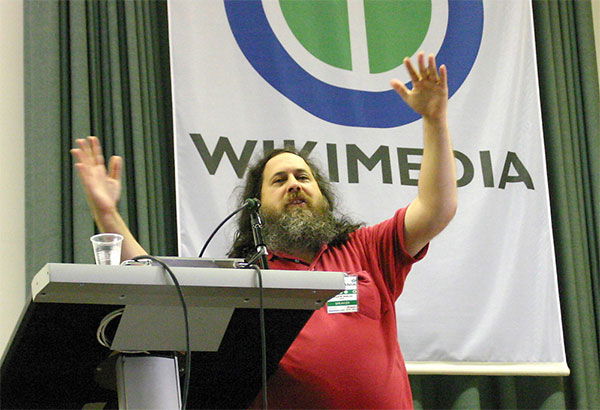
- GNU General Public License: created by Richard Stallman (pictured above), it states that free software can be used, changed and shared in a free-basis, remaining free despite of the way the software is distributed – this is known as “copyleft”. The General Public License (GPL) obligates that all work under it must remain with this same license and, even though GPL code can be sold, it is not possible for proprietary software to derive from it.
Final Thoughts
As you can easily understand, the world of copyright and its licenses and laws is nothing but complicated, with lots of names and conditions to remember. If you want to register your work to specific copyright, you should definitely read as much as you can about this subject or, even better, get legal advice. Better safe than sorrow, right?