Are you having difficulty downloading torrents with your current Internet service simply because your ISP (Internet Service Provider) is blocking all torrent download or because your Internet speed is too slow to download anything? While a good solution is to switch the ISP, a cheaper and faster solution is to make use of a web service like Bitport to download torrents remotely.

Bitport is a web app that downloads your torrent files to a remote storage where you can directly download the file to your computer or stream (video and audio) directly from the site. It is a simple solution for those who are not able to download torrents on their computer.

Getting started

To get started, simply head over to the Bitport website and sign up for an account. You can sign up for a free account, though it will only come with a 2GB storage space and 100M/hour download speed. The premium accounts come with more storage space and unlimited download speed.

Once you have signed up and logged into the site, you will see an input field where you can add a URL to the torrent (magnet links will work as well). Alternatively, you can also choose the upload option if you have the torrent file.
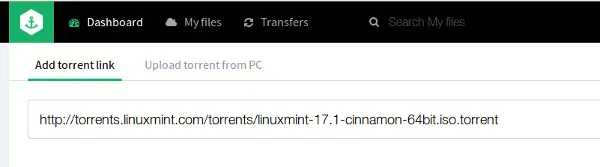
bitport-add-torrent-file

Next, click the “Add new torrent” button. This will add your torrent to the queue. Lastly, click the “Start Download” button to start the download.
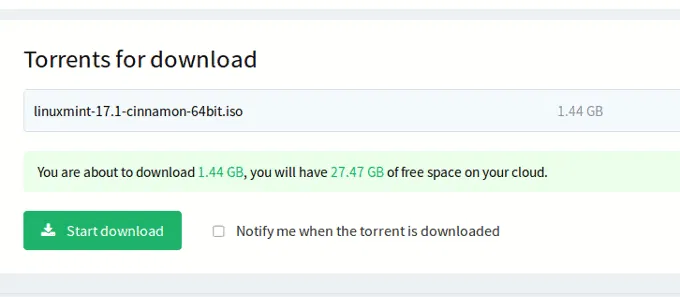
bitport-start-download

That’s it. There is nothing you need to do now except to wait for the download to finish. Meanwhile you can log off your account and shut down your computer. Alternatively, if you have a premium account, you can add more torrents to the download queue.
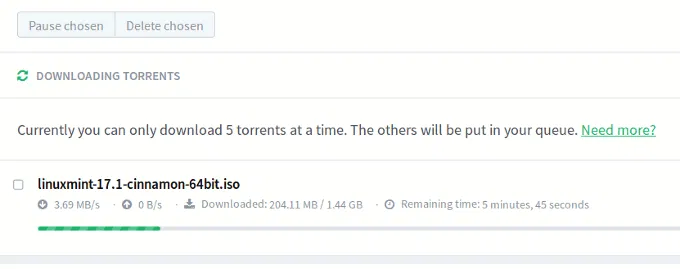
bitport-downloading-torrent

Managing your download

Once the download is finished, your files will be available in the Dashboard. It will also be accessible from the “My Files” section where you can move your files into the respective folders.
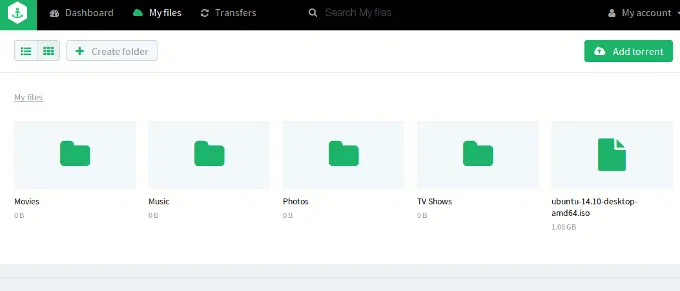
bitport-my-files

Clicking on each file will show its detail as well as the option to download it to your computer. If it is a media file, you can also stream and play it directly on your browser.
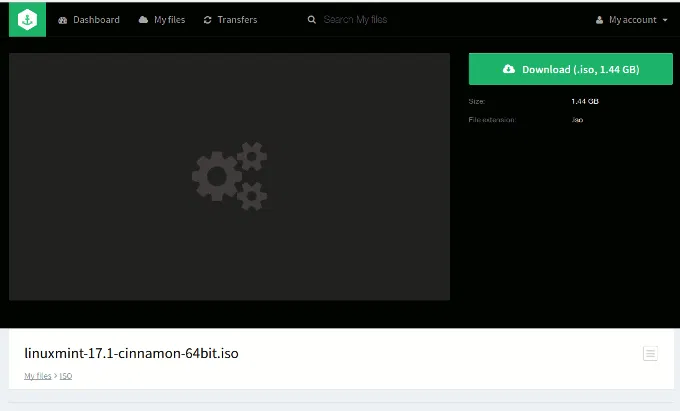
bitport-file-detail

While watching video, you can also turn subtitles on (if it can find the subtitles online).

bitport-media-player

Conclusion

If you have the need to download torrents regularly, but don’t want to (or are not able to) use your own Internet connection or bandwidth, Bitport is a good solution. The downloading is fast (for premium accounts), and for media files you can even stream directly from it. One thing though, the 2GB storage for the free account is rather limited and I am sure most cloud storage providers are providing more storage space for their free account. However, the pricing of between $5 – $15 per month is rather affordable and it could be well worth the investment for a regular torrents downloader.

Follow YouTube Channels Easily With YouTube Video Deck

There are approximately two bajillion videos on YouTube and staying up-to-date on a couple of channels could be difficult. YouTube Video Deck makes it easier and faster to follow YouTube channels.

5 Dictionary Tools for Google Chrome

Do you remember back when you had to know how words were spelled? Here is a selection of dictionary tools for Google Chrome.

How Is Simple Different From Traditional Banking?

Simple is an online service that seeks to change the way people manage their money, but just how is it different from traditional banking?

4 Things You Should Know About Digital Cryptocurrencies (Bitcoin, Litecoin, PPCoin, Etc.)

The Internet has entered a new era in which people can start trading in currencies that are not run by governments, called cryptocurrencies. If you have heard all the hype and wanted to get involved, it’s best that you find out more before investing in digital cryptocurrencies.

How to Enable Two-Factor Authentication in Buffer

Buffer has added a new 2-Step Login security feature to their web app. This tutorial will show you how to enable two-factor authentication in Buffer.

Internet Censorship: How Countries Block Their Citizens from Entering Websites

Some countries carry out Internet censorship and block their citizens from entering websites. How do they do this? Here’s the answer.

Get Facebook Chat Heads in Google Chrome

Facebook chat heads is only available for Facebook Messenger app, but now you can use it in Google Chrome with the faces.im extension.

How to Manually Install Extensions in Google Chrome

If you want to install any extension in Google Chrome, that is not in the Chrome store, here is a way to manually install extensions in Google Chrome.

Run LastPass Security Audit to Ensure Maximum Security

To make sure you have a secure password, LastPass comes with a security audit feature that allows you to know the strength of your overall passwords. Let check it out.

Why Am I Not Getting My Full Internet Speed on Fiber?

Despite the fact that fiber is amazingly fast, it’s not necessarily delivering the Internet speed it promises. Check out the reasons why is this so.

Stop Facebook from Selling Out Your Browsing Data

Facebook stated that it is going to share the data it has collected with advertisers so they can show you more relevant ads. Here is how you can prevent it.

Just How Secure Is Your Bank Account?

You probably have an online banking account. What if someone decided to hack into your account and steal from it? How secure do you think your bank account is?