A few days ago, I wrote about how it’s possible to automatically share your Instagram images to your Twitter account. That article just scratched the surface. IFTTT has a bunch of other cool and super useful social media recipes. So I’ve decided to make a small list and round some of the best ones up.

Note: This post covers a lot of different services. Chances are you’ll need to log all of them into IFTTT before being able to activate a recipe in the list.

1. Tweet my Facebook status updates
5-cool-iftt-recipies-fb-status-to-twitter

Do you have a Facebook account and a Twitter account? Like both but find it super annoying to update them both? Not to worry! The “Tweet my Facebook status updates” recipe can help. Once you add it to your IFTTT account, every FB status posted will be shared to your Twitter account.

IFTTT Recipe: Tweet my Facebook status updates connects facebook to twitter

5-cool-iftt-recipies-share-twitter-links-to-tumblr

So you’ve got both a Twitter and Tumblr account and you love to share links, right? Want to make it easier? Well, you can! With this recipe, any link you tweet will automatically be posted to your Tumblr page.

IFTTT Recipe: Share the same links you post on Twitter on Tumblr connects twitter to tumblr

3. Back Up Instagram to Dropbox

5-cool-iftt-recipies-backup-instagram-pictures-to-dropbox

As great as Instagram is, it’s locked down for the most part. They make it hard to download pictures – even from your own account. Luckily, there’s an IFTTT recipe for that. Just add it to your account. From then on, any Instagram picture you upload will be automatically added to your Dropbox account.

IFTTT Recipe: Save your Instagram photos to Dropbox connects instagram to dropbox

4. Automatically change your Twitter profile picture when your Facebook profile picture changes.
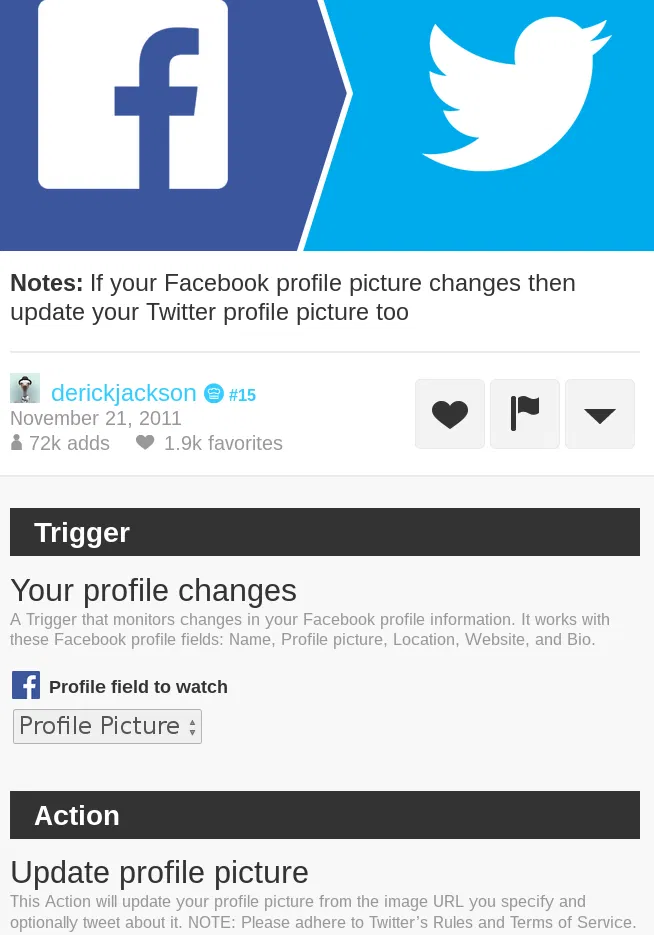
5-cool-iftt-recipies-fb-picture-to-twitter-picture

Let’s face it. With all the different social media accounts out there, changing profile pictures can become a chore. With this recipe, changing profile pictures can become much easier. How does it work? Once you add this to your account, just go over to Facebook and change your picture. Soon after, IFTTT will push out your new Facebook avatar to your Twitter profile.

IFTTT Recipe: If your Facebook profile picture changes then update your Twitter profile picture too connects facebook to twitter

5-cool-iftt-recipies-twitter-to-pocket

Twitter is arguably the best place to get news. If you follow enough news people, you’ll get information as soon as it happens. The trouble is not everyone has time to check out every link all the time. With this recipe, everything becomes easier. See a tweet with a link you want to check out? Just favorite it. IFTTT will extract the link and push it to your Pocket account. Its’s perfect for later reading.

IFTTT Recipe: Save links from favorite tweets to Pocket! connects twitter to pocket

Conclusion

If This Then That (IFTTT) really is a great service. I can’t understate this fact. Where else could you take two different web services, put them together and solve a problem? It’s really neat! Not many websites are this useful.

This is not to mention that this is a list of only 5 recipes. There’s many more recipes out there to be discovered. If you head over to IFTTT and look around, chances are you’ll find something that solves the problem you’re having.

What are your favorite IFTTT recipes? Tell us in the comments!

Block Javascript For A Single Site in Google Chrome

Rather than blocking javascript browser-wide, wouldn’t it be great if you can block javascript only for a specific site? Here is how you can do so.

How to Delete a URL From Chrome’s Omnibox Suggestions

If you entered a wrong URL in Chrome’s omnibar, it will continue to show up in the suggestion, which can be rather annoying. Here is a quick way to delete a URL from the Chrome omnibar.

Quickly Access Your History in Mobile Firefox For Android

If you are using mobile Firefox in your Android devices, here is one neat trick that you can use to quickly access your browsing history.

Skrill, a Trustworthy PayPal Alternative

Paypal may be the biggest online payment platform, it is definitely not the best. Skrill is a good Paypal alternative that is available in 200 countries.

What You Need to Know About Future Web Standards (That are Making the Internet Better)

The Internet started 40 years ago and many things have changed since then. Let’s take a look at the future web standards and how they improve the Internet.

How Image Compression Works: The Basics

Do you know that you can easily compress your high-res images to smaller size without affecting its image quality? Here’s how image compression works.

Internet Regulation: Is it Going to Happen Soon? What Can You Do About It?

If one country could ban a website from its borders, what prevents other countries from doing the same? Can Internet regulation ever be good?

Useful Resources to Learn Android and iOS Coding Online

If you have thought of learning how to code this summer break, here is a list of some of the most useful resources for you to learn Android and iOS coding.

Can People Really Spy on Your Webcam?

There were news that the FBI was able to spy on people’s webcams without them knowing. How is this possible? Let find out how this hack was done.

4 Must-Have Chrome Extensions for YouTube Enthusiasts

If you are a Youtube enthusiasts, as well as a Chrome user, here are some of the best Chrome extensions for YouTube to improve your video watching experience.

Why Websites Go Down, And What They Do About It

Have you ever wondered what large companies do to ensure that their websites stay up, and why websites sometimes go belly-up for a few hours? It’s time to speak about both of these things!

Test Your Website in Various Mobile Devices Without Physically Owning the Devices

Google Chrome comes with a nifty tool that allows you to test how your website render in various mobile device. Here is how you can use the device mode in Chrome.