In an age where Internet becomes the main tool for communication, it is no surprise that Web browsers have become an important piece of software in our computers. While most of the browsers offer the same features, some of them is built with a different perspective and is most suited for certain type of machine.
Light is a lightweight browser built with speed in mind. It is based on Firefox with several non-essential features taken down, ideal to use with slow machines and for users who are not satisfied with the behavior in the latest versions of Firefox.
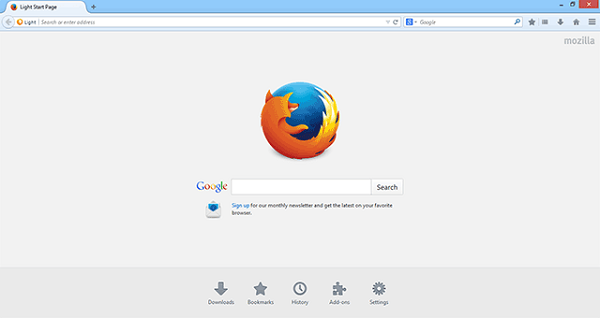
App Background
Light is developed by cstkingkey, a user from the MozillaZine forum. Its current version is Light26 and is available to download for free from its Google Project Hosting page. It is currently available for Windows only, with 32 and 64-bits builds.
It also has two different versions according to the machine’s processor (depending on the SSE version supported by the CPU), the classic and Australis theme options and, while Light is not-portable by default, it can be made portable (check the Read Me).
Improved Performance
As the name implies, Light is a lightweight variant of Firefox, slimmed down of several functionalities which are not of vital importance in the browser itself, which results in an improved performance with a faster start and smaller memory consumption.
The lacking components are crashreporter, skia, webm, opus, ogg, wave, webrtc, jsd, gamepad, intl-api, accessibility, webapp, sync, healthreport, safebrowsing, pdfjs, identity, spellcheck, tabview, social, devtools, printing, webspeech, webgl and directshow. Translating this in colloquial terms, you will not find features like printing, Firefox Sync and Developer Tools, among others. Spell checker was also one of the features to be taken away, but is present since Light26.
Light’s Looks and Feel
Light can be downloaded with a classic or Australis-based theme. The Australis theme, launched by Mozilla itself, is actually very similar to Chrome’s interface. This theme in Light is almost equal to the one implemented in Firefox Nightly and to ship with future versions of the main Firefox build.
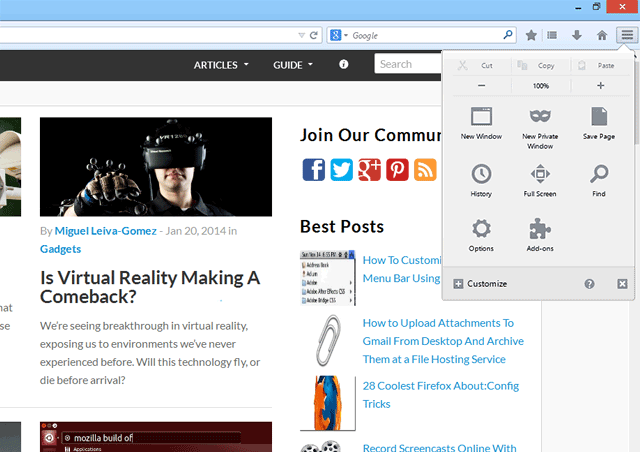
You will find that most part of the theme are very similar to the Firefox build, except that some of the stripped functions are missing from the menu.
It Really Feels Light, But…
When using Light for the first time I really noticed a difference in the starting time, since it has a really fast boot. Also, Light feels smoother than the main Firefox build, not only in the navigation, but also in the interface of the browser itself.
The stripping down of some components is obviously important to improve Light’s performance but at the same time, it can also be negative. Some of those components, like Sync, are important for everyone trusting Firefox’s service to store bookmarks and passwords across devices. The good thing is that it supports addons too, so you can install addons to replace the missing functionality.
One problem which Light users may encounter when installing addons is that the addons cannot be installed, simply because they don’t recognize the browser. The only way to work around this is to download the .xpi file and install it manually.
Conclusion
Light is definitely not the perfect browser and it won’t be suitable for everyone. However, for those who are looking for a Firefox alternative that is both lightweight and speedily, Light is a good choice to consider.