Everyone knows about YouTube. With hours and hours of video footage uploaded every couple of minutes, there’s no question that it’s one of the biggest websites on the entire Internet. There’s so much content on YouTube that no matter who you are, you’ll find something that meets your taste. There’s something up there for just about everyone.
Along with all of the great content, YouTube also has
a lot of great features. Some you might have heard of, but some you probably haven’t. Here’s a list of 9 really useful YouTube features that you probably haven’t heard of.
1. Youtube RSS Feeds
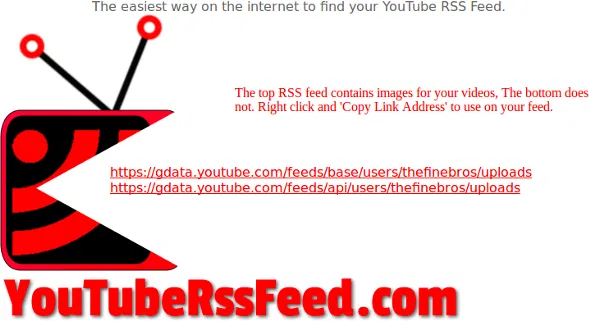
Not a lot of people talk about RSS feeds these days, but those that do – they sure love them. They come in handy. Especially when you take into account that the YouTube front page (as of 2014) is less about subscriptions and more about shoving popular and trending videos down your throat. If you want a real easy way to keep track of all of your subscriptions, consider generating an RSS feed for each person you subscribe to. Do it with ease at this website here.
2. Time Specific video linking
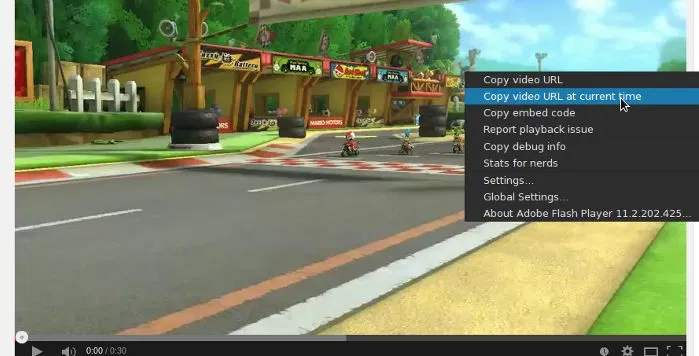
Did you see something hilarious, interesting or perplexing on a particular YouTube video? Did you know that it’s possible to easily share that video as a time-sensitive link to your friends? Just pause it at the right time, right click on it and then click “copy URL at current time”.
3. Video Quality Reporting
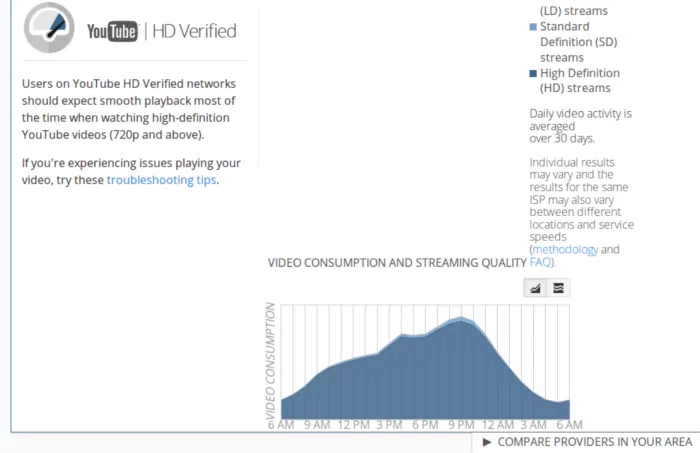
It’s hard to believe that in 2015 we still have to deal with Internet Service Providers serving up terrible bandwidth access to customers. If your ISP gives you extreme difficulty with streaming YouTube videos, try YouTube/Google’s video quality reporting tool. It allows you to learn how your current provider handles YouTube video streaming. With this, you’ll also be able to compare your ISP to others in your area (which is handy if you are looking at switching providers).
4. HTML5 Support
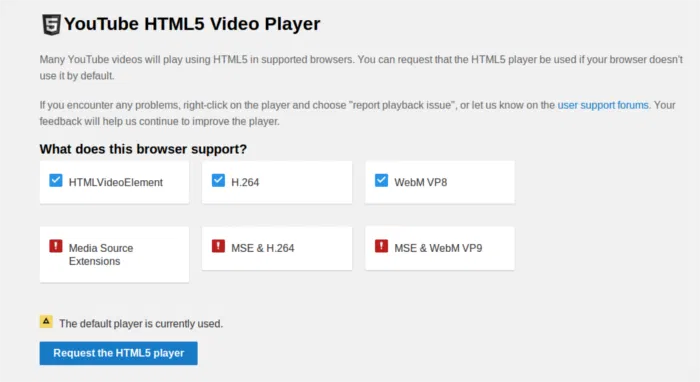
Hate flash? We all do. It can be heavy on systems and sometimes crashes. Sad to say, it’s still a huge part of the Internet, especially YouTube. Fortunately, with the HTML5 option (if your web browser supports it) you’ll be able to break free of it. Just head over to the HTML5 page on YouTube, enable it and start enjoying a better, lighter video watching experience.
5. Mainstream Movies
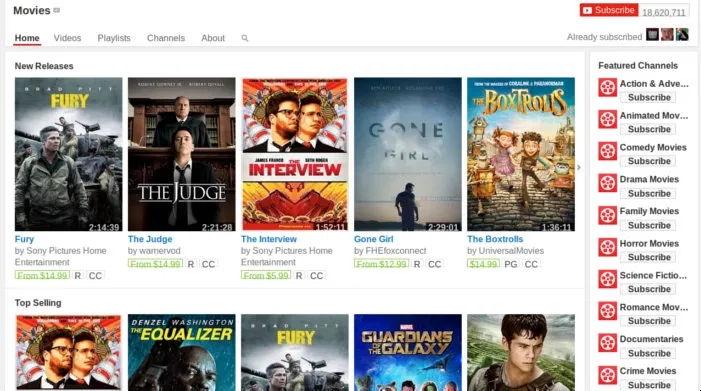
Did you know that you can watch full-length, mainstream movies right on YouTube? Crazy, right? If you head over to Movies you’ll be able to browse through a ton of them. And it’s not just movies you have to pay for either. If you look hard enough, you’ll be able to find the free section with many to choose from.
6. Browse Live Shows
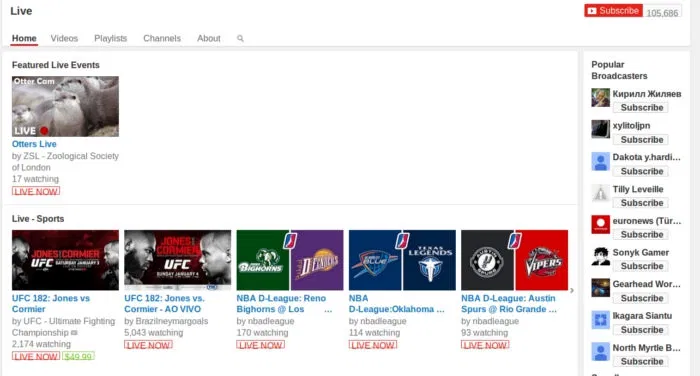
Interested in watching live streams? Check out the Live section of YouTube. With this, it’s possible to browse through pretty much any and all YouTube live streams currently happening on the site. If watching live content is your thing, this is a feature you probably won’t want to miss out on.
7. Find What’s Popular Currently
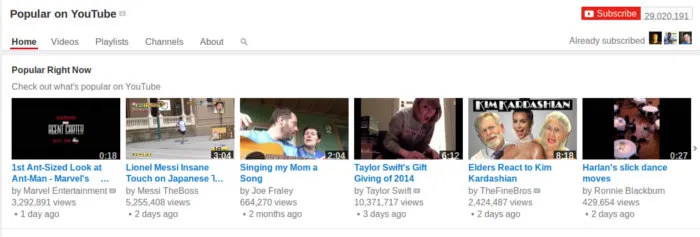
At this point, YouTube is so ingrained in popular culture, it’s become a place that helps determine what is popular today. If you want to check out everything that is currently popular or “trending” on the site, go over to the Popular page. You can even subscribe to this page, and you’ll see popular videos pop up in your subscription box.
8. YouTube TV
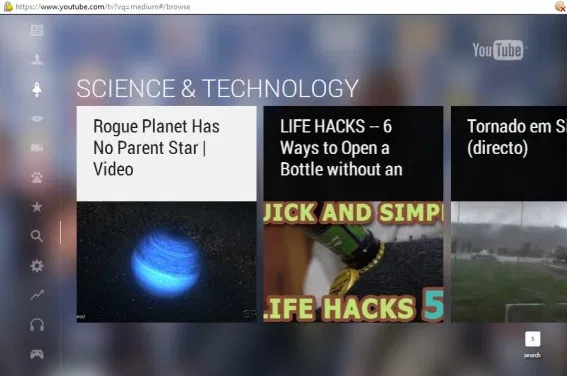
Does your TV (set-top box, game console, etc.) have a web browser? If so, you’ll be able to head over to the YouTube TV web page and enjoy a video watching experience especially tailored for big-screen devices. Even if you don’t have any of those, you can still boot it up on a regular computer screen too! This is an especially useful feature. Mostly because not every Smart TV, set-top box or game console may have a YouTube app.
9. TestTube
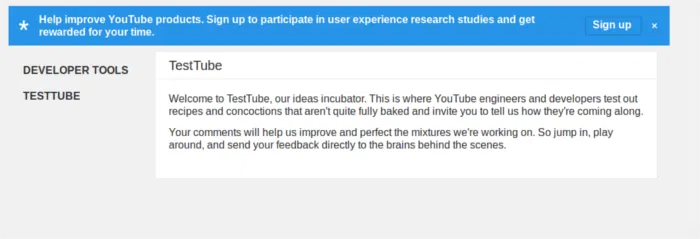
Test Tube isn’t a feature, per-se, but it’s a really cool place where you can go to try out some new stuff in the pipeline. All you have to do is sign up for Test Tube and you’ll be able to be a tester. With Test Tube you can “participate in user experience research studies and get rewarded for your time.”
Conclusion
YouTube is an awesome site. It’s a handy website with a ton of uses. Not only that, but YouTube has fundamentally changed the way most people consume content. Perhaps with this list of lesser known features, the way people watch visual content will evolve even more!
Do you know of any secret YouTube easter eggs or hidden features? Tell us in the comments!