If you are a webmaster, you might be thinking of how you can make your website more interactive, or even allowing your visitors to collaborate with one another. Most of the time, implementing a collaborative function on your site can be a labour and time intensive process. However, with TogetherJS, you can now easily add a real-time collaboration feature to your site with minimal technical/coding skill.

TogetherJS is a free, open source collaboration tool created by Mozilla (the team behind the Firefox browser). The whole collaboration tool is wrapped in a Javascript library and all you need to do is to add the Javascript code to your site to enable real-time collaboration feature for your site.

Installation

To get started, all you have to do is to add the following line of code to your website theme/template, preferably at the end of the page, before the

tag:

<script src="https://togetherjs.com/togetherjs-min.js"></script>

To allow users to start a collaboration session, simply add a “Start Collaboration” button to your site. Paste the code to the position where you want the button to show up.

<button onclick="TogetherJS(this); return false;">Start Collaboration</button>

Alternatively, you can add a CSS class to the button so you can style it to suit your theme.

<button class="collaboration-btn" onclick="TogetherJS(this); return false;">Start Collaboration</button>

That’s all you need to do. Let’s look at how it performs.

Usage

When someone clicks on the “Start Collaboration” button, a popup window will show up.
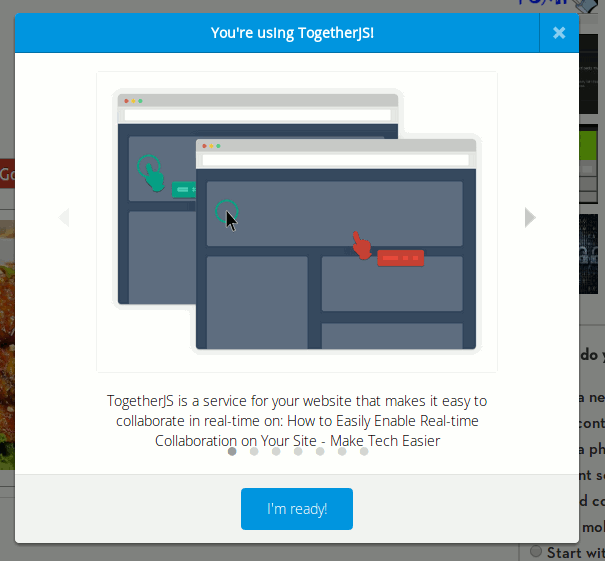
togetherjs-popup

Clicking the right arrow in the popup will reveal a field for the user to enter his/her name and optionally, upload his/her profile photo.
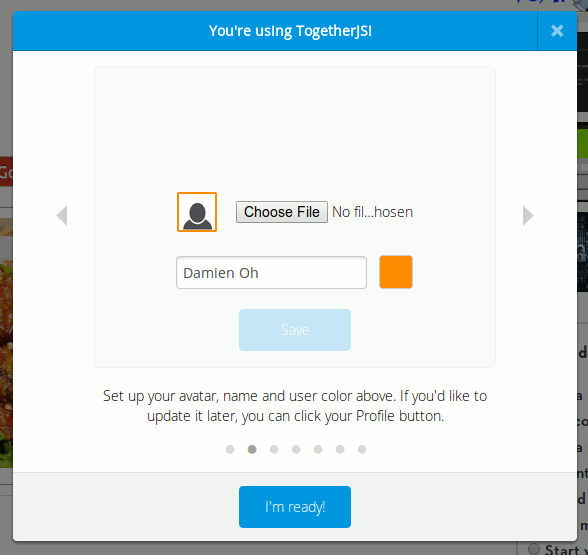
togetherjs-user-profile

The next screen to the right shows the link that the user can share with his/her friends to get them to join in the session.
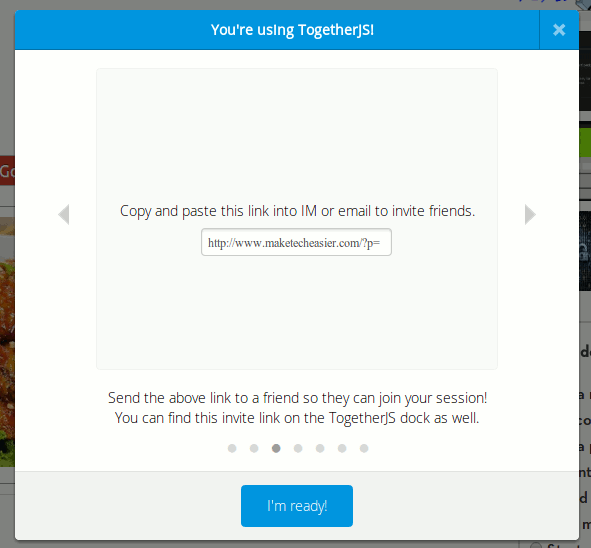
togetherjs-share-link

Lastly, click the “I’m ready” button to start the session.
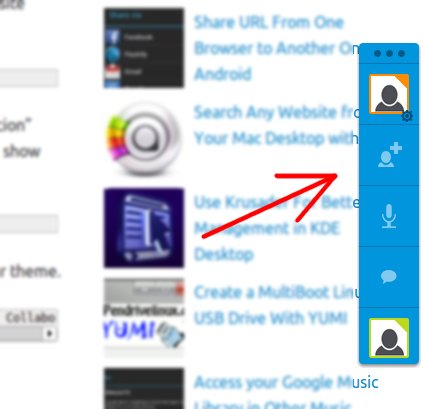
togetherjs-sidebar

When invited guests click the link to go to your site, they will see a “Join Session” popup box. Once they join the session and setup their profile, their avatar will show up in the sidebar.
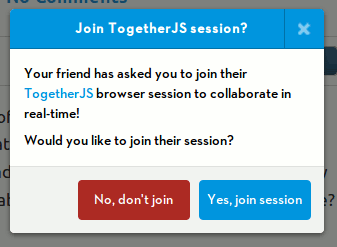
togetherjs-join-session

Things that you can do include:

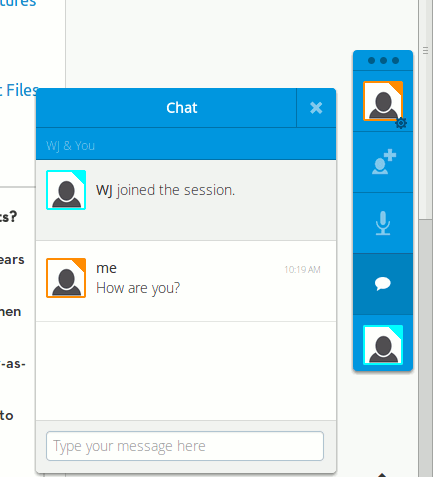
Chat

togetherjs-chat

Audio Chat

The audio chat is an experimental feature and is subjected to the support of the browser.
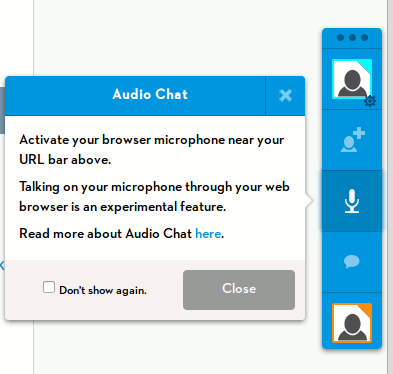
togetherjs-audio-chat

Synchronized mouse movement and real-time changes

Below is a screencast where I place two browsers side by side and see how the mouse movement of one user show up in another user’s screen. I also typed in the comment field and the text show up immediately in the other browser.
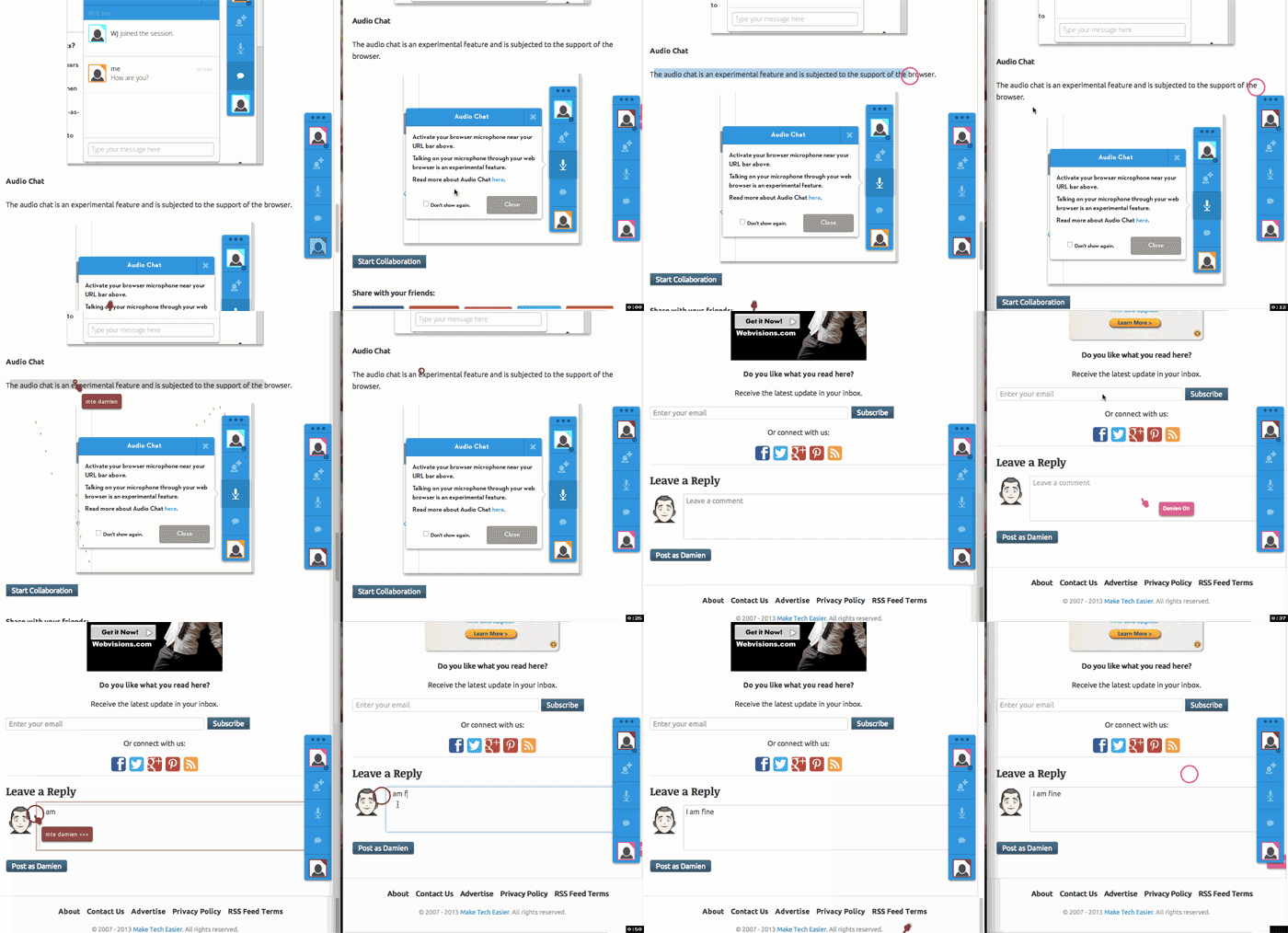
togetherjs-screencast

Conclusion

The features shown above are only a small part of what you can do with TogetherJS. You can check out its documentation for more ways to extend its functionality. There are ton of things that you can do on your site with TogetherJS and with such a simple implementation, you are only restricted by your own creativity.

How to Create QR Codes From The Context Menu In Your Browser

QR codes are becoming increasingly popular these days. In this article, we will show you how you can quickly create QR codes directly from your browser’s context menu.

Internet Speeds Inconsistent With Your Plan? Read This!

Have you ever wondered why your Internet speed is always not as fast as your service provider said it would be? It never hurts to examine the most common causes of slower-than-advertised Internet speeds and determine whether one of these is happening to you so that you can determine how to remedy the situation.

4 Things You Should Know About Digital Cryptocurrencies (Bitcoin, Litecoin, PPCoin, Etc.)

The Internet has entered a new era in which people can start trading in currencies that are not run by governments, called cryptocurrencies. If you have heard all the hype and wanted to get involved, it’s best that you find out more before investing in digital cryptocurrencies.

This Firefox Add-on Can Resurrect Dead Web Pages

Don’t browser away from that dead or broken web page! Use this Firefox add-on instead, used to resurrect dead web pages.

How to Set Up and Use Mozilla’s Firefox Accounts

Firefox Sync is getting better in the new nightly version of Firefox. If you have not setup your Firefox account, here is how you can do so.

What Is the OpenSSL Heartbleed Bug and Why Should You Care?

Things just don’t work the way they should in the Internet. Here are some things you should know about the OpenSSL “Heartbleed” bug and how it affects you.

End-To-End Encryption (And Principle) Explained

You probably have heard the term “end-to-end” plenty of times, but what is it really about? Read on to find out more.

How to Change WordPress Permalink Structure

Do you want to change your website URL structure? Here is how to properly change your WordPress permalink structure and URL redirect.

Can People Really Spy on Your Webcam?

There were news that the FBI was able to spy on people’s webcams without them knowing. How is this possible? Let find out how this hack was done.

How to Perform Search and Replace in WordPress

WordPress doesn’t come with a search and replace function. Luckily, there are several plugins that you can use. Let check them out.

Test Your Website in Various Mobile Devices Without Physically Owning the Devices

Google Chrome comes with a nifty tool that allows you to test how your website render in various mobile device. Here is how you can use the device mode in Chrome.

5 Chrome Apps to Maximize Your Productivity

There are many productivity apps that can help us become more efficient. The following apps make use of Google services and are particularly handy as Chrome apps. Check them out.